AI photo editor
Send Gigi a photo and say what is wrong with it. She removes people and objects, changes the light or the season, swaps the background, or extends the picture to a new shape, and keeps everything you did not ask to change.
Opens Gigi with this task typed in. Nothing is sent until you press send.
How it works
- Attach the photo you want to fix.
- Say what to change: remove the crowd, golden hour, make it 9:16.
- Keep editing the result step by step, in the same chat.
Examples
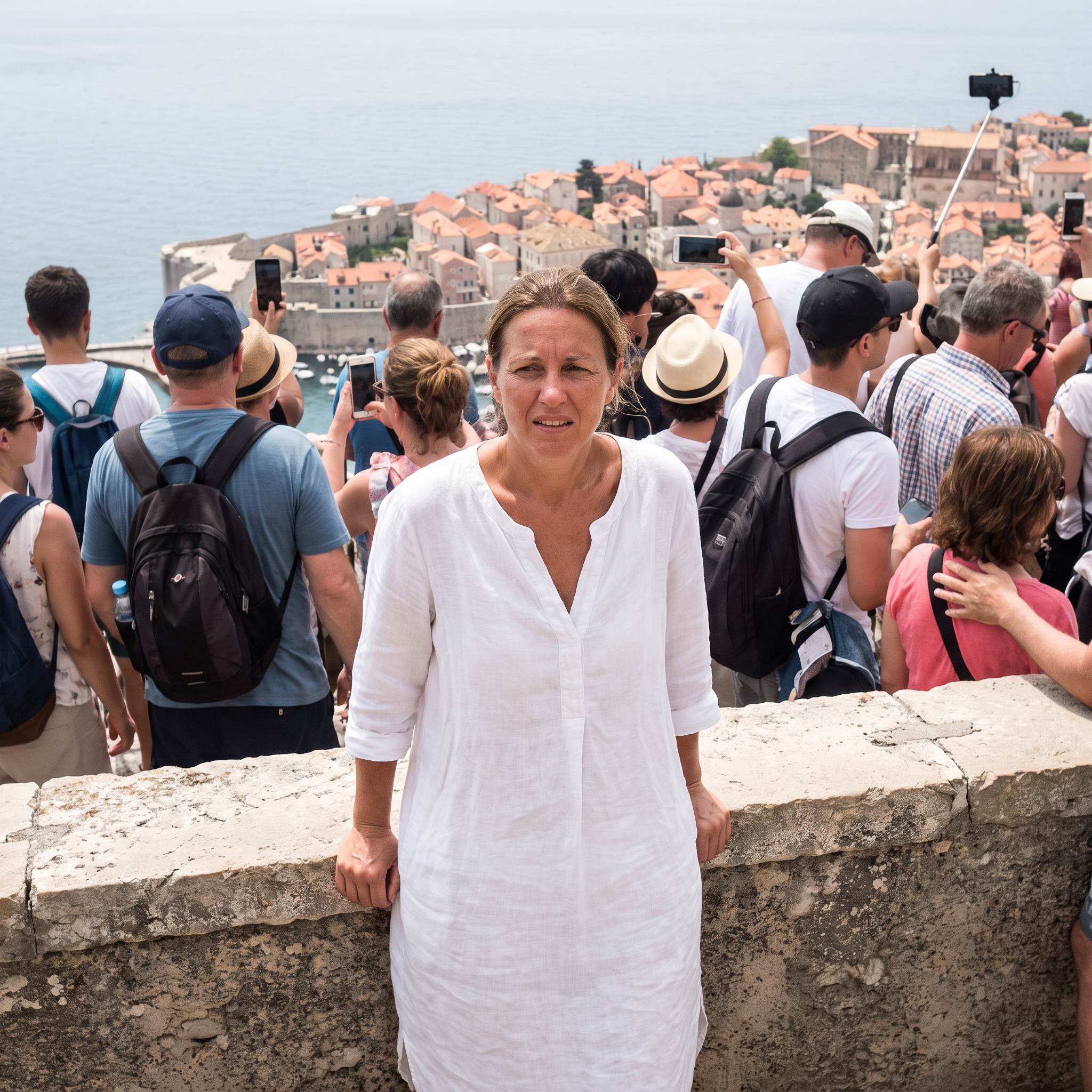
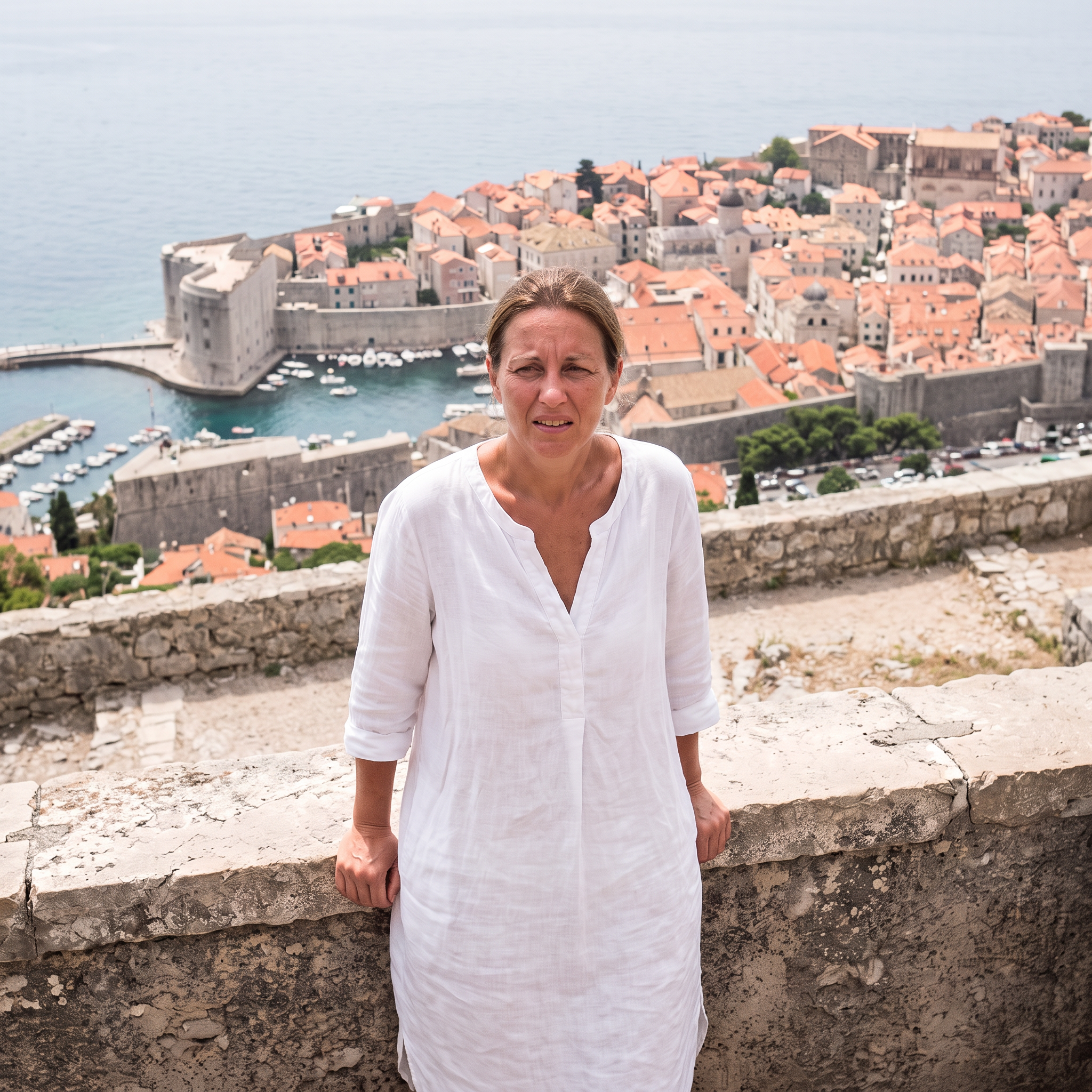
Crowd removed
Made with Nano Banana 2.1 · 2K · 1:1
Prompt
Remove every other person from the background -- all the tourists, backpacks and selfie sticks -- and fill in the village and sea naturally behind them. Keep the woman, her pose, dress and the framing exactly the same. Photorealistic.
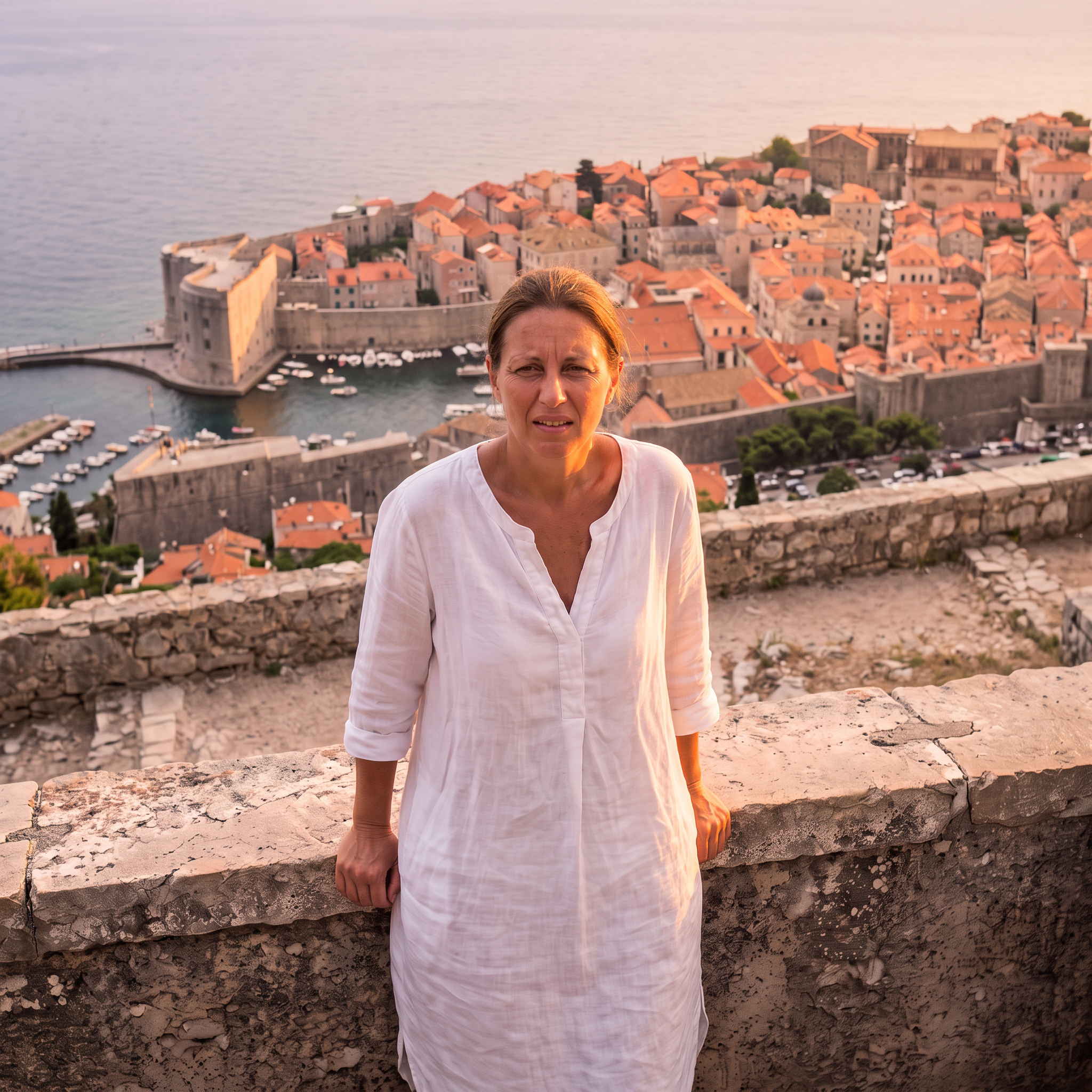
Golden hour
Made with Nano Banana 2.1 · 2K · 1:1
Prompt
Relight this photo as golden hour just before sunset: warm low sunlight from the side, soft glow on her skin and the white houses, a pastel sky. Keep the woman, her pose, the framing and every building exactly the same. Photorealistic.
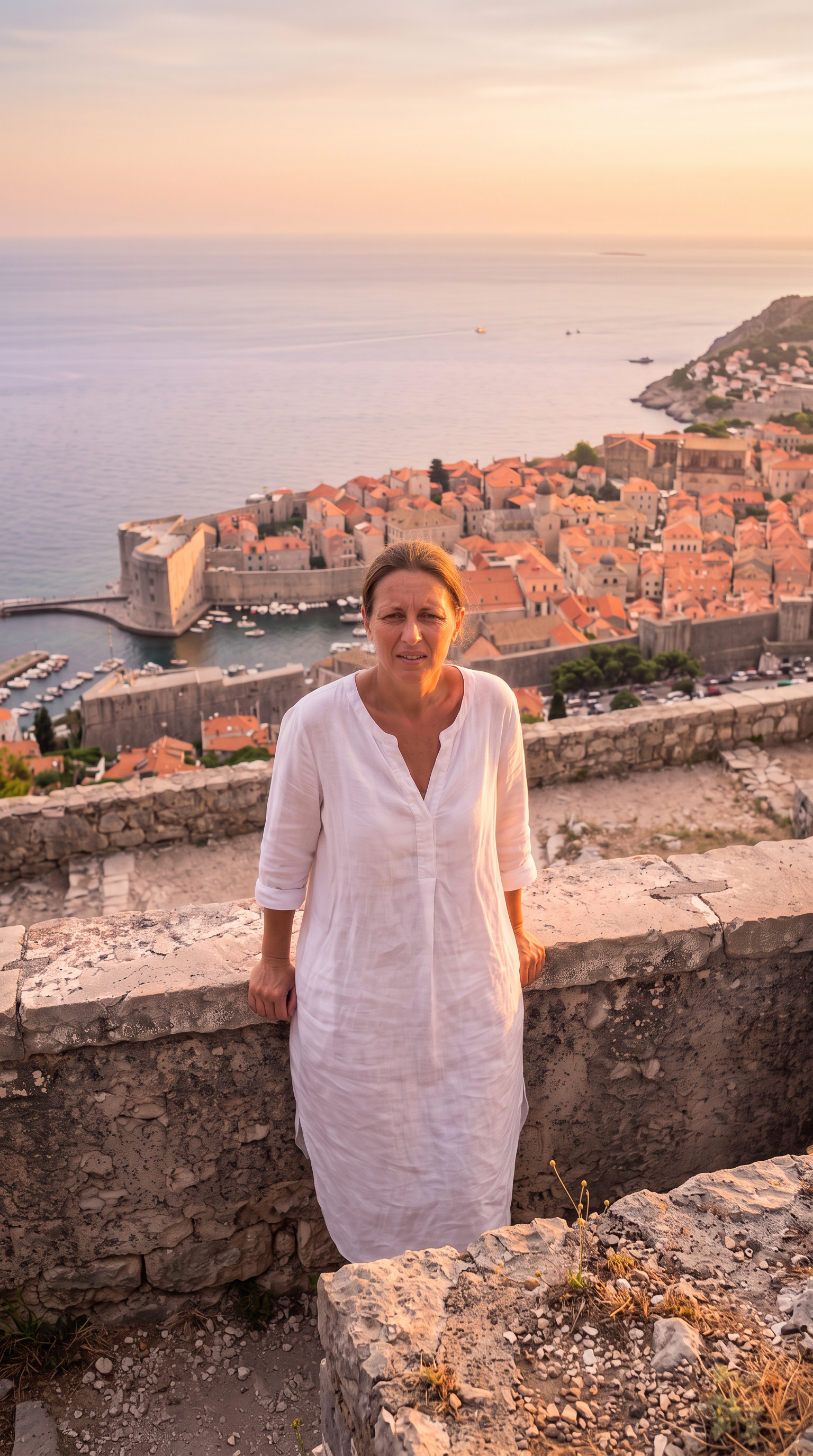
Extended to 9:16
Made with Nano Banana 2.1 · 2K · 9:16
Prompt
Extend this square photo into a tall vertical 9:16 frame: continue the sky and the cliffside village above and the stone terrace and sea below, seamlessly, same golden-hour light. Keep the existing picture exactly as it is in the middle. Photorealistic.
Generated on 2026-10-22. Each example shows the prompt that made it.
Questions
Can it extend a photo to another aspect ratio?
Yes. Ask for 9:16, 16:9 or any shape and the model continues the scene around the original picture, which stays in the middle.
Will the rest of the photo stay the same?
Gigi asks the model to change only what you named. AI edits can still move small details, so compare with the original and ask for a fix if something shifted.
Can I edit several things at once?
Yes, but one change per step gives the cleanest result: each edit starts from the previous one, as in the example above.