AI写真編集
写真をGigiに送って、気になるところを伝えるだけ。人や物を消す、光や季節を変える、背景を差し替える、別の比率に広げることができ、頼んでいない部分はそのまま残します。
このタスクを入力した状態でGigiを開きます。送信を押すまで何も送られません。
使い方
- 直したい写真を添付します。
- 人混みを消す、夕暮れにする、9:16にするなど、変えたい点を伝えます。
- 同じチャットで一歩ずつ編集を重ねます。
作例
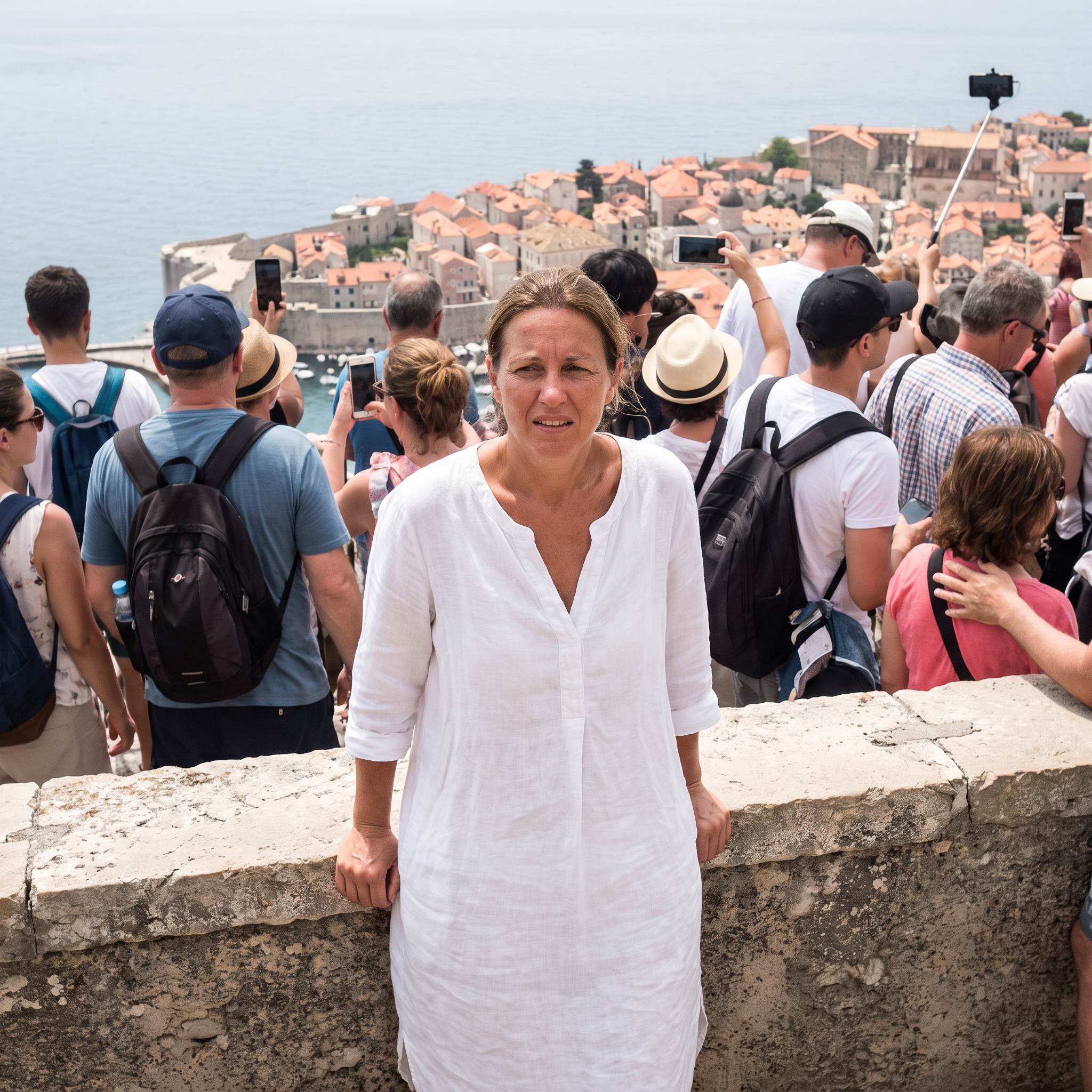
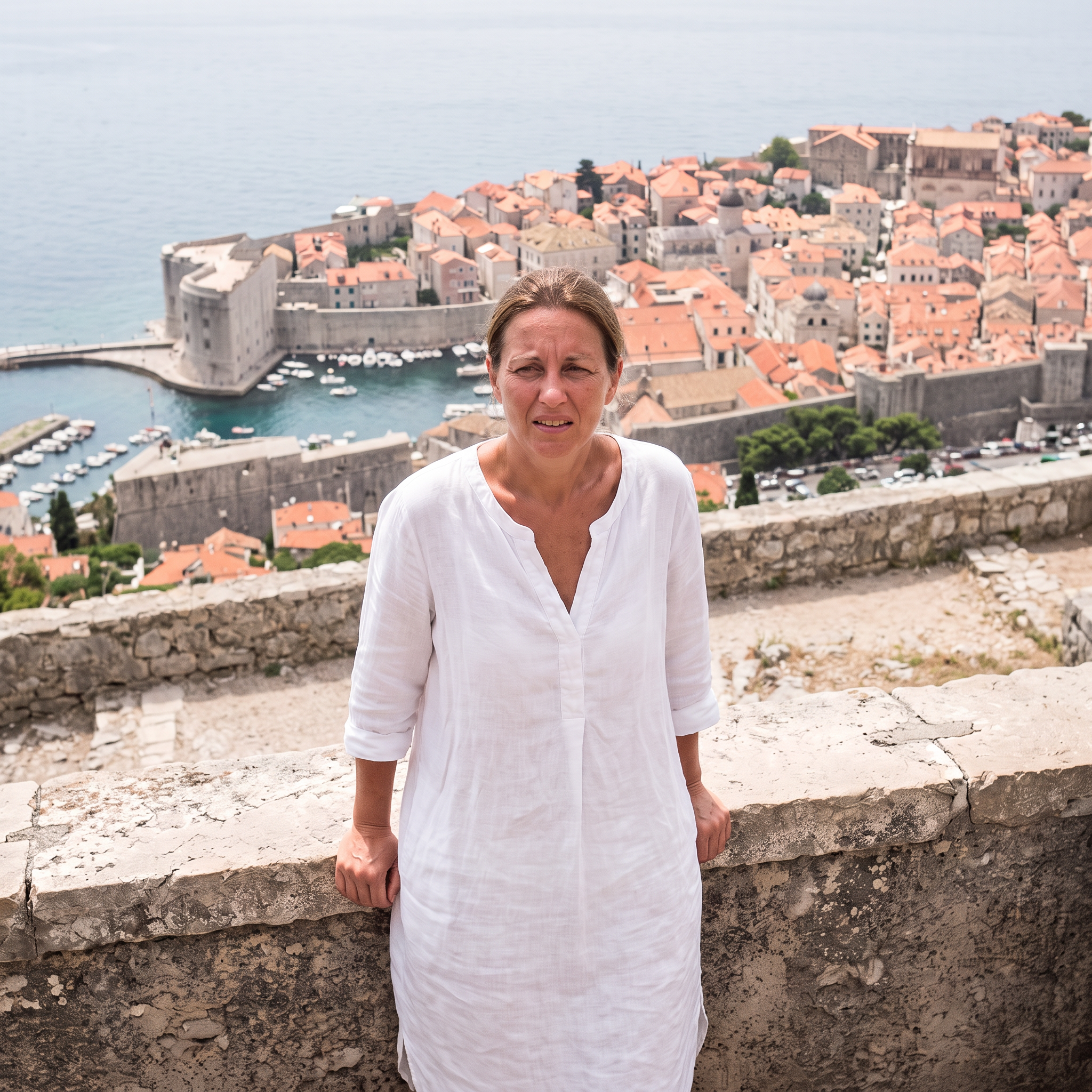
人混みを除去
Nano Banana 2.1 で生成 · 2K · 1:1
プロンプト
Remove every other person from the background -- all the tourists, backpacks and selfie sticks -- and fill in the village and sea naturally behind them. Keep the woman, her pose, dress and the framing exactly the same. Photorealistic.
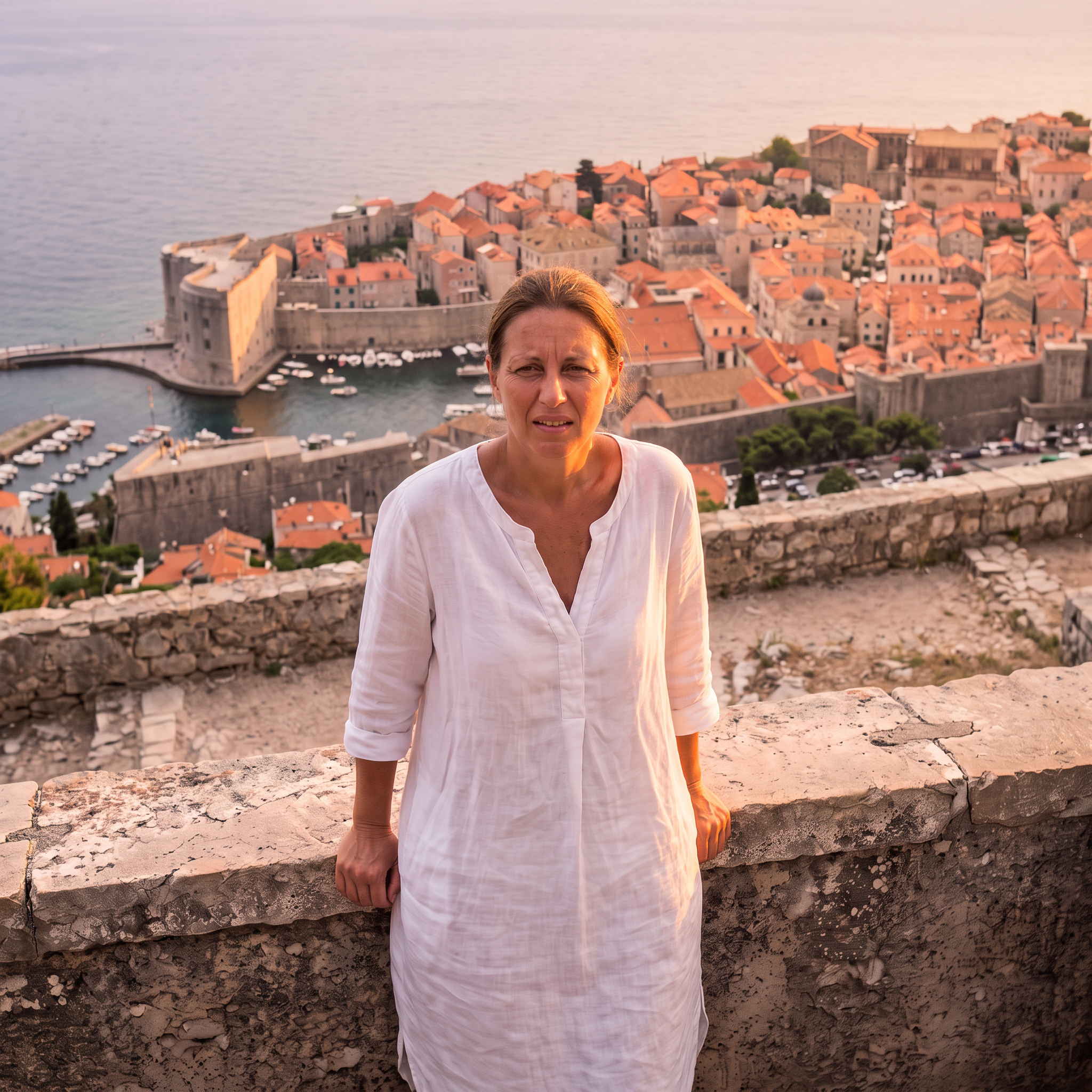
ゴールデンアワー
Nano Banana 2.1 で生成 · 2K · 1:1
プロンプト
Relight this photo as golden hour just before sunset: warm low sunlight from the side, soft glow on her skin and the white houses, a pastel sky. Keep the woman, her pose, the framing and every building exactly the same. Photorealistic.
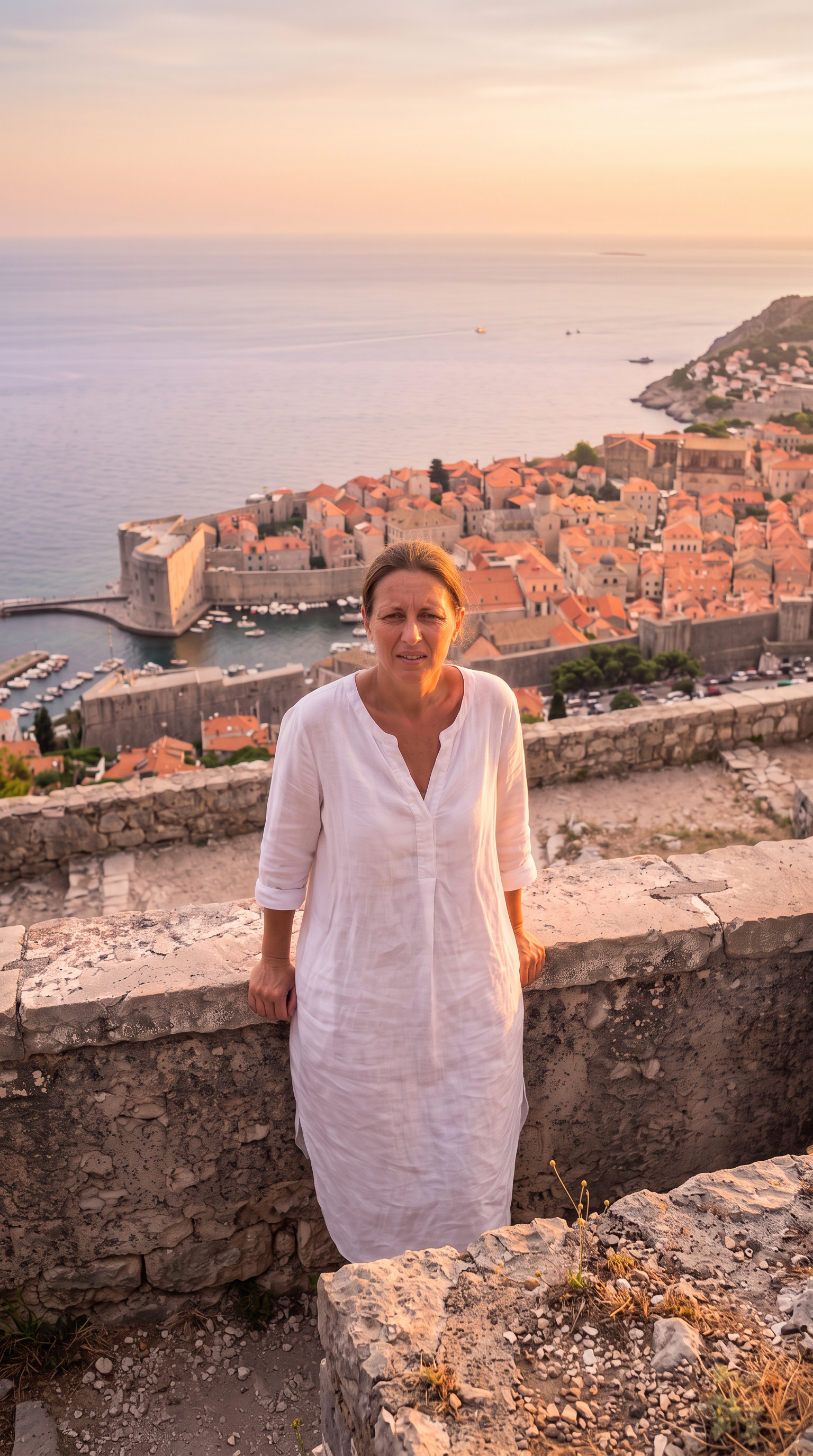
9:16に拡張
Nano Banana 2.1 で生成 · 2K · 9:16
プロンプト
Extend this square photo into a tall vertical 9:16 frame: continue the sky and the cliffside village above and the stone terrace and sea below, seamlessly, same golden-hour light. Keep the existing picture exactly as it is in the middle. Photorealistic.
2026-10-22 に生成。各作例の下に、生成に使ったプロンプトがあります。
よくある質問
写真を別の比率に広げられますか?
はい。9:16や16:9など好きな比率を伝えると、元の写真を中央に残したまま周囲を描き足します。
ほかの部分は変わりませんか?
Gigiは指定した部分だけを変えるよう指示します。それでも細部が動くことがあるので、元の写真と比べて気になれば修正を頼んでください。
一度に何か所も直せますか?
できますが、一回に一つずつ直すほうがきれいに仕上がります。上の例のように、前の結果から続けて編集します。