
The Geometry-First Pipeline: Transforming Static Furniture Photos into Cinematic Product Videos
Transform static furniture photos into commercial-grade video assets. This step-by-step technical workflow preserves geometric proportions, locks fabric and wood textures, and executes flawless cinematic camera movements.
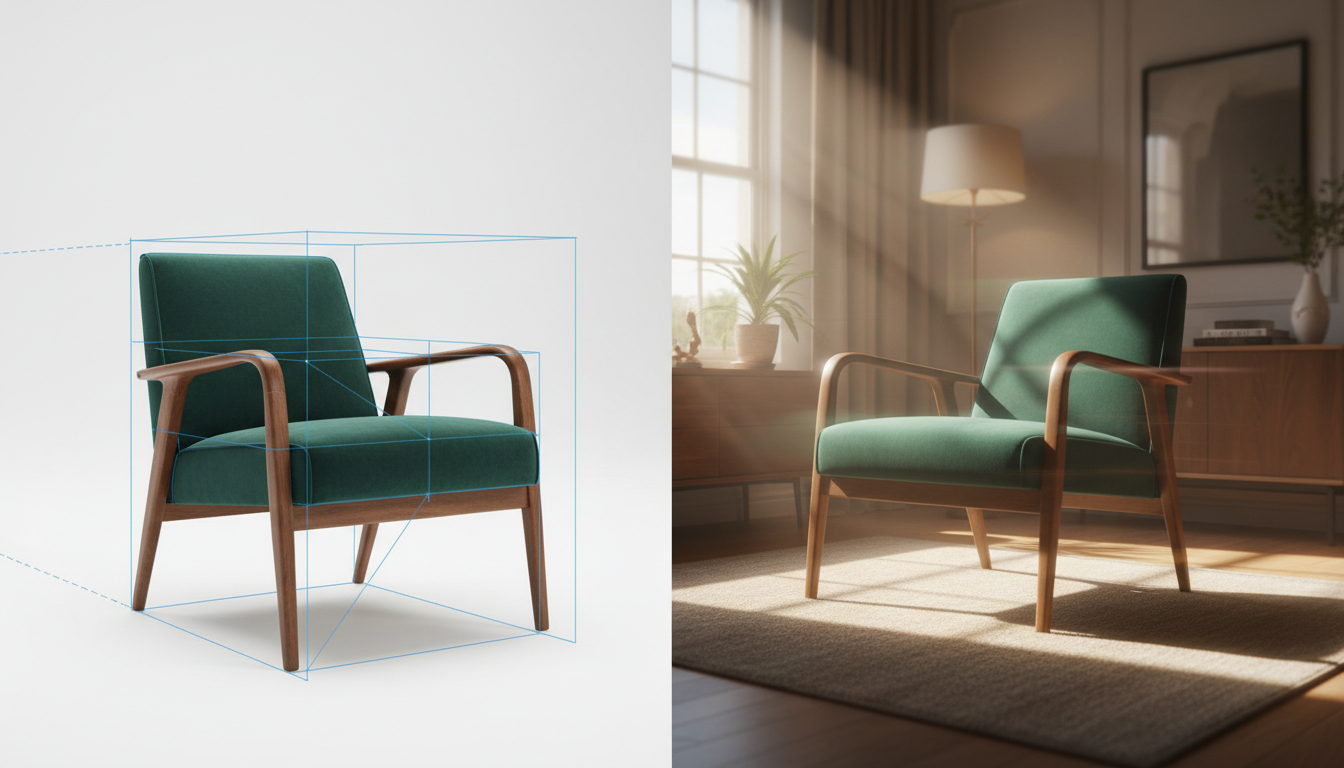
Animating static product photography into high-end promotional video has long been the holy grail of e-commerce marketing. In the furniture industry, where physical logistics make traditional video shoots incredibly expensive, AI-powered video generation offers a highly compelling alternative. However, early adopters quickly run into a frustrating roadblock: temporal AI engines are built to prioritize fluid motion over structural rigidity.
When you feed a standard photo of a mid-century modern credenza or a minimalist sofa into an image-to-video generator, the results often look more like a surrealist dream than a high-end commercial. Table legs warp as the camera moves, wood grains slide across surfaces like liquid, and symmetrical upholstery loses its proportions. At Montagea, we advocate for a "geometry-first" pipeline—a production workflow that prioritizes structural preservation through rigorous pre-processing, precise prompting, and targeted multi-model execution.
The Structural Preservation Dilemma in AI Product Video
Standard text-to-video and image-to-video workflows fail physical products because neural networks operate on probability, not Euclidean geometry. A generative model does not inherently understand that a table leg must remain exactly perpendicular to the tabletop at a 90-degree angle; it only understands that pixels of similar colors typically cluster together in motion. When a simulated camera moves, the model attempts to predict the newly exposed angles, often leading to "hallucinated" geometry that ruins the product's commercial accuracy.
For creative filmmaking, a slight warp in a background tree or a shifting shadow on a character's jacket is easily overlooked. For product videography, even a 2% deviation in a chair's profile makes the video unusable for e-commerce, as it misrepresents the physical product. To establish a baseline of geometric fidelity, you cannot simply upload a raw photo and hope for the best. You must construct a highly controlled input file that limits the AI's creative license. Learn how to optimize your source files using our guide on engineering reference images for temporal AI video engines.
Pre-Production: Isolating the Product and Engineering the Input
The first rule of the geometry-first pipeline is simple: never let the AI process the product and a complex background simultaneously in the initial pass. When a video generator tries to animate a camera pan around a chair sitting in a fully furnished room, it struggles to calculate the parallax between the chair's edges and the background. The result is "texture bleeding," where the fabric of the chair seems to melt into the wallpaper or floor boards behind it.
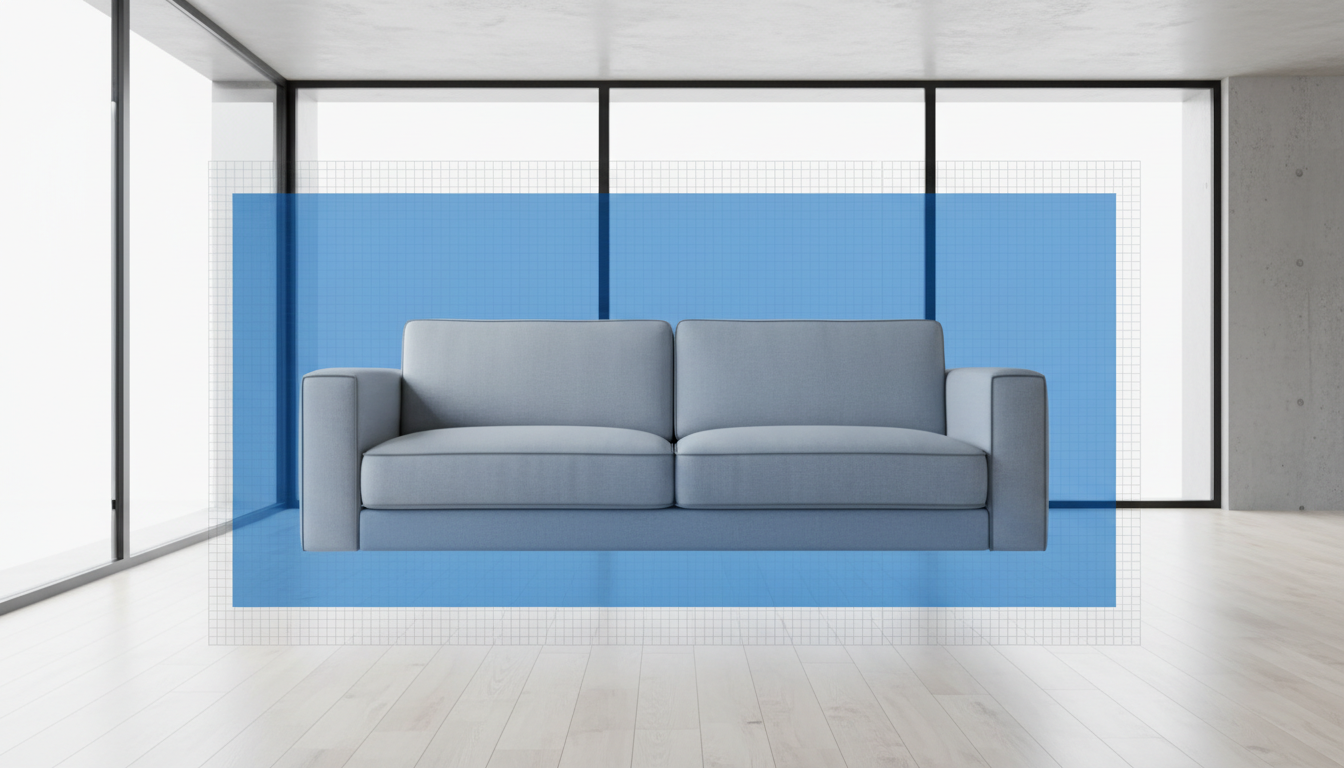
To prevent this, you must separate the furniture piece from its original background using high-precision vector masking. Create a clean alpha channel or place the product on a solid, neutral studio background (such as a flat light gray or white digital cyclorama). This isolation forces the AI's temporal attention to focus entirely on the boundaries of the physical object, preventing edge artifacts and texture leakage.
Additionally, pay close attention to the lighting direction in your source photo. The highlights and shadows on your product dictate how the AI will simulate camera movement. If your photo features a strong key light from the left, any simulated camera pan must respect those baked-in shadows. This technique builds on the principles of the isolated motion protocol to keep your product static while animating the environment, ensuring that the light source remains physically consistent throughout the shot.
Executing Cinematic Camera Moves Without Deforming the Product
To showcase furniture dynamically without deforming its physical structure, you must design camera paths that minimize perspective distortion. Complex rotational paths, rapid transitions, and intense focal length changes are highly prone to geometric failure. Instead, build your shot list around linear camera paths: slow horizontal pans, vertical tilts, and controlled dolly-ins or dolly-outs.
The secret to successful generation lies in writing prompts that explicitly instruct the AI to move the digital camera while keeping the physical object entirely static. If you prompt the model with "sofa in a modern room," the AI will likely animate the sofa itself—causing the cushions to shift or the frame to warp. You must use camera-first syntax that establishes the product as an unyielding anchor. For example:
"A high-end minimalist leather sofa, completely static, zero object motion. Slow, steady horizontal camera pan from left to right. Studio lighting remains perfectly consistent. High geometric fidelity, no warping, no deforming. Professional commercial videography, 8k resolution."
By framing the prompt around the camera's physical motion rather than the object's state, you guide the neural network to apply its temporal calculations to the background and perspective shift, rather than redrawing the product itself.
The 360-Degree Product Orbit vs. Split-Plane Parallax
When creating a high-end furniture showcase, two advanced camera techniques yield the most professional results: the controlled orbit and split-plane parallax. Both require distinct prompting strategies to prevent geometric degradation.
Mastering the Controlled Orbit
A 360-degree orbit is the ultimate test of an AI video generator's geometric retention. Because the camera must travel completely around the furniture piece, the model is forced to generate angles of the product that were not present in the original source image. To execute this successfully, you must use keyframe guidance or advanced camera path controls (such as Runway's Director Mode or Luma's advanced camera paths) to lock the central axis of rotation. For a deeper dive into controlling this specific camera path, read our comprehensive guide on prompting cinematic 360-degree orbit shots.
Leveraging Parallax
If you want to showcase a product within an aspirational environment (like a luxury penthouse or a cozy cabin) without risking product warping, split-plane parallax is the superior workflow. Instead of generating the entire scene in a single pass, you generate the background motion independently using a slow, cinematic camera move. You then composite your static, high-resolution furniture photo over the moving background in post-production, applying a subtle, matching artificial camera drift and shadow adjustment. To achieve flawless depth separation without edge artifacts, implement the split-plane protocol for true cinematic parallax.
The Multi-Engine Workflow: Matching Materials to AI Models
No single AI video engine excels at rendering every type of furniture material. A model that generates flawless, photorealistic wood grains might struggle with the complex, micro-shadows of woven boucle fabric. To achieve commercial-grade results, professional workflows rely on a multi-engine approach, generating different shots with different models depending on the material focus.

Structuring these different shots into a cohesive sequence is easier when you map them to a multi-model shot list. Below is a comparison framework evaluating how leading engines handle common furniture materials and camera movements:
| AI Video Engine | Material Strength | Best Camera Path | Geometry Retention Score |
|---|---|---|---|
| Runway Gen-3 Alpha | Soft fabrics, leather, velvet | Linear dollies, slow vertical tilts | High (requires strict negative prompts) |
| Luma Dream Machine | Metallic reflections, polished chrome, glass | Controlled orbits, 3D panning | Medium-High (best with keyframe inputs) |
| Kling AI | Wood grains, organic marble textures | Slow slider moves, push-ins | High (highly stable texture mapping) |
Before sending any generated clip to your final edit, run it through this strict commercial viability checklist to ensure it meets professional brand standards:
- Parallel Lines: Verify that vertical table legs, cabinet edges, and backrests remain perfectly parallel and do not bend or skew during camera movement.
- Texture Lock: Watch the wood grain or fabric weave closely. Ensure the texture does not "swim" or slide across the surface of the model as the perspective shifts.
- Symmetry Verification: Check that symmetrical elements (such as the left and right armrests of a chair) maintain identical proportions throughout the entire duration of the clip.
- Reflective Consistency: Ensure that reflections on metallic or glass surfaces move dynamically in response to the camera's changing angle, rather than remaining static or flickering randomly.
How do I prevent my furniture product from warping or changing shape when animating a photo?
To prevent warping, use a geometry-first pipeline: isolate your product on a clean background before generating, use explicit camera-centric prompts (e.g., "static product, camera pans"), avoid complex rotational camera paths, and keep camera movements slow and linear.
What is the best AI video generator for creating realistic furniture product videos?
There is no single "best" generator; a multi-engine workflow yields the best results. Runway Gen-3 is exceptional for soft fabrics and organic leather textures, Kling AI excels at keeping wood grains stable, and Luma Dream Machine handles metallic reflections and complex camera orbits highly effectively.
Should I remove the background of my product photo before using an AI video tool?
Yes. Removing the background and placing the product on a clean, solid studio background or alpha channel prevents "texture bleeding" and edge artifacts, allowing the AI to calculate clean perspective changes without blending the product into surrounding environment details.
How do I maintain consistent wood grain and fabric textures across different AI video clips?
Maintain texture consistency by using high-resolution source images with clear lighting, utilizing image-to-video (I2V) settings rather than text-to-video (T2V), and keeping the camera path linear. For complex materials, map your shots to a multi-model workflow where specialized engines handle close-up texture details separately from wide structural shots.



