
The Multi-Model Shot List: Matching Cinematic Tasks to AI Video Engines
Relying on a single AI video model for an entire film leads to creative compromise. Discover how to build a multi-model shot list that matches specific cinematic tasks to the distinct architectural strengths of Runway Gen-3, Kling, and Luma Dream Machine.
Filmmakers transitioning to AI-assisted workflows often start with a single platform, expecting it to serve as an all-in-one virtual camera and VFX house. However, relying on one engine for an entire sequence inevitably leads to creative compromises—whether that manifests as rubbery human limbs, distorted camera tracking, or breaking physical laws. Each AI video generator is built on a distinct architecture trained on different datasets, meaning they excel at completely different visual and physical tasks.
At Montagea, we view the current landscape of generative video not as a race to find a single perfect model, but as an opportunity to build a sophisticated multi-model pipeline. Just as a traditional director of photography selects specific camera bodies, lenses, and lighting packages for different setups, the modern AI filmmaker must construct a multi-model shot list that matches each cinematic task to the engine best equipped to render it. This tactical framework minimizes generation waste, preserves visual quality, and gives you unprecedented control over your final edit.
Beyond the Single-Engine Fallacy: The Case for a Multi-Model Shot List
The belief that one AI model can handle a full production pipeline is the single greatest source of budget inflation and creative frustration in AI filmmaking. When you force a model optimized for sweeping landscapes to render subtle human micro-expressions, you end up burning through generation credits trying to force the latent space to do something it was never trained to do well. The result is a cycle of endless reruns, prompt tweaks, and ultimately, a compromised shot that looks out of place in your sequence.
By adopting a multi-model shot list, you treat AI video engines as specialized departments. One engine acts as your character actor, another as your stunt coordinator, and a third as your camera operator. This hybrid approach allows you to leverage the hyper-realistic human textures of one model alongside the robust, physics-compliant environment interactions of another. The goal is simple: generate fewer frames, achieve higher fidelity, and maintain complete creative authority over the final composition.
Mapping Cinematic Actions to AI Model Strengths
To successfully orchestrate a multi-model production, you must understand the underlying technical strengths of each leading engine. Different models handle motion vectors, light transport, and structural geometry in fundamentally different ways.
High-Fidelity Human Motion & Character Performance
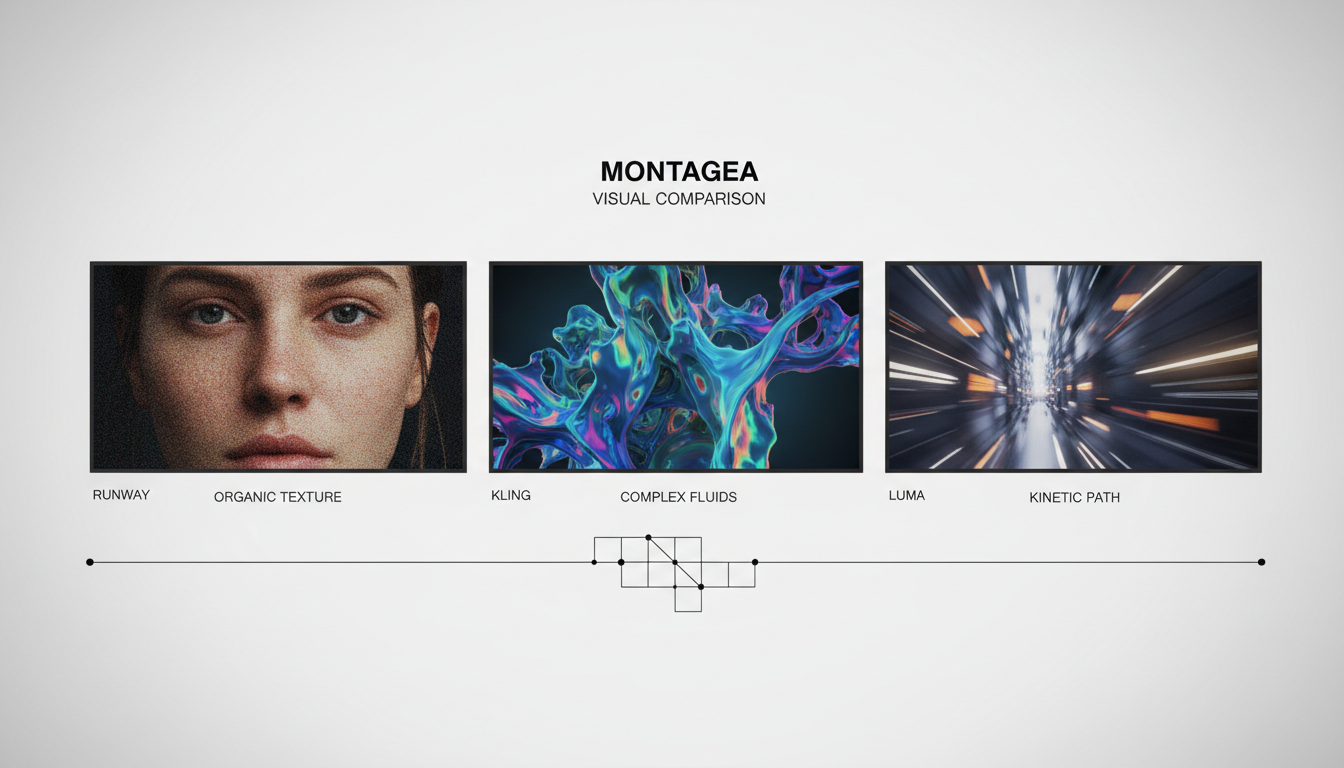
When your scene demands intimate character work, subtle emotional nuances, or complex skin and fabric textures, Runway Gen-3 Alpha stands out as the industry standard. Its training data heavily prioritizes photorealistic human rendering and the subtle physics of lighting. Runway excels at capturing how light scatters across human skin (subsurface scattering) and how fabric moves in relation to a body. If your shot requires a slow zoom on a character’s face as they react to off-screen action, Runway will preserve the structural integrity of the eyes, mouth, and facial symmetry far better than its competitors, avoiding the uncanny morphing that often ruins close-ups.
Complex Physics and Spatial Transformations
For shots involving direct physical contact, structural transformations, or complex environmental interactions, Kling AI offers superior physical simulation. Whether it is a character picking up an object, a glass shattering on the floor, or food cooking in a pan, Kling possesses an advanced understanding of real-world momentum, gravity, and material properties. While other models often dissolve objects into abstract shapes during hand-to-object contact, Kling maintains the structural boundaries of both the human hand and the tool being held, making it indispensable for action beats and tactile insert shots.
Kinetic Camera Work & 3D Space Navigation
Luma Dream Machine is exceptionally proficient at executing complex, high-speed 3D camera movements. If your shot list calls for a dramatic dolly zoom, a sweeping drone shot tracking a vehicle through a canyon, or a continuous 360-degree pan around a subject, Luma’s spatial awareness is unmatched. It maintains perspective, parallax, and background depth with minimal warping. Where other engines struggle to keep background elements stable during fast camera motion, Luma accurately projects 3D space, ensuring that buildings, trees, and horizons scale realistically as the virtual camera moves past them.
| Engine | Optimal Shot Types | Motion Strengths | Primary Limitations |
|---|---|---|---|
| Runway Gen-3 | Medium Close-Ups, Dialogue, Fashion, Lighting Studies | Subtle facial expressions, realistic skin texture, photorealistic lighting | Can struggle with extreme physical destruction or high-speed collisions |
| Kling AI | Insert Shots, Physical Interactions, Action Beats, VFX Elements | Excellent physical simulation, object permanence, hand-to-object contact | Camera movements can occasionally feel slower or more rigid than Luma |
| Luma Dream Machine | Sweeping Wide Shots, Dolly Zooms, Fast Tracking, Drone Shots | Dynamic 3D perspective, accurate parallax, high-speed camera paths | Subtle human facial features can sometimes distort during extreme moves |
The Shot-by-Shot Selection Framework
To implement this in your next project, you must break down your director’s shot list and assign each setup to the correct engine. Let’s look at how to classify and assign common shot types:
Establishing Shots & Overhead Views
When generating wide establishing shots or dramatic overhead perspectives, your primary goal is preserving architectural scale and environmental perspective. Luma Dream Machine is highly effective here because of its strong spatial tracking. If your scene requires a true top-down angle, you can combine Luma’s spatial rendering with specialized prompting techniques to ensure the horizon does not warp. For extreme vertical angles, refer to our guide on prompting the nadir perspective to keep your overhead geometry perfectly aligned.
Medium Close-Ups (MCU) & Dialogue
For close-ups where character emotion drives the scene, assign the shots to Runway Gen-3. Focus your prompts on the character’s internal state rather than heavy camera movement. For example, prompting "A subtle, micro-expression of realization, slow zoom on eyes, cinematic lighting" allows Runway to focus its computational power on rendering realistic muscle movements in the face, avoiding the dreaded "plastic mask" look.
If you need a static shot where the character is perfectly still but the environment moves slightly, consider referencing the isolated motion protocol for animating background elements while preserving subject stability. This protocol prevents the character’s features from drifting or morphing over the course of the generation.
Action & VFX-Heavy Shots
If your script calls for a character to smash a glass, kick open a door, or pour a liquid, route these generations to Kling AI. Kling’s deep understanding of physical momentum prevents the objects from clipping through characters or turning into abstract liquid states. When prompting action in Kling, describe the physical reaction explicitly: "A heavy wooden chair slams against a concrete wall, shattering into splinters with realistic impact and dust particles." This level of physical detail plays directly into Kling’s architectural strengths.
Managing Asset Continuity Across Diverse Engines
The biggest challenge of a multi-model pipeline is maintaining visual continuity. If your protagonist looks like a different person when you switch from a Runway close-up to a Kling action shot, the illusion of your film is shattered. To solve this, you must anchor your assets before you begin generating video.
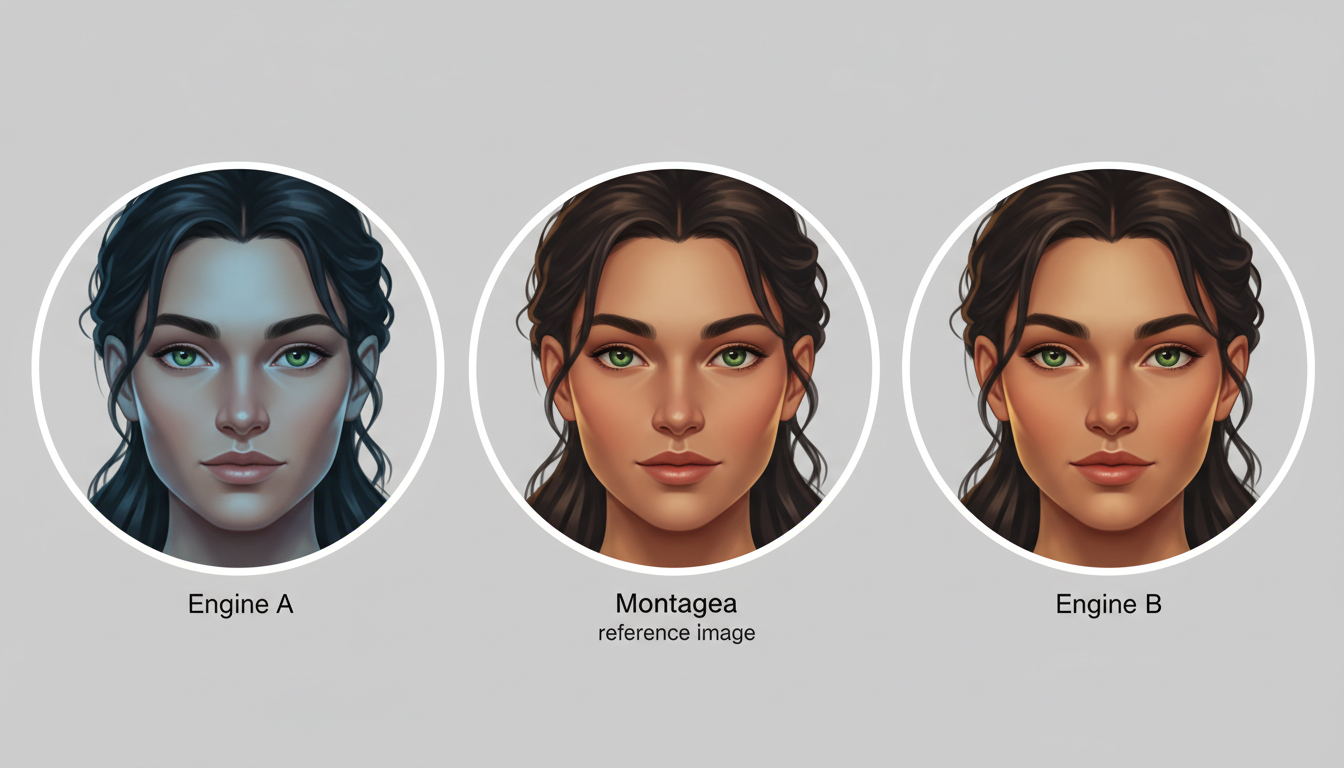
First, establish a master reference image for your character and environment. Rather than relying on simple text prompts, start by consulting the blueprint for engineering reference images to maintain stylistic continuity. This master image acts as a visual anchor that you feed into the image-to-video (I2V) prompts of each respective engine.
Second, when generating character-driven scenes, use a unified character sheet. By utilizing character turnaround sheets to preserve identity across multiple generations, you provide the AI models with a 360-degree understanding of your character’s features, hair texture, and clothing. When Runway, Kling, and Luma are fed the same structured turnaround data, their outputs remain remarkably consistent, even though their rendering styles differ slightly.
Finally, utilize post-production color grading and grain matching to unify the look. Even when engines render different textures, matching the contrast curves, applying a shared LUT (Look-Up Table), and overlaying a consistent layer of 35mm film grain will instantly blend disparate AI outputs into a singular, cohesive cinematic sequence.
Orchestrating the Edit: Mastering Transitions and Keyframes
Once you have generated your shots across different engines, the final challenge is stitching them together smoothly. If you are transitioning between two shots of different actions or environments, you can use advanced keyframing to force visual continuity.
One of the most powerful tools for this is linking to the guide on mastering Kling's first and last frame workflow for precise temporal control. By feeding a generated frame from Runway as the starting frame, and a generated frame from Luma as the ending frame, you can force Kling to interpolate the motion between them. This creates a seamless bridge between two entirely different model architectures.
Additionally, ensure your camera speeds and motion vectors match in the edit. If a Luma shot ends with a fast camera pan to the right, your subsequent Runway close-up should begin with a subtle camera pan to the right. This matches the kinetic energy of the frame, tricking the viewer’s eye into accepting the cut without noticing the underlying change in the AI engine. Finish your pipeline by converting all assets to a uniform frame rate (typically 24fps) using high-quality optical flow interpolation, and upscale them using a single consistent model to lock in your final master format.
Which AI video model is best for close-up dialogue shots?
Runway Gen-3 Alpha is currently the strongest model for close-up dialogue and character performance. Its training data excels at rendering realistic skin textures, eye reflections, and subtle facial micro-expressions, preventing the unnatural warping or morphing that often occurs in other models during intimate shots.
How do I keep my main character looking the same when switching between Runway and Kling?
To maintain character consistency, you should use highly engineered reference images and multi-angle character turnaround sheets as image-to-video (I2V) inputs for both engines. By feeding both models the exact same visual anchors, you ensure that key facial features, hair, and clothing remain consistent across different generations.
Can I use different AI video engines in the same scene without it looking disjointed?
Yes, you can seamlessly mix engines by unifying them in post-production. Applying a consistent color grade, matching the contrast levels, overlaying a uniform layer of film grain, and keeping camera motion vectors aligned across cuts will blend the outputs of different models into a single cohesive scene.
What is the best AI video model for complex physics and action sequences?
Kling AI is highly recommended for complex physics, object transformations, and physical contact. It possesses an advanced understanding of real-world momentum, fluid dynamics, and material properties, making it the ideal choice for shots where characters interact directly with objects or environments.



