
How to Transform Static Jewelry Photos into Cinematic Product Videos
Transforming static jewelry photography into cinematic video requires a geometry-first approach. Learn how to control reflections, maintain gem physics, and use subtle camera drift to create high-end visual assets.
To transform static jewelry photos into cinematic product videos without losing geometric integrity or introducing digital artifacts, you must use a geometry-first image-to-video workflow. This method treats the high-resolution product photo as a locked, non-deforming layer—a "fixed asset"—and directs the AI video engine to animate only the camera path and environmental lighting. By focusing motion commands on the surrounding space rather than the object itself, you prevent precious metals from morphing and ensure gemstone facets remain physically accurate and free of structural hallucinations.
The Geometry-First Approach to Jewelry Motion
High-end jewelry demands absolute precision. Unlike apparel or liquids, where organic deformation looks natural, a diamond ring or luxury watch that warps by even a fraction of a millimeter instantly loses its premium feel and commercial credibility. When working with AI video generators, standard text-to-video prompts often fail because the model attempts to build the complex physical structure of the jewelry from scratch, resulting in melting prongs, shifting gem facets, and unstable metal bands.
To solve this, you must prioritize image-to-video (I2V) modalities. Starting with a flawless studio photograph allows the AI model to inherit the exact proportions, reflections, and textures of the physical product. If you are deciding on the best starting point for your campaign, understanding the structural differences between modalities is essential; you can read more about this in our guide on Image-to-Video vs. Text-to-Video for Product Ads: Choosing the Right Modality.
The core principle of jewelry motion design is treating the product as a fixed asset. In this framework, the jewelry remains completely static in 3D space. The movement in the scene comes entirely from two variables:
- The Camera: Controlled, slow-velocity sweeps that reveal parallax and depth.
- The Environment: Moving studio lights, shifting reflections, and changing shadows that play across the polished surfaces.
Prompting for Light, Reflection, and Subtle Movement
Controlling reflections on highly polished metals like platinum, yellow gold, and sterling silver is one of the greatest challenges in AI video production. If your prompt commands the ring or necklace to rotate, the AI will struggle to calculate how the environment reflects off the changing angles of the metal, leading to muddy textures and flickering highlights. Instead, you must prompt the camera and the lighting source to move while the object remains still.
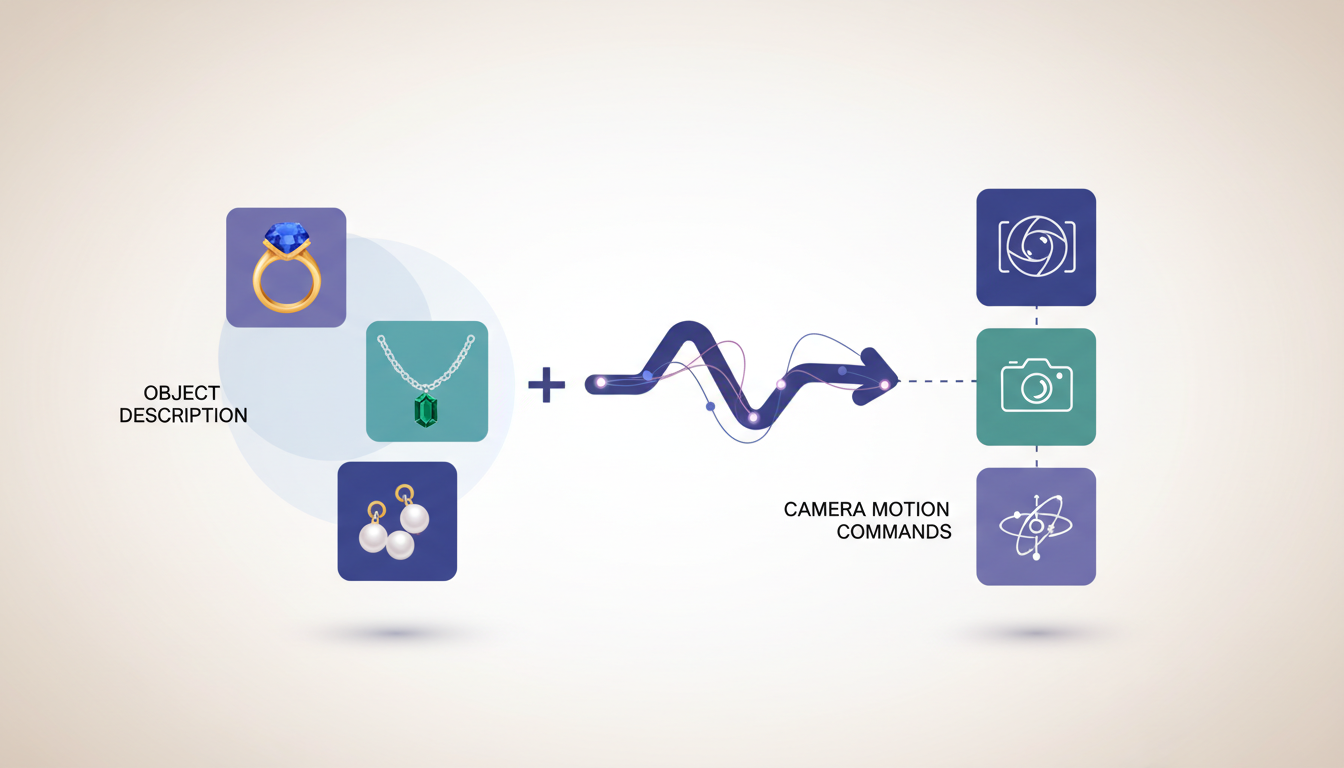
To achieve this, avoid verbs that imply object deformation (e.g., "the necklace spins" or "the bracelet bends"). Instead, use passive environmental descriptors. For example, specify "soft key light sweeping from left to right" or "subtle caustic light reflections dancing across the background." This instructs the AI to calculate light physics across a static surface, preserving the underlying geometry.
When structuring your camera commands, employ micro-movements. Large camera sweeps can trigger digital glitches or cause the AI to hallucinate the hidden sides of the jewelry. Instead, use "macro-drift" or slow orbital paths. For precise execution of these organic camera movements without introducing digital artifacts, refer to our technical breakdown on Prompting Handheld Camera Movement in AI Video: How to Control Organic Breathing and Avoid Digital Glitch. To expand these into sweeping, high-end commercial shots, you can also explore our guide on Beyond the Product Turnaround: Prompting Cinematic 360-Degree Orbit Shots in AI Video.
The Jewelry Motion Prompt Template
Use the following template structure to construct your prompts. Note that this is an illustrative framework designed to help you separate your product description from environmental action:
[Input Image of Jewelry] + "Cinematic macro shot of the static [Product Description] resting on a dark marble surface. The camera performs a slow, controlled macro-drift forward. Soft studio lighting sweeps across the scene, creating sharp, realistic light glints and caustic reflections on the polished metal and gemstone facets. Background is softly out of focus, maintaining absolute geometric stability, photorealistic, 8k resolution."
The Cinematic Stability Checklist
Before exporting your generated video for client review or ad placement, evaluate the clip against these quality benchmarks:
- Edge Sharpness: Do the outer boundaries of the metal prongs or bands remain perfectly crisp, or do they blur and bleed into the background?
- Facet Integrity: Do the individual facets of the gemstone hold their shape during light shifts, or do they appear to boil and morph?
- Reflection Logic: Do the highlights move logically across the metal surfaces in response to the camera's perspective shift?
- Shadow Anchoring: Does the contact shadow beneath the jewelry remain firmly planted, or does the product appear to float as the scene progresses?
Integrating Jewelry Motion into Your Production Workflow
In a professional production pipeline, AI-generated motion is rarely used in isolation. Instead, it serves as a powerful tool to extend the life of static asset libraries and accelerate creative iteration. On Montagea, creators can use Gigi, an AI creative agent, to describe a video ad or short film and automatically select the best AI models, or choose specific engines directly. This workflow allows teams to experiment with different AI models and motion sequences to find the right visual direction for a brand.
When deciding whether to use AI-generated motion, traditional 3D CAD animation, or live-action macro videography, consider the following decision framework:
| Production Route | Best Used For | Workflow Considerations | Geometric Fidelity Characteristics |
|---|---|---|---|
| Traditional 3D CAD Render | Complex mechanical movements, watches, exploded-view product demonstrations. | Requires dedicated 3D modeling, texturing, and rendering phases. | Maintains exact mathematical specifications of the digital model. |
| AI Image-to-Video (I2V) | Social media ads, lifestyle B-roll, atmospheric lighting sweeps, rapid creative testing. | Enables rapid generation and iterative testing of lighting and camera paths. | Highly dependent on prompt control, camera speed, and model stability. |
| Live-Action Macro Video | Hero brand films, physical interactive displays, complex hand-model interactions. | Requires physical studio setup, specialized macro lenses, and lighting equipment. | Captures the physical object exactly as it exists in the real world. |
By integrating Montagea into your production workflow, you can quickly generate and compare video variations using different AI models before committing budget to expensive 3D rendering or live-action studio shoots. This hybrid approach ensures your jewelry campaigns remain visually captivating, highly cost-effective, and completely true to the fine craftsmanship of the physical product.
How can I prevent the AI from changing the shape of the jewelry during the video?
To prevent geometric morphing, use an image-to-video workflow rather than text-to-video. Keep your prompt focused entirely on camera movement (such as "slow zoom" or "macro drift") and environmental lighting changes, while explicitly stating that the product itself is static. Avoid verbs like "rotate," "spin," or "bend" directed at the jewelry asset.
What is the best way to handle high-contrast reflections on gold and silver?
Describe the studio lighting setup in your prompt. Specifying terms like "softbox diffusion," "sweeping key light," or "controlled caustic reflections" guides the AI to render realistic, logical light paths across highly reflective metals instead of generating random flickering artifacts.
Should I generate the video with or without a background?
It is generally best to generate the video with a physical, textured background (like dark marble, slate, or silk) already present in your source photo. The AI relies on the background to calculate accurate contact shadows, depth of field, and environmental reflections, which are incredibly difficult to composite naturally after the fact.



