
The Specular Coherence Protocol: Solving Inconsistent Surface Reflections in AI Product Videos
Stop settling for static, flickering, or warped reflections in your AI-generated product videos. Discover how the Specular Coherence Protocol uses environmental prompting, Image-to-Video workflows, and hybrid VFX to render physically accurate reflections that shift naturally with camera movement.
In commercial video production, the difference between a high-end cinematic shot and a cheap digital simulation often comes down to how light interacts with physical surfaces. While AI video generators have made massive strides in rendering complex textures, metallic packaging, and glass bottles, they frequently fail a critical test of physics: specular reflections. Instead of sliding naturally across a glossy surface as the camera moves, reflections in AI generations often warp, freeze, or flicker uncontrollably, instantly breaking the viewer's immersion.
At Montagea, we view these artifacts not as minor aesthetic quirks, but as critical barriers to professional-grade commercial filmmaking. To solve this, our production team developed the Specular Coherence Protocol—a systematic methodology that forces generative models to treat reflections as dynamic, environmentally anchored elements rather than static textures. By combining precise environmental prompting, image-to-video keyframing, and hybrid VFX workflows, you can achieve physically accurate reflections that meet strict commercial standards.
The Physics of the Glitch: Why AI Video Struggles with Reflections
In traditional 3D rendering engines like Blender's Cycles or Unreal Engine's Lumen, reflections are calculated using ray-tracing—a mathematically precise method that traces the path of light from its source, off a surface, and into the camera lens. AI diffusion models, however, do not possess a native understanding of physical space or light transport. Instead, they operate within a latent space of statistical probabilities, predicting pixels based on patterns observed in their training data. This means that when an AI model renders a glossy product, it is not calculating how light bounces off the geometry; it is simply predicting where bright spots should appear based on 2D image associations.
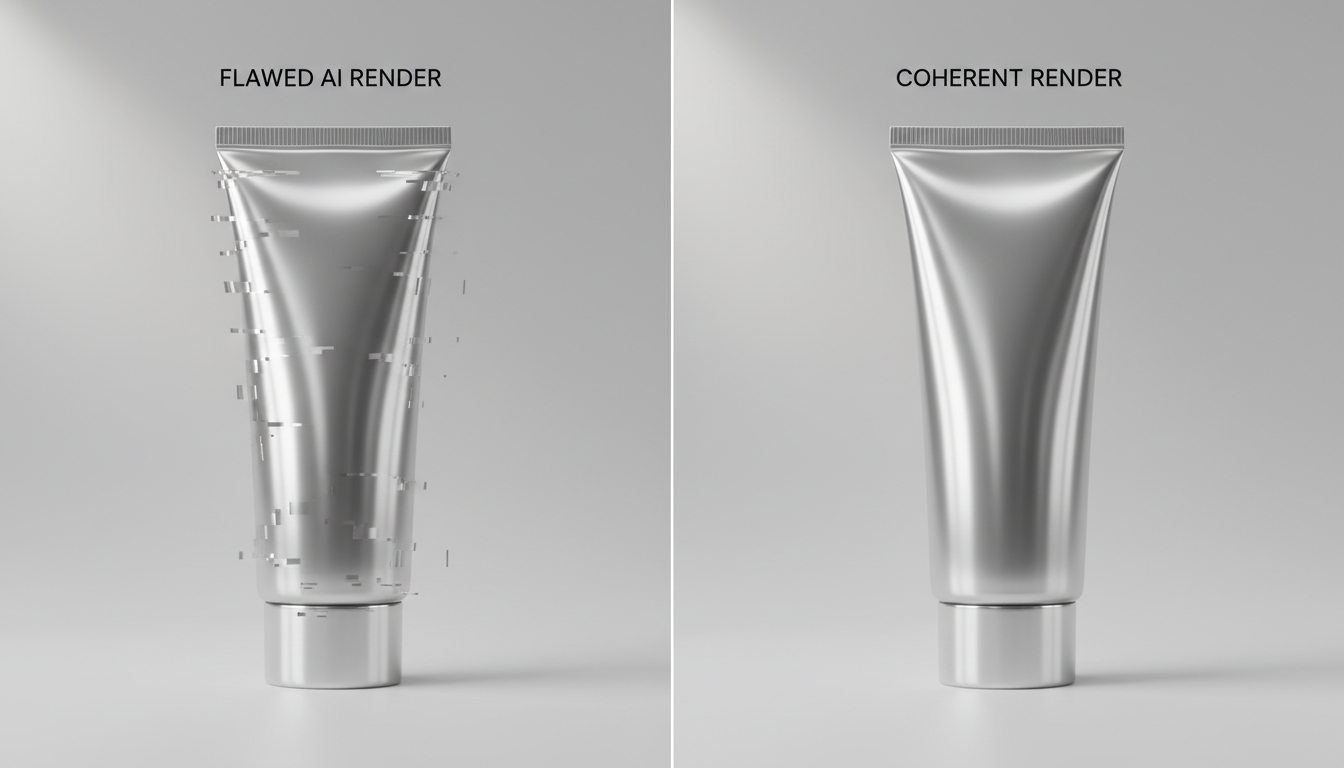
This lack of physical calculation leads to two primary reflection errors: static reflections and warped reflections. Static reflections occur when a reflection remains frozen on the surface of an object even as the camera moves, creating a "painted-on" look that instantly shatters the illusion of depth. Warped reflections happen when the reflection morphs or flickers erratically, defying the laws of physics. When the camera orbits a product, the reflection must shift dynamically across the surface based on the angle of incidence. When the AI fails to calculate this shift, the resulting video looks amateurish and unusable for high-end commercial campaigns.
At Montagea, our production team performs rigorous frame-by-frame analyses of these physical discrepancies to maintain commercial-grade quality in client deliverables. We have found that the key to overcoming these limitations lies in forcing the AI generator to recognize the spatial relationship between the product's geometry and its surrounding environment. By structuring our inputs to simulate the physics of a real-world camera in a physical studio, we can guide the model to render smooth, continuous, and physically coherent reflections.
The Ray-Tracing Prompting Framework: Forcing Environmental Awareness
One of the most common mistakes in AI filmmaking is prompting the product in isolation. Writing a prompt like "a glossy black cosmetic bottle on a dark background" gives the AI engine complete creative freedom over how light behaves. Without a defined studio environment, the model has no logical source to draw reflections from, leading to random light artifacts and flickering. To achieve specular coherence, you must explicitly construct the virtual studio surrounding your product.
To master the foundational lighting setups that make these reflections possible, refer to our guide on the Luminance Coherence Protocol. Once your primary light sources are established, you can use highly specific optical terminology to guide the model's latent space. Terms like "fresnel effect," "specular highlights," "polarized light," and "HDRI studio softbox mapping" act as semantic triggers that steer the AI toward physically accurate patterns. For instance, prompting the "fresnel effect" encourages the model to render reflections that become more intense and mirror-like near the grazing angles of a curved surface, which is exactly how real glass and plastic behave.
To structure your prompts effectively, always link the product's surface material directly to its surrounding light sources. A reliable formula is to define the product, specify its material properties, detail the light sources, and then explicitly state how those light sources reflect. For example: "A premium cylindrical chrome bottle on a concrete pedestal. The highly polished chrome surface reflects a single vertical overhead softbox light. Sharp specular highlights wrap around the cylinder with realistic fresnel falloff and clean HDRI environmental mapping."
Image-to-Video Workflows: Anchoring Reflection Paths with Keyframes
While text-to-video generators are excellent for conceptualizing ideas, they are highly unpredictable when it comes to maintaining the precise physical geometry of a product. For commercial-grade video production, starting with Text-to-Video is a recipe for reflection failure. The professional standard is an Image-to-Video (I2V) workflow. By utilizing a flawless, high-resolution 3D render or a professionally shot studio photograph as your starting frame, you anchor the initial reflections in absolute physical reality.
Controlling the Motion Envelope
Once your starting frame is loaded into the AI video generator, the challenge shifts to animating the camera without destroying the surface reflections. For a universal method to prompt these transitions without losing surface detail, check out the Delta Syntax prompt formula. This formula helps you craft precise motion prompts that instruct the AI to calculate the movement of the reflection across the surface, rather than morphing the surface itself.
When working with advanced motion engines, pairing these reflection techniques with the Kinetic Product Protocol ensures that physical camera dynamics remain perfectly synchronized. To maintain specular coherence, keep the motion strength index relatively low (typically between 3 and 5 in engines like Runway Gen-3 or Kling). A lower motion envelope prevents the AI from restructuring the product's geometry, forcing it to focus its computational budget on translating the camera and shifting the light highlights across the established 3D shape.
The Specular Coherence Checklist: A Production-Ready Quality Assessment
Before delivering any AI-generated video sequence, it must undergo a rigorous quality assessment. Different materials exhibit distinct physical properties, meaning they fail in unique ways when processed by generative models. Understanding these specific failure modes allows you to apply targeted fixes rather than relying on endless, random regenerations.
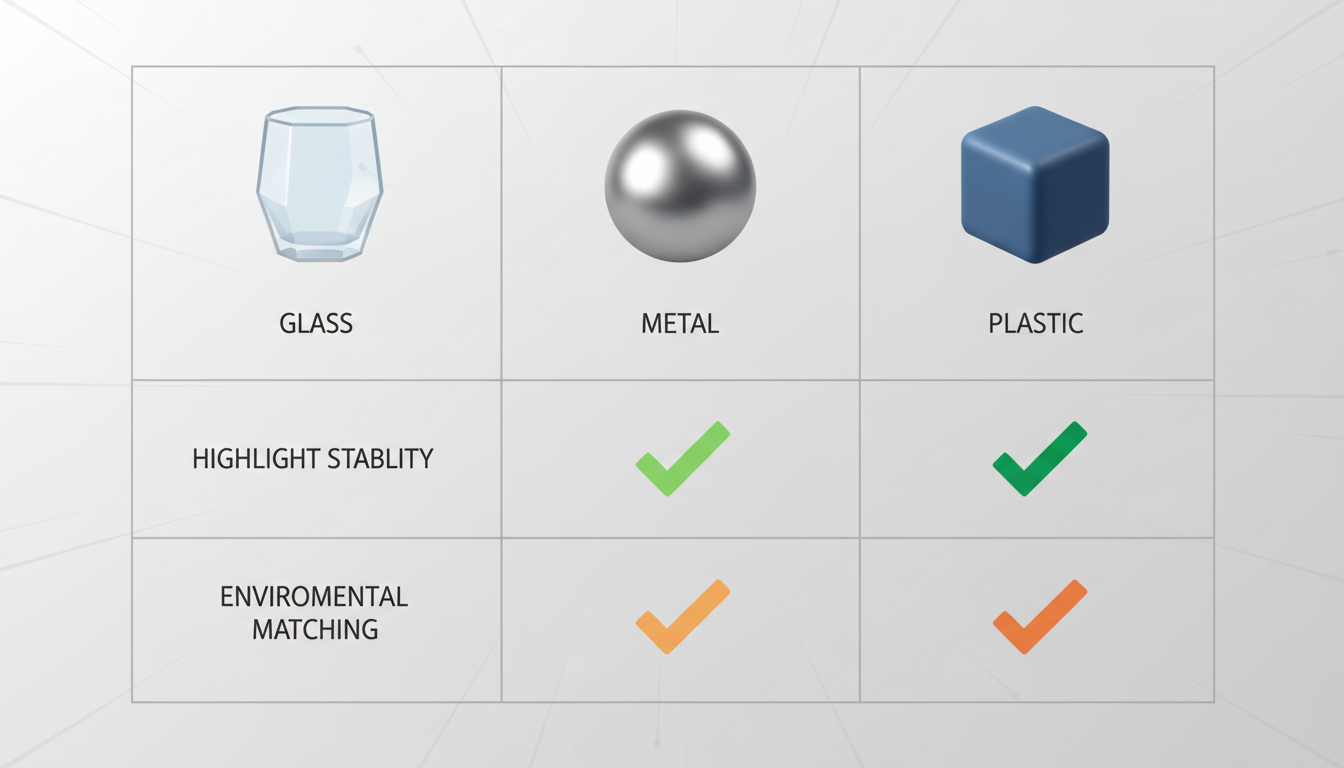
The following table outlines our production-tested diagnostic framework for identifying and correcting reflection anomalies across standard product materials:
| Material | Typical AI Failure Mode | Root Cause | Specular Coherence Fix |
|---|---|---|---|
| Glass / Liquid | Flickering, shape morphing, internal light bleeding | Model struggles with refraction index and complex double-surface reflections | Lower motion strength to 3; explicitly prompt "refraction index" and "static geometry with moving reflections." |
| Polished Chrome | Static reflection mapping, "painted-on" highlights | AI treats specular highlights as diffuse texture rather than dynamic light paths | Define a clear HDRI environment; add "dynamic specular highlights shifting across the metal" to the prompt. |
| Matte Plastic | Over-saturation, light bleeding, loss of micro-texture | Model over-simplifies diffuse reflections, blowing out highlights into solid white patches | Prompt "roughness maps, diffused specular highlights, soft micro-texture, 18% gray studio card lighting." |
If a generation fails to meet these standards, apply the following troubleshooting steps systematically. First, check the structural integrity of the product; if the shape is warping, increase the image-to-video structural weight. Second, stabilize the environment; if the lights are flickering, remove any vague or conflicting environmental prompts. Finally, adjust your motion strength and prompt weighting to find the perfect equilibrium where the camera moves smoothly but the product remains completely rigid.
Hybrid Workflows: Blending 3D Renders with AI Generative Passes
For highly complex shots—such as fast-moving macro pans, intricate geometric packaging, or extreme close-ups—pure AI generation may still struggle to maintain absolute physical accuracy. In these high-stakes scenarios, professional studios adopt a hybrid VFX workflow. By utilizing a basic, untextured 3D model of your product in a program like Blender or Cinema 4D, you can render a mathematically perfect reflection pass using a simple metallic or glass material with matching studio lights.
This hybrid approach is especially crucial when executing complex camera paths, such as those detailed in our guide on prompting cinematic 360-degree orbit shots. Once you have rendered the clean 3D reflection pass, bring both the AI video and the 3D render into your compositing software of choice, such as Adobe After Effects or DaVinci Resolve. By using blending modes like Screen, Add, or Lighter Color, you can overlay the mathematically perfect, moving reflections from your 3D render directly onto the highly detailed, organic textures generated by the AI.
This hybrid workflow offers the best of both worlds. It saves days of tedious 3D modeling, texturing, and rendering time by letting the AI handle the complex organic environments and surface textures, while the lightweight 3D reflection pass ensures that the light behavior remains completely flawless. It is a powerful, production-ready solution that bridges the gap between generative AI and traditional Hollywood VFX.
Why do reflections in my AI product videos look static when the camera moves?
This occurs because AI diffusion models often treat reflections as static textures "painted" onto the object's surface rather than dynamic light paths. To fix this, you must explicitly prompt the environment (e.g., "dynamic specular highlights shifting across the surface") and use Image-to-Video workflows with precise camera motion prompts.
How do I stop glass bottles from flickering or morphing in Runway Gen-3 and Kling?
Glass is challenging because it involves both reflection and refraction. To stop flickering, lower the motion strength setting (typically to 3 or 4), use a high-quality 3D render as your starting image, and explicitly prompt "refraction," "double-surface reflections," and "rigid glass geometry."
What are the best prompt words to get realistic metallic reflections in AI video?
Avoid generic words like "shiny." Instead, use professional optical and cinematographic terms such as "anisotropic reflections," "specular highlights," "polarized light," "HDRI studio softbox mapping," and "fresnel effect." These terms guide the AI model's latent space to replicate physically accurate lighting behaviors.
Can I use 3D renders to fix bad reflections in AI-generated commercial videos?
Yes, this is a highly effective hybrid workflow. Render a basic, untextured version of your product in a 3D program like Blender to get a clean, mathematically perfect reflection pass. Then, composite this reflection pass over your AI-generated video using blending modes like Screen or Add in DaVinci Resolve or After Effects.



