
The Delta Syntax: A Universal Image-to-Video Prompt Formula for Cinematic Coherence
Discover the Delta Syntax, a professional prompting formula that isolates camera movement, subject physics, and environmental dynamics. Learn how to eliminate visual drift and achieve studio-grade AI video generations.
Generating a breathtaking keyframe in Midjourney or Stable Diffusion is only half the battle in modern AI filmmaking. When you import that high-fidelity image into an image-to-video (I2V) engine, the typical impulse is to copy-paste the original image prompt into the text window. This approach almost always breaks the shot, resulting in sudden clothing swaps, warping backgrounds, and characters morphing into entirely different people within a three-second window.
At Montagea, we have spent hundreds of hours stress-testing leading video generation models to establish a predictable, studio-grade workflow. The solution is not to describe what is already visible in the frame, but to define only the kinetic changes—the physical forces acting upon the static image. We call this framework the Delta Syntax: a highly disciplined, four-part prompting formula designed to preserve composition and character consistency while yielding precise, cinematic motion.
The Core Problem: Why Standard Text Prompts Fail in Image-to-Video
To understand why standard prompts fail, you must understand how I2V models process data. When you upload a reference image, the model uses it as a concrete spatial anchor. It analyzes the geometry, lighting, textures, and depth of the frame. However, when you feed the engine a text prompt that repeats descriptions of the scene—such as "a woman with red hair wearing a leather jacket in a rainy alleyway"—you introduce what is known as semantic redundancy.
Semantic redundancy triggers a destructive tug-of-war between the image encoder and the text encoder. The model tries to re-render the red hair and the leather jacket based on its text training data, rather than simply animating the pixels already present in your reference image. Because the model's text-to-image understanding is probabilistic, it will inevitably generate a slightly different version of the jacket and hair, causing the subject to mutate the moment the clip starts playing.
Montagea’s philosophy of Delta Prompting treats the starting image as an absolute, immutable canvas. The text prompt should never describe what is in the frame; instead, it must only describe what happens to the frame. By writing prompts that function purely as physical and kinetic vectors, you bypass the text encoder's tendency to re-render the scene, forcing the AI to focus its computational power entirely on fluid motion and temporal coherence.
The Four-Part Delta Syntax Formula
The Delta Syntax organizes your kinetic instructions into a highly structured, machine-readable sequence. By separating camera movement from physical actions and environmental details, you prevent the engine from conflating different types of motion. The formula is structured as follows:
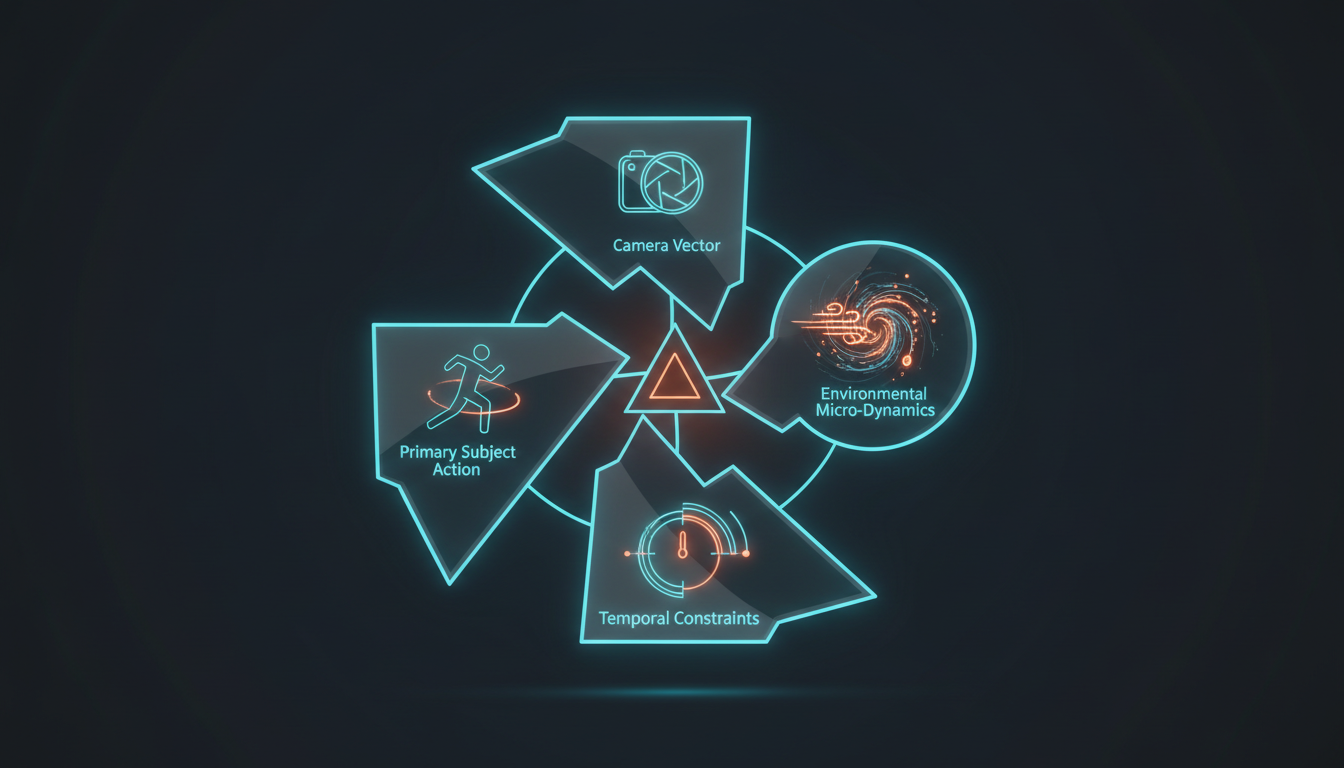
[Camera Vector] + [Primary Subject Action] + [Environmental Micro-Dynamics] + [Temporal Constraints]
Deconstructing the Syntax Components
To implement this formula successfully, each of the four components must be written with precise, non-descriptive vocabulary:
- Camera Vector: This defines the camera's path, lens characteristics, and speed. Use cinematic terms like "Slow push-in," "Subtle whip-pan left," or "Slow tracking shot at eye level." Avoid vague words like "dynamic camera" or "cinematic movement."
- Primary Subject Action: This isolates the movement of your main subject. Use highly specific physical verbs: "Subject slowly blinks and tilts her head," "The car accelerates forward," or "The character takes a sip from the glass." Do not describe the subject's appearance.
- Environmental Micro-Dynamics: This instructs the engine on how the background elements should behave. This is where you animate wind, rain, dust motes, flickering lights, or passing traffic. For example: "Raindrops create ripples on the wet pavement, neon lights flicker subtly in the background."
- Temporal Constraints: This controls the overall pacing, frame rate feel, and physical weight of the shot. Phrases like "photorealistic physics, slow-motion 0.5x speed, smooth fluid transition" help prevent the AI from generating chaotic, high-velocity glitches.
When combined, a complete Delta Syntax prompt looks like this: "Slow camera push-in. The woman slowly turns her head toward the lens with a subtle smile. Raindrops fall vertically through the frame, creating soft reflections on the wet ground. Smooth continuous motion, high physical weight, 24fps pacing." Note how this prompt contains zero descriptions of the woman's clothing, hair color, or the alleyway's architecture. It assumes the reference image has already established those details perfectly.
Adapting the Formula Across Leading Engines: Runway, Kling, and Hailuo
Not all AI video engines are built the same. A Delta Syntax prompt that yields a perfect cinematic shot in Runway Gen-3 might cause chaotic warping in Hailuo, or result in a completely frozen frame in Kling. To achieve consistent results, you must calibrate the formula to match the native physics engines and text-weighting behaviors of each platform.
Kling AI features an exceptionally robust physics engine that excels at realistic weight and object interaction. However, it can be highly conservative, often requiring a stronger emphasis on subject action to prevent the frame from freezing. To master Kling's camera movement and physics, explore our deep-dive on the Kinetic Product Protocol. In Kling, you should place your Primary Subject Action at the very front of the prompt to ensure the engine prioritizes physical movement over environmental drift.
Conversely, Hailuo AI (Minimax) is known for its aggressive kinetic translation. It handles complex, high-velocity motion with ease, but can quickly spiral into surrealism or structural collapse if your prompt is too open-ended. To tame its high-velocity physics, refer to our specialized guide on the Kinetic Translation Protocol. When prompting Hailuo, the Temporal Constraints and Environmental Micro-Dynamics must be highly restrictive, using terms like "slow-motion" and "stable geometry" to anchor the scene.
| AI Video Engine | Primary Strength | Delta Syntax Adjustment | Recommended Motion Weight |
|---|---|---|---|
| Runway Gen-3 Alpha | Photorealistic textures & camera fidelity | Keep Camera Vector highly detailed; use precise lens terms. | Medium (5 to 7) |
| Kling AI | Physical weight & object interaction | Lead with Primary Subject Action; use heavy verbs. | High (8 to 10) |
| Hailuo AI | High-velocity, complex action sequences | Lead with Temporal Constraints; use restrictive physics terms. | Low to Medium (3 to 5) |
Troubleshooting Common I2V Failures: Mutation, Drift, and Freeze
Even with a structured syntax, I2V generation can occasionally fail due to model noise or conflicting parameters. When troubleshooting your generations, look for these three primary failure modes and apply the corresponding fixes:
The Image Freeze
This occurs when the engine generates a completely static video, essentially repeating the source image for several seconds. This is usually caused by a lack of active verbs in the Primary Subject Action or setting the motion brush/motion slider value too low. To fix this, replace passive verbs (e.g., "standing") with active physical transitions (e.g., "shifts weight from left to right"), or slightly increase the engine's motion scale setting.
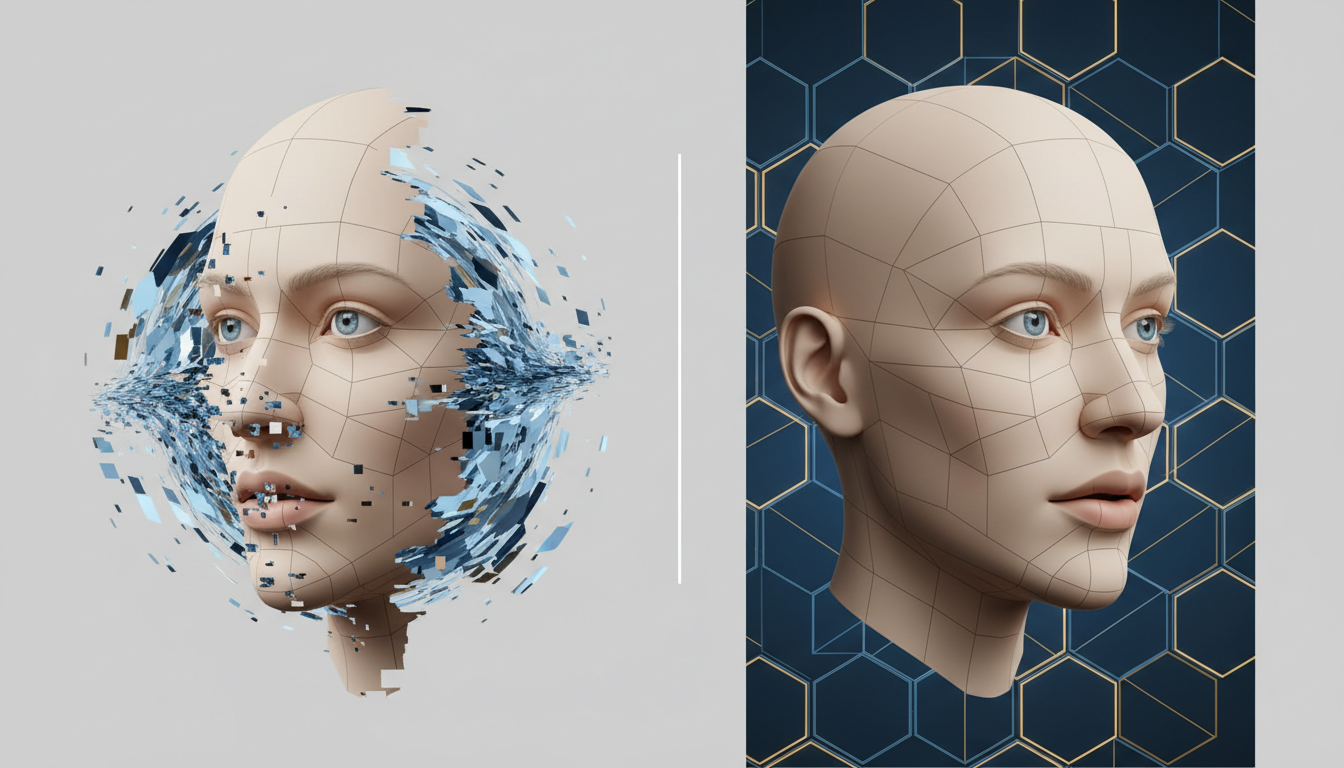
Identity Drift and Mutation
If your character's face, clothing, or background geometry morphs mid-shot, your prompt is likely suffering from semantic redundancy. Go back and strip out any nouns or adjectives that describe the visual state of the image. If the prompt says "the man in the blue shirt walks," change it to "the subject walks forward." Keep the focus strictly on the kinetic change.
The 5-Step Calibration Checklist
If your shot is warping or overshooting realistic physics, run through this five-step checklist to stabilize the generation:
- Isolate the Camera: Temporarily remove the Primary Subject Action and run a test generation with only the Camera Vector to see if the camera movement itself is causing the distortion.
- Check for Redundant Nouns: Scan your prompt for any words that describe colors, textures, clothing, or facial features, and delete them.
- Reduce Motion Scale: If using Runway or Kling, lower the motion slider by 20-30% to give the physics engine more room to calculate clean frames.
- Add Anchoring Details: Introduce highly stable environmental micro-dynamics (e.g., "soft wind blowing through leaves") to give the background subtle, non-disruptive motion.
- Enforce Temporal Constraints: Append "smooth continuous panning, stable physical structure, no morphing" to the end of your prompt to guide the model's frame-to-frame consistency.
Advanced Applications: Dialing in Depth and Micro-Movements
Once you master the basic Delta Syntax, you can use it to execute complex cinematic maneuvers that mimic professional camera work and performance directing. This is where AI filmmaking transitions from a novelty to a legitimate production tool.
For instance, executing a realistic focus pull or rack focus requires precise control over the lens perspective. Instead of letting the AI guess where the focal plane lies, you can use the Delta Syntax to shift the depth of field dynamically. Learn how to maintain optical realism with our Focal Coherence Protocol. By prompting "Slow focal shift from the foreground subject to the background lights, creating a soft bokeh effect," you can mimic the exact behavior of a physical cinema lens.
Additionally, you can craft delicate portrait cinemagraphs—shots where the subject remains perfectly still while only a single, subtle element moves. This is incredibly useful for high-end fashion commercials or dramatic character close-ups. Check out our Micro-Motion Protocol to learn how to prompt subtle, cinematic portrait dynamics, such as a single tear rolling down a cheek or hair gently swaying in a light breeze, without risking full-body mutation.
Ultimately, the Delta Syntax is about reclaiming creative control. By treating your reference image as the absolute visual truth and your prompt as a set of precise kinetic vectors, you bridge the gap between unpredictable AI generations and intentional, director-driven cinematography.
Why does my character's face change when I use image-to-video?
Character mutation occurs due to "semantic redundancy." When your text prompt describes the character's facial features, hair, or clothing, the AI tries to re-render those elements from scratch rather than simply animating the existing pixels. To prevent this, remove all descriptive nouns and adjectives from your prompt, focusing entirely on kinetic actions and camera movements.
How do I stop the background from warping in AI video generators?
Background warping is caused by excessive motion values or camera vectors that conflict with the geometry of the source image. You can stabilize the background by lowering the model's motion scale, using precise camera vectors (like "slow camera push-in"), and adding temporal constraints such as "stable physical structure, no morphing" to your prompt.
Should I describe the starting image in my image-to-video prompt?
No. Describing the starting image is the most common mistake in image-to-video workflows. The AI model already analyzes and anchors the visual details of your reference image. Your text prompt should only describe the "delta"—the camera movement, subject action, and environmental physics that occur over time.
What is the best prompt formula for Runway Gen-3 image-to-video?
The most effective formula for Runway Gen-3 is the Delta Syntax: [Camera Vector] + [Primary Subject Action] + [Environmental Micro-Dynamics] + [Temporal Constraints]. Because Runway has high camera fidelity, starting your prompt with a specific, realistic lens movement (e.g., "Slow tracking shot, 35mm lens") yields the most coherent results.



