
Higgsfield Alternatives for Product Videos: Comparing Asset Preservation and Camera Control Workflows
While social-first templates offer quick turnarounds, professional product videos often benefit from strict asset preservation and precise camera control. Discover how multi-model orchestration and layout-centric pipelines provide alternatives for commercial workflows.
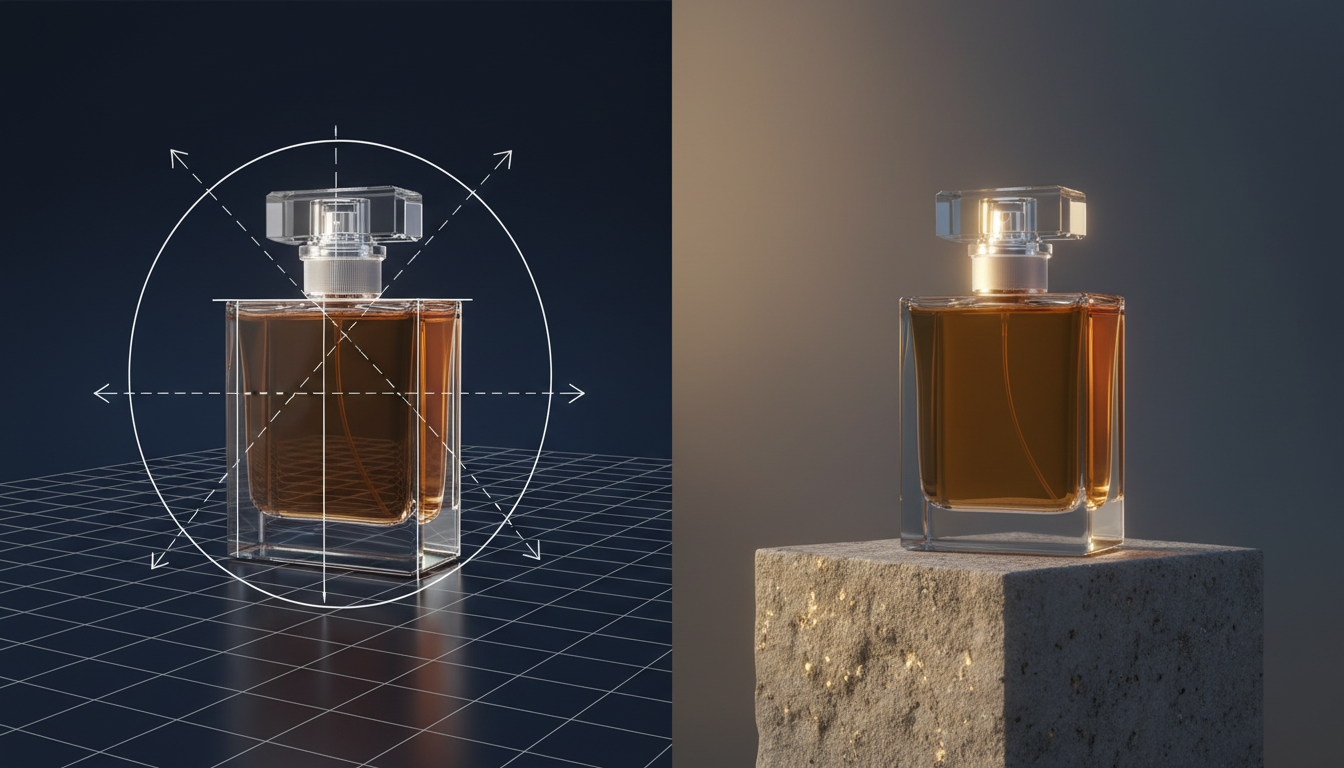
To create high-fidelity product videos that preserve exact branding, physical geometry, and material textures, professional creators often explore alternatives to template-driven platforms. When working with commercial products like cosmetics, electronics, or packaged goods, maintaining strict structural consistency is a key priority. Achieving this level of product preservation often involves exploring multi-model orchestration pipelines—using engines like Kling and Veo through platforms like Montagea—or adopting layout-centric pre-production workflows that lock down composition before rendering.
The Core Challenge of Product AI: Why Creators Seek Higgsfield Alternatives
While consumer-facing AI video applications make it easy to generate stylized social clips, commercial product marketing operates under a much stricter set of rules. A brand's product is non-negotiable; its geometry, logo placement, and material properties must remain consistent across every frame. This is where template-driven platforms often present challenges for commercial editors.
When applied to a static product like a luxury perfume bottle or a sleek smart device, automated video models can sometimes treat the product as a fluid object, leading to warped edges, drifting text, or inconsistent branding. To address these challenges, professional video creators focus on three pillars of successful AI product video production:
- Physical Asset Fidelity: The absolute preservation of the product’s shape, text, and structural features without AI-generated warping or hallucinations.
- Realistic Environmental Lighting: Dynamic reflections, shadows, and refractions that react realistically as the camera or light sources move around the product.
- Predictable Camera Movement: Clean camera paths (such as macro pans, orbits, or tilts) that showcase the product without distorting its physical proportions.
At Montagea, we approach this challenge by offering options for multi-model orchestration. By leveraging different models for different creative needs, creators can work to maintain control over the final output while retaining the creative flexibility that AI video generation offers.
Foundational Model Pipelines: Prioritizing Texture and Motion Control
Instead of relying on pre-built templates, professional pipelines often leverage foundational video models directly. Models like Kling and Google's Veo are frequently used to render material interactions, reflections, and finishes.
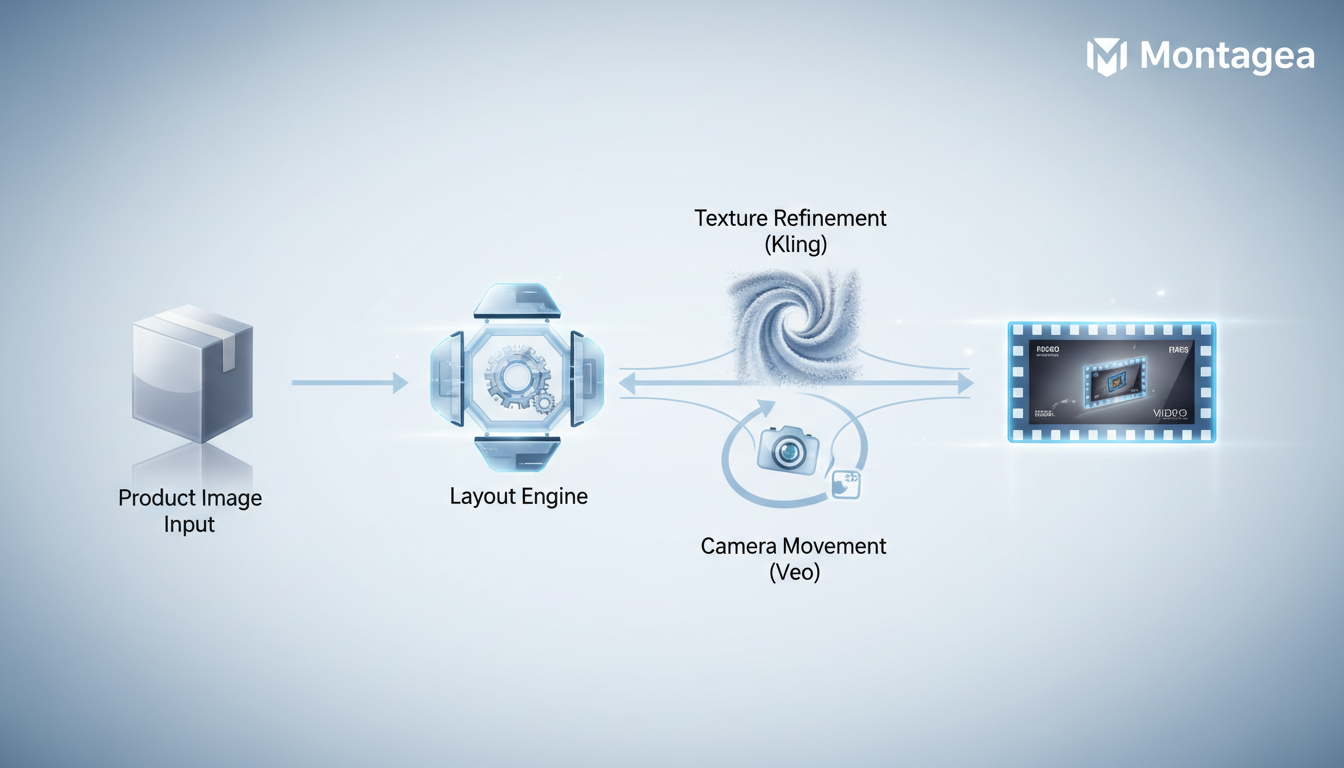
However, prompting these foundational models individually requires understanding how each model interprets prompts. Compare how Kling and Veo handle high-fidelity product textures and motion in our detailed analysis of Kling vs Veo for Product Videos. Different models may interpret camera tracking, text rendering, and fluid motion in distinct ways, and managing these differences manually can be a bottleneck for production teams.
This is where Montagea’s creative agent, Gigi, changes the workflow. Instead of requiring you to manually write prompts, adjust settings, and transfer assets between different model platforms, Gigi acts as an intelligent orchestrator. You describe your product and the desired scene, and Gigi automatically selects the best-suited models, plans the multi-stage generation process, and delivers a polished, cohesive video. This approach gives you the raw power of foundational models combined with the streamlined ease of a single interface.
Layout-Centric Workflows vs. Social-First Generation
While stylized templates work well for rapid social media deployment, commercial campaigns often benefit from a layout-centric approach. A high-end product commercial is built on deliberate composition, where elements in the frame are intentionally placed to guide the viewer's eye.
Using a layout-centric workflow can help lock down the composition, spatial relationships, and camera blocking before generating any final video frames. This prevents the AI from arbitrary placement and ensures that your product remains the hero of the shot. For projects requiring strict compositional control, look at how layout-centric workflows compare to Higgsfield's storyboarding tools.
Another common pitfall of template-based generators is the "pasted-on" look, where a product asset appears disconnected from its background. Achieving a professional finish requires environmental cohesion, meaning the product must cast accurate shadows, receive ambient color bounces from the background, and reflect nearby elements naturally. To ensure your product doesn't look detached from its environment, consider implementing the Environmental Cohesion Protocol for context-aware backgrounds. By focusing on spatial layouts first, you establish a solid foundation that allows the generation engine to blend your product seamlessly into its digital surroundings.
Decision Framework: Selecting Your Product Video Workflow
Choosing the right workflow depends on your technical resources, production scale, and how strictly you need to preserve your physical product assets. The matrix below outlines how different approaches stack up against key commercial requirements:
| Workflow Option | Product Fidelity | Camera Control | Workflow Efficiency | Best Suited For |
|---|---|---|---|---|
| Template-Driven Apps | Variable (potential for text and geometry drift) | Preset-driven motions | High (fast template turnarounds) | Social-first ads, rapid testing |
| Foundational Orchestration (Montagea) | Configurable (selects models based on the project description) | Flexible (leverages capabilities of the chosen foundational model) | High (managed by AI creative agent) | Commercial product spots, material-focused scenes |
| Layout-Centric Workflows | High (locks spatial geometry first) | Structured (pre-visualized camera paths) | Moderate (requires upfront setup) | Premium product launches, strict brand guidelines |
Transitioning to a Production-Ready Pipeline
If you are currently relying on template-driven apps but need more control over your brand assets, transitioning to an orchestrated pipeline is a practical option. While template-driven tools are useful for rapid social testing, they may lack the granular control required for specific commercial campaigns. By utilizing Montagea’s multi-model orchestration, you can leverage the strengths of individual models like Kling or Veo without the complexity of managing multiple subscriptions and interfaces.
For teams exploring broader AI video strategies beyond product-centric shots, understanding how different tools fit into your pipeline is essential. If you are also evaluating presenter-led videos, you may want to explore our guide on choosing the best HeyGen alternatives for avatar presenters. Alternatively, if you are looking to streamline your storyboard phase before rendering, consider reading about choosing Tapnow alternatives for AI filmmaking to build more robust pre-production pipelines. For those just starting to map out their scripts and concepts, you can also learn how to integrate text-to-video tools in our guide on how ChatGPT can make videos.
How do I prevent my product logo from warping in AI videos?
To prevent logo warping, use a layout-centric workflow where the product geometry is locked down before rendering. Alternatively, explore foundational models that support text rendering, or orchestrate your pipeline to overlay a high-resolution 2D graphic of the logo during post-production.
What is the difference between Higgsfield and foundational models like Kling?
Higgsfield is an application-based platform that provides tools such as Cinema Studio, Marketing Studio, and Canvas for multi-node generation. Foundational models like Kling and Veo are raw generation engines that can be prompted for various material textures and camera controls, though they often require orchestration to integrate into a professional workflow.
Can I achieve realistic reflections on glass products using AI?
Yes, but it typically requires utilizing advanced models combined with context-aware background generation. This helps ensure that the glass product refracts and reflects the environment naturally, avoiding a disconnected appearance.



