
Choosing the Best HeyGen Alternatives for Avatar Presenters and Creative Video Workflows
Looking for a HeyGen alternative? Compare direct avatar-presenter competitors for slide presentations and explore multi-model creative engines like Montagea for cinematic campaigns.
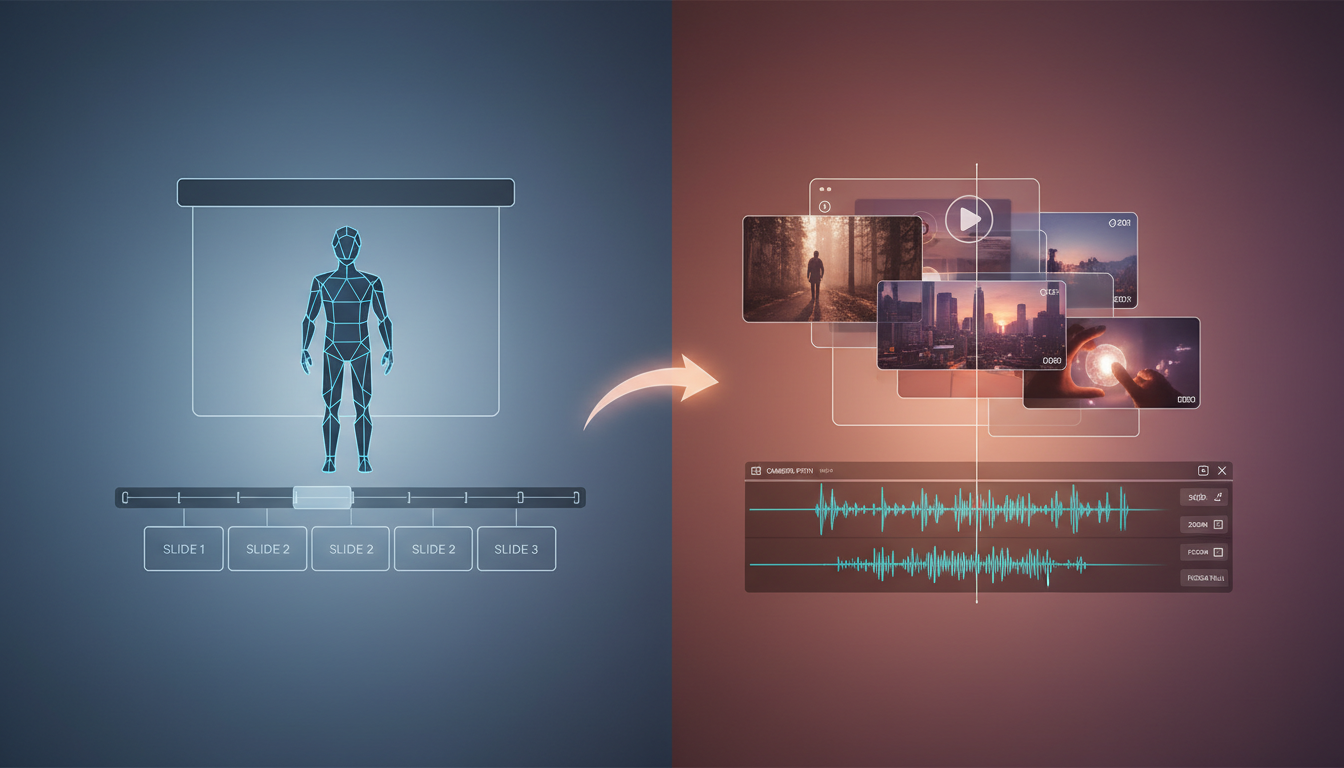
Choosing the best HeyGen alternative depends entirely on your production goal. If you need standard, slide-based corporate training videos with talking heads, direct avatar competitors offer alternative lip-sync and multi-language options. However, if your goal is dynamic marketing, cinematic storytelling, or custom-branded video ads, standard avatar templates can be limiting. For creative and narrative workflows, transitioning to multi-model AI video production platforms like Montagea or dedicated generation engines can offer different creative options and flexibility beyond static avatars.
Direct Avatar Competitors: Evaluating Presenter-Focused Alternatives
For projects requiring a human face to guide viewers through instructional material, several direct competitors match or exceed HeyGen's core feature set. These platforms focus on turning text scripts into talking-head videos, primarily optimized for e-learning, HR onboarding, and basic product pitches.
Key Evaluation Metrics for Avatar Presenters
- Lip-Sync Precision: High-quality alternatives must align mouth movements naturally with synthetic speech. Look for engines that handle complex phonemes and transitions without visual warping around the jawline.
- Micro-Expressions: Standard AI avatars can look robotic if they lack realistic eye blinking, natural head tilts, and subtle eyebrow movements. Top-tier tools use behavioral AI to inject these micro-behaviors automatically.
- Voice Cloning & Multi-Language Support: If you operate internationally, choose a platform that supports instant voice cloning across dozens of languages while maintaining the speaker's original vocal tone and accent.
Pricing Structures and Hidden Costs
Direct competitors typically charge based on monthly render minutes, but the true cost often lies in add-on fees. Custom avatar creation—where a platform generates a digital clone of a specific executive or actor—frequently requires an enterprise subscription or a hefty one-time setup fee. Additionally, seat licenses for collaborative editing can quickly inflate your software budget compared to platforms with flat-rate structures.
The Limits of Standard Templates
While stock avatars are highly efficient for internal slide decks, they carry significant limitations for customer-facing marketing. Because these stock presenters are available to all subscribers, your brand risks using the exact same digital spokesperson as your competitors, diluting your brand's unique identity.
The Creative Pivot: When to Move From Talking Heads to Multi-Model Production
Talking-head avatars excel at delivering structured information, but they are fundamentally built for slide decks, not storytelling. When a marketing campaign or brand video needs to evoke emotion, static presenters quickly fall flat. High-impact creative campaigns require dynamic camera movement, rich environmental control, and cohesive cinematic sequences.
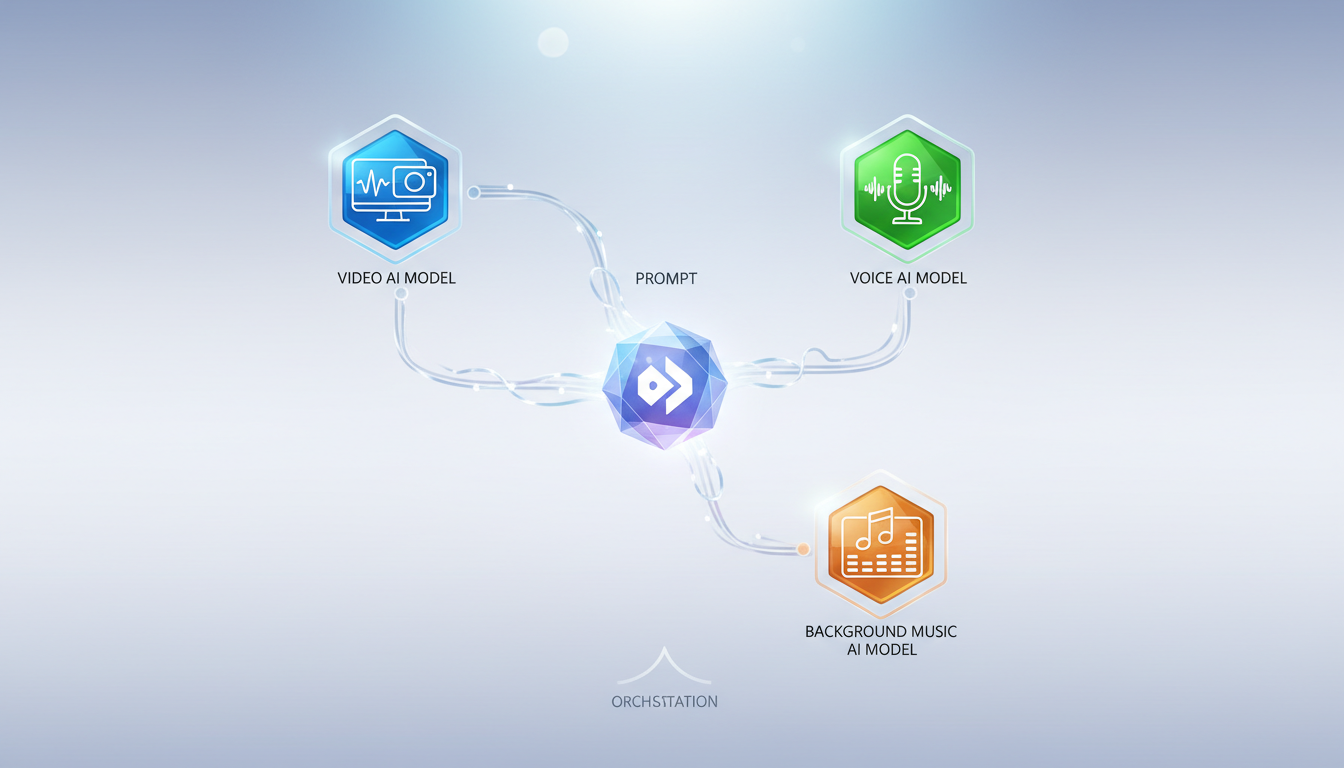
This is where creators pivot from single-avatar generators to multi-model AI video production. Instead of being locked into a rigid template, creators use advanced orchestration platforms. Montagea acts as a multi-model creative agent, allowing you to describe your creative vision while it automatically selects and directs the best specialized AI models—such as Google's Veo, Kling, Hailuo H3, and Gemini Omni—to build cohesive scenes, realistic voiceovers, and tailored background music.
To understand the core differences between avatar presenters and multi-model video production workflows, compare the distinct creative paths in our HeyGen vs Montagea comparison. By combining specialized models for image generation, video motion, and sound design, you can construct a polished, cinematic asset that feels like a professional studio production rather than a generic screen recording.
Cinematic Alternatives: Dedicated Video Generation Engines
If your project demands cinematic visual fidelity rather than a corporate spokesperson, dedicated video generation engines represent the ideal alternative. These tools focus on prompt-to-video and image-to-video generation, giving you complete creative control over art style, lighting, and pacing.
Professional Video Controls
Dedicated video generation engines are designed to offer alternative creative workflows for filmmakers and creative directors. These platforms typically focus on prompt-to-video and image-to-video generation, allowing users to experiment with different visual styles and motion effects. To see how these tools stack up against other cinematic platforms, explore other professional tools in our guide to the best Runway alternatives for AI video production.
Managing Your Generation Budget
Unlike simple avatar tools, cinematic video engines can consume credits rapidly due to the trial-and-error nature of prompt engineering. To budget your creative pipeline effectively, it is crucial to analyze how subscription limits, rendering priorities, and resolution exports scale across tiers. You can understand how subscription limits impact your rendering pipeline by reviewing our analysis of Runway free vs paid tiers.
Integrating Lip-Sync Into Cinematic Characters
Moving away from corporate presenters does not mean giving up speech. Advanced cinematic pipelines allow you to generate a highly stylized or photorealistic character first, and then apply independent lip-sync tools to animate their mouth based on an uploaded audio file. This separation of character generation and dialogue animation results in a far more cinematic output than standard slide-based templates.
Decision Framework: Selecting Your AI Video Pipeline
To choose the right pipeline for your upcoming projects, map your primary use cases and technical requirements to the appropriate tool category.
AI Video Pipeline Matrix
| Use Case | Primary Requirement | Optimal Tool Category | Recommended Approach |
|---|---|---|---|
| Internal Training & HR | Clear speech, slide layouts, fast turnarounds | Direct Avatar Presenter | Use stock templates; focus on voice cloning for localizations. |
| Social Media Ads & Promos | High engagement, multi-model assets, music integration | Multi-Model Creative Agent (e.g., Montagea) | Orchestrate specialized video, voice, and music models for a cohesive ad. |
| Narrative Shorts & Cinematic Campaigns | Camera control, custom art styles, complex motion | Dedicated Video Engine | Generate scenes using image-to-video; apply independent lip-sync tools. |
Technical Requirements Checklist
- Resolution and Export Quality: Ensure the tool supports at least 1080p for web use, or 4K if you plan to broadcast or screen the asset on larger displays.
- Voice Quality & Accents: Verify that the platform's synthetic voices support the specific regional accents and emotional tones your brand requires.
- Licensing and Commercial Rights: Confirm that your subscription tier explicitly grants full commercial rights for both the visual outputs and any generated background music.
Testing Your Pipeline
Before committing to an enterprise subscription, run a standardized pilot test. Generate a short, 5-second zoom-in shot featuring a character speaking a 10-word test script. Evaluate the platform based on render speed, lip-sync alignment, and how easily you can modify the scene without starting the generation from scratch.
Can I use HeyGen alternatives to create uncensored creative content?
Many standard corporate avatar platforms have specific content guidelines and moderation policies that may restrict certain types of creative content. If your creative project requires unrestricted expression, explore our guides on best Venice AI alternatives and how to leverage unfiltered AI creative workflows for deeper artistic freedom.
Do cinematic video alternatives support voice cloning and lip-syncing?
Yes. While dedicated video generation engines focus primarily on visual motion, many now include built-in lip-sync tools. Alternatively, you can use a multi-model platform like Montagea to coordinate specialized voice cloning models with cinematic video generation engines for a seamless audio-visual workflow.
How do I transfer a custom avatar from HeyGen to another platform?
Digital avatar files are typically platform-specific and generally cannot be directly transferred between competing systems. To migrate your presenter, you will usually need to record a new high-quality source video of your spokesperson under the specific guidelines of the new platform and submit it for cloning on that system.



