
Breaking the Diorama Effect: How to Fix Frozen and Stagnant Motion in Image-to-Video AI Workflows
Struggling with static subjects in your AI video generations? Discover why your source images are triggering the 'diorama effect' and how to force natural movement.
In professional AI filmmaking, the most common frustration for creators isn't poor resolution—it is the "diorama effect." You upload a perfectly composed, high-resolution portrait, apply your motion parameters, and hit generate. The result is a background of swirling dust or shifting light, while your main subject remains as frozen as a wax figure. This isn't just a limitation of the model’s motion slider; it is a fundamental failure of pixel translation.
At Montagea, we treat these frozen frames as a breakdown in the AI's interpretation of depth and physical weight. When a model cannot resolve the spatial relationship between a subject and its environment, it defaults to the safest computational path: pixel conservation. By shifting your approach from simply asking for movement to providing the AI with clear kinetic instructions, you can reclaim control over your scene’s energy and break the digital paralysis.
Why Image-to-Video Generators Freeze (The Physics of Pixel Lock)
AI models function through diffusion, a process that relies heavily on pixel conservation. When you provide a source image, the model analyzes the contrast, edges, and detail density. If it detects a highly detailed subject against a distinct background, it often enters a state of "pixel lock." The model is effectively terrified of distorting your subject, so it opts to keep those specific pixels static to maintain structural integrity.Furthermore, the model interprets flat lighting as a lack of 3D information. If your source image lacks defined highlights and shadows that suggest volume, the AI perceives the subject as a flat 2D plane. Finally, we must account for "occlusion traps." If your subject is complex—such as a person with intricate hair or accessories—the AI struggles to calculate what exists behind them as they move. To avoid "hallucinating" background data that isn't there, it chooses to keep the subject frozen in place.
The Role of Detail Density and Texture Anchors
High-frequency details act as anchor points that lock pixels in place. When a character wears a highly patterned outfit, such as a houndstooth jacket or an intricately knit sweater, the AI's spatial transformer layers struggle to calculate how those patterns should deform in motion. To prevent the pattern from turning into a shimmering, chaotic mess, the model freezes the entire torso.
This is where pre-production planning pays off. By understanding how to manage these assets, perhaps by referencing our guide on maintaining exact clothing across video scenes, you can select garments with clean lines and predictable folds. Simplifying the texture density in your initial image generation gives the image-to-video model the computational breathing room it needs to deform the mesh and initiate realistic physical movement without breaking character consistency.
The Contrast and Depth Trap: How Composition Silently Halts Motion
Compositional choices that make for beautiful photography often work against the requirements of AI motion models. Sharp, high-contrast boundaries between your subject and the background act as digital anchors. These crisp edges tell the AI, "Do not cross this line," effectively pinning the subject to the background layer and preventing any lateral or forward movement.
Shallow depth of field, while a staple of professional cinematography, creates its own set of problems. When a model sees a heavily blurred background, it often treats it as a static texture map rather than a physical space. Because the AI doesn't perceive a physical, navigable space behind the subject, it assumes there is no room for the subject to move into, further encouraging the diorama effect. To combat this, introduce subtle depth gradients in your source images—such as a mid-ground element that bridges the gap between the sharp foreground subject and the soft background.
Diagnostic Checklist: Pre-Flighting Your Source Image for Motion
Before spending credits on a generation, we recommend a pre-flight check. At Montagea, our production team uses this framework to reduce failed, frozen generations by up to 40%:
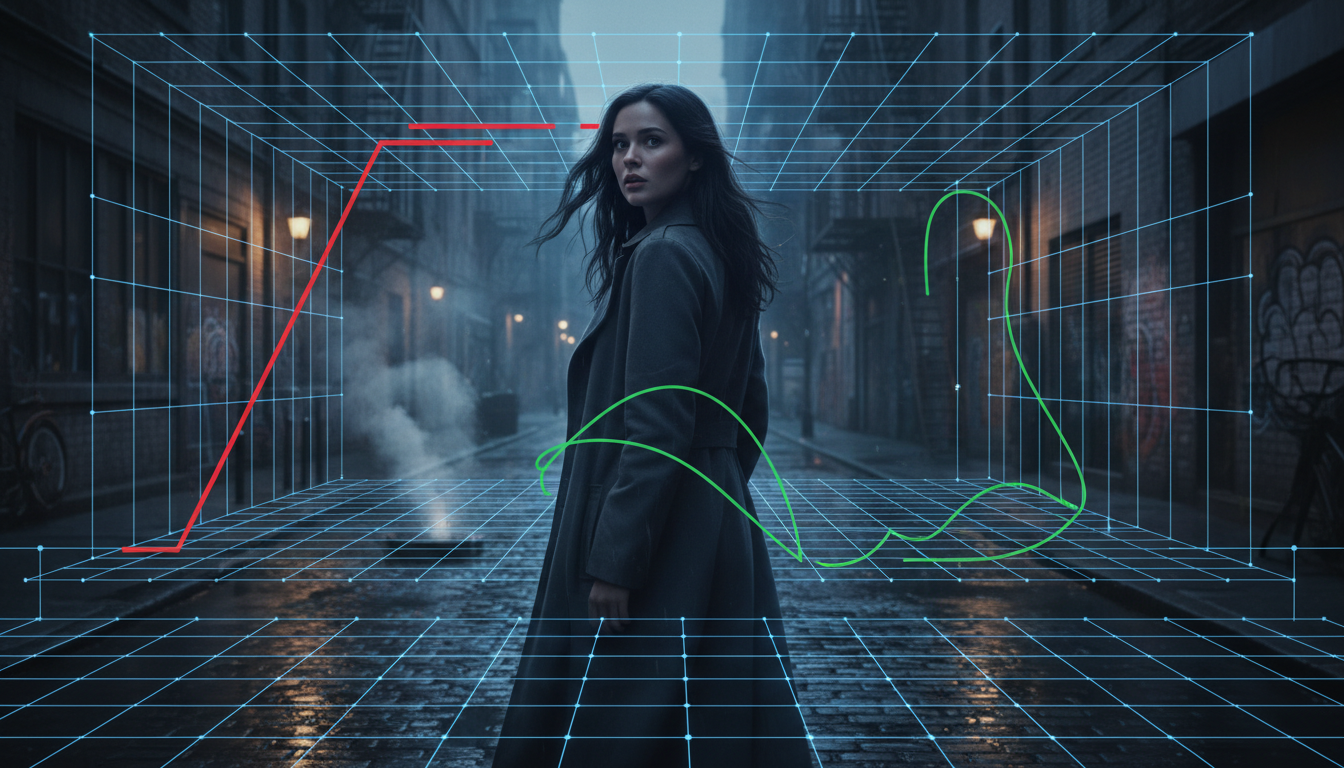
- Depth Cues: Does the image contain foreground, mid-ground, and background elements? If not, consider adding a slight foreground element like a blur or a frame-within-a-frame to establish depth.
- Lighting Direction: Is there clear directional light? High-contrast shadows suggest volume, which helps the model interpret the subject as a 3D object rather than a flat cutout.
- Environmental Physics: Are there loose elements? Adding smoke, steam, or floating dust particles provides the AI with "motion anchors" that encourage the rest of the scene to follow suit.
- Subject Posture: Is the subject in a neutral pose? A static pose invites static results. Look for images where the subject is mid-action, has non-parallel limbs, or exhibits a slight weight shift.
If your image is too static, introduce environmental movement during the initial image editing phase. Adding a simple overlay of drifting mist or subtle light leaks can trick the model into initiating a motion sequence, which often drags the subject into the movement.
Force-Multiplying Motion: Prompting Strategies to Break the Freeze
Passive prompts are the enemy of movement. If you prompt with simple phrases like "man standing" or "cinematic portrait," you are essentially asking for a static result. Instead, focus on verbs that imply physical momentum. Use phrases like "wind whipping through hair," "fabric billowing in the breeze," or "shifting weight as he turns." These prompts force the model to calculate secondary physics, which naturally unlocks the primary subject.
Micro-Prompts for Secondary Physics
To get the most natural results, you must balance high-energy prompts with subtle adjustments. By mastering the physics of stillness in AI video, you learn how to balance the need for subject movement with the nuance of micro-expressions. Instead of prompting for a full body turn, write prompts that focus on micro-movements: "a subtle intake of breath," "eyes narrowing slightly," or "a gentle tilt of the chin." These micro-prompts give the AI a highly specific, low-variance target. Because the requested motion is small, the model can execute it without risking structural collapse, resulting in a performance that feels alive rather than frozen or hyperactive.
Overriding Stasis with Active Camera Choreography
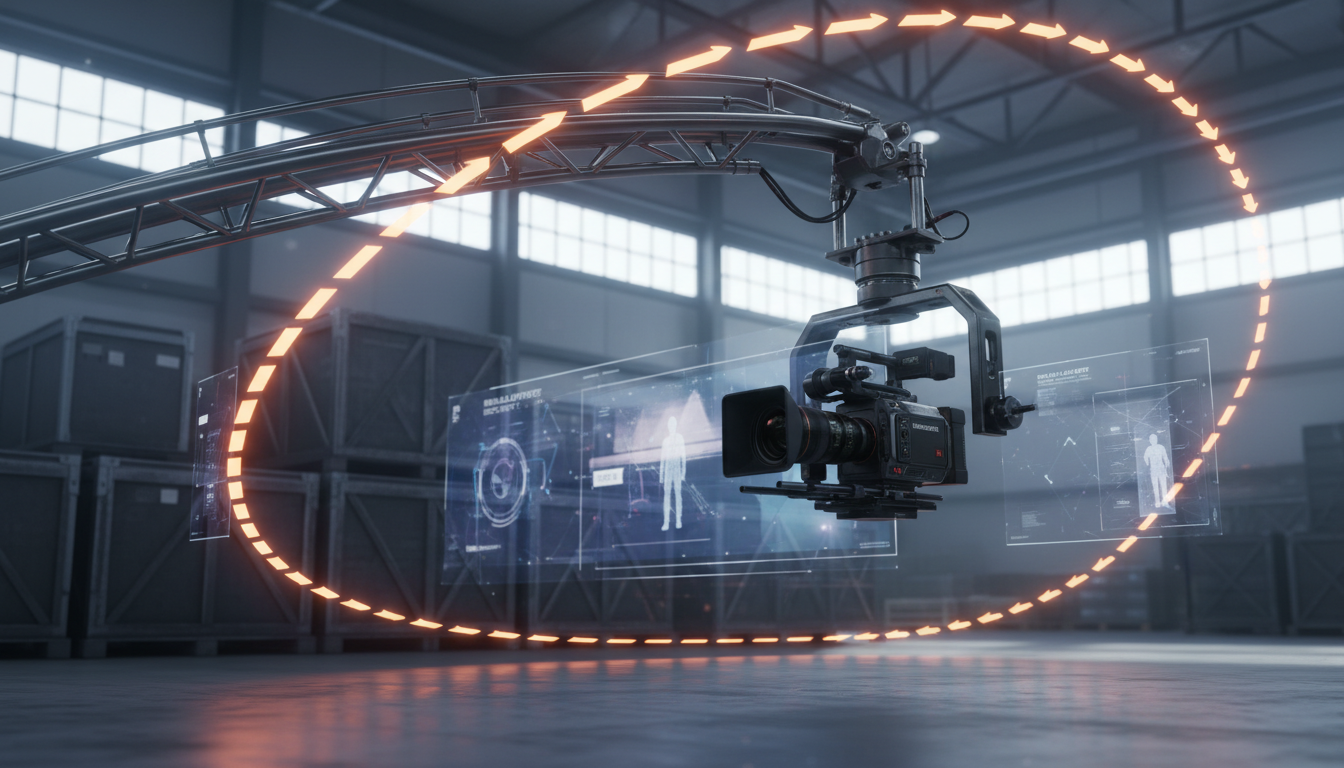
Sometimes, the subject refuses to move because the camera is static. By introducing active camera movement, you force the AI to perform complex parallax calculations. When the camera moves, the model must redefine the spatial relationship between every pixel in the frame, which naturally breaks the lock on your subject and forces the entire scene to render dynamically.
The Interaction of Camera Angles and Subject Weight
The angle of your shot dictates how the model calculates gravity and mass. For instance, prompting cinematic low-angle hero shots establishes a strong sense of weight and presence. When you pair a low-angle shot with camera movement, the AI is forced to calculate the upward perspective shift against the subject's mass.
To execute this smoothly, combine the camera angle with sweeping mechanical movements. By prompting authentic crane and jib motions, you introduce a vertical and lateral arc that forces the background to slide behind the subject at a different rate than the foreground. This parallax effect is incredibly effective at forcing movement, as the AI cannot maintain a static subject while the entire world shifts along a complex geometric curve.
The Multi-Frame Escape: Using First-and-Last Frame Workflows
When prompting alone fails to break the pixel lock, you must transition to a keyframe-based workflow. This is the most reliable way to guarantee motion in professional pipelines. By utilizing Kling's first and last frame workflow, you provide the model with a definitive trajectory, removing the guesswork that leads to frozen generations.
Start by generating your hero image (Frame A). Then, use an image editor or a secondary generation tool to create Frame B—a "final" frame where the subject has moved slightly, perhaps with their head turned or their arm raised. By supplying both frames to the generator, you are no longer asking the AI to guess how to move—you are telling it exactly where the motion must end. This removes the ambiguity that causes the diorama effect and allows for precise, controlled character movement that aligns perfectly with your creative vision.
Why does my image-to-video generation only move the background while the character stays frozen?
This occurs because the AI model identifies your character as a high-contrast, high-detail anchor. It prioritizes pixel conservation to prevent image degradation, treating the background as a lower-priority area where movement is safer to calculate.
How do I make a character walk or perform complex actions in an image-to-video AI generation?
Walking requires significant pixel displacement. Relying on prompts alone is rarely sufficient. Use a multi-frame workflow (first and last frame) to guide the AI, and use camera movement to force parallax, which helps the model resolve the character's movement through 3D space.
Does increasing the motion brush strength in Runway or Kling actually fix frozen frames?
Increasing brush strength can help, but it often leads to artifacts or "melting" if the underlying depth map is inaccurate. It is more effective to combine moderate motion brush usage with physical prompt modifiers like 'wind' or 'shifting light' to encourage the model to move the subject naturally.
How do I prevent my subject's face from morphing when I force high motion in I2V?
Face morphing usually occurs when the AI tries to guess the structure of the face during movement. Use a lower motion value for the face area specifically, or ensure your source image has clear, well-lit facial features that the model can easily track. Refer to our guide on the anatomy of facial stability for specific techniques on maintaining character identity.



