
The Cosmic Scale Protocol: Prompting Seamless AI Earth Zoom Transitions
Ditch flat satellite templates. Discover how to leverage generative AI models to construct a multi-tiered vertical zoom transition that maintains spatial logic, matches motion blur, and lands perfectly on a ground subject.
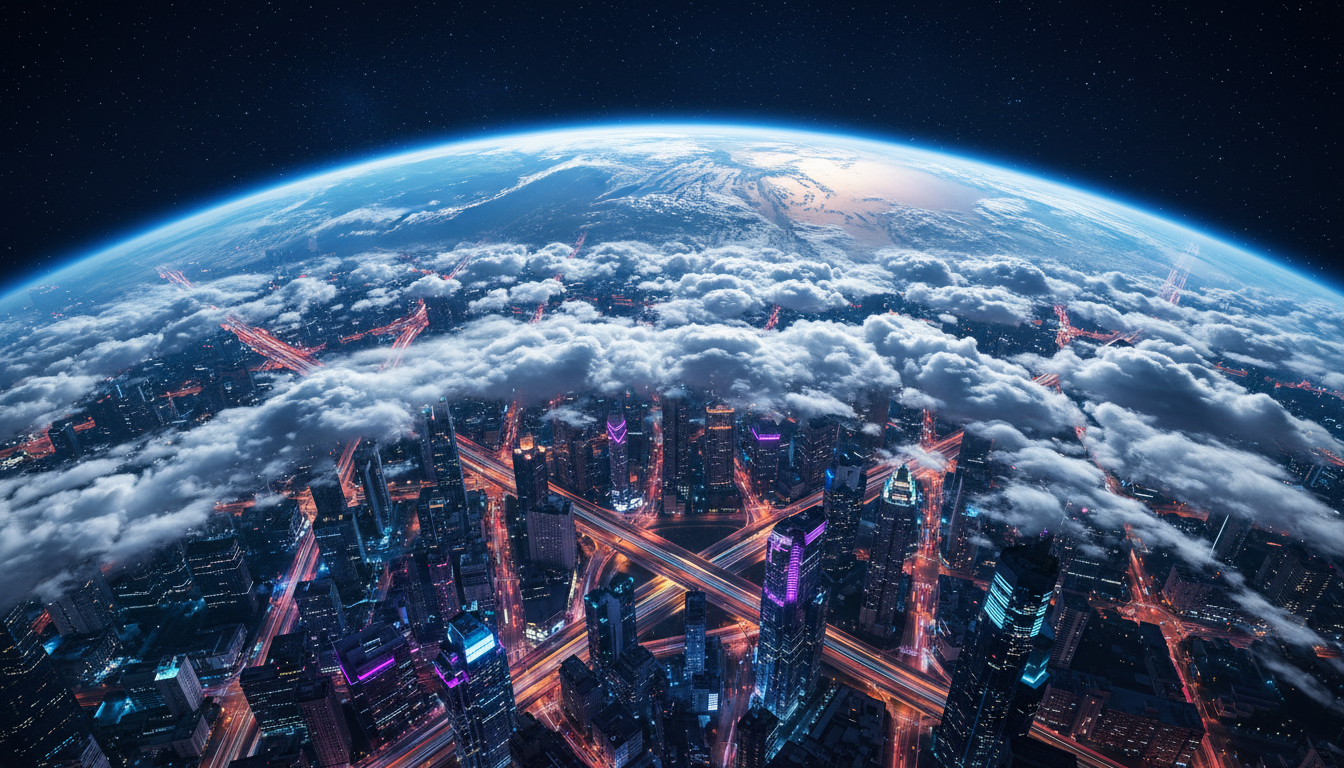
The classic "Earth zoom" transition—swooping from the edge of the atmosphere down to a precise street corner—has long been a staple of blockbusters, commercial promos, and documentary openings. Historically, creators relied on sterile, flat satellite textures or rigid pre-rendered templates that lacked cinematic atmosphere, dynamic weather, and organic lighting. While these traditional assets served their purpose, they often felt disconnected from the ground footage, breaking the cinematic illusion and pulling the audience out of the story.
Generative AI video models have shattered these creative limitations, allowing filmmakers to inject volumetric clouds, realistic lens flares, and stylistically consistent lighting into the descent. However, because no single AI prompt can process a scale shift of 100,000 feet without turning into a digital soup, professional creators must adopt a tiered, multi-shot prompting methodology. This is the Cosmic Scale Protocol: a systematic approach to prompting, structuring, and stitching a multi-tiered vertical zoom transition that maintains spatial logic, matches motion blur, and lands perfectly on a high-fidelity ground subject.
The Physics of the Cosmic Scale Transition in AI Video
To construct a believable space-to-ground descent, we must first understand why standard video generation pipelines break down during extreme scale shifts. When you prompt an AI video generator to "zoom from outer space down to a street in Tokyo," the model attempts to compress light, geometry, and spatial structures from vastly different scales into a single latent space generation. This inevitably leads to latent space collapse, resulting in warping artifacts, sudden jumps in perspective, or a complete loss of resolution as the model struggles to transition from macro planetary curves to micro architectural details.
To overcome this, we must establish a logical spatial axis using vertical camera vectors instead of standard horizontal pans. In traditional cinematography, camera movement relies on physical rigs. In generative AI, we must simulate these physics by prompting the model to respect a constant downward velocity. To understand this, we must contrast this vertical approach with the horizontal compression techniques used when simulating vertigo with AI dolly zooms. While a dolly zoom manipulates the relationship between focal length and camera distance to warp the background, a vertical cosmic zoom relies on layered atmospheric perspective and exponential acceleration to sell the scale. The camera must descend along a strict vertical vector, using atmospheric haze and cloud layers to mask the transition between different levels of detail.
Step-by-Step: Constructing the Multi-Tiered Earth Zoom
Because a single generation cannot span from an orbital view to a street-level close-up, we divide the sequence into three distinct generative tiers. Each tier operates at a specific altitude, utilizing distinct prompt parameters and visual landmarks to maintain continuity.

The Tiered Zoom Framework
- Tier 1: The Orbital Descent (100,000 to 30,000 feet) – Captures the curvature of the Earth, the thin blue line of the atmosphere, and the initial plunge through the upper stratosphere.
- Tier 2: The Atmospheric Plunge (30,000 to 1,000 feet) – Traverses the cloud deck, introducing volumetric weather, moisture on the lens, and the emergence of structural city geography.
- Tier 3: The Ground-Level Landing (1,000 feet to ground) – Resolves into high-fidelity architectural details, street grids, and ultimately the specific subject of your scene.
To ensure geographical landmarks remain consistent across these tiers, creators should use structural guidance images or seed-matching where available. By feeding the generator a stylized satellite image of your target location as an image-to-video (I2V) input, you anchor the geometry of the descent. The transition zones themselves—such as thick cloud layers, heavy smog, or the flat roofs of high-rise buildings—must be intentionally designed to act as natural visual cuts, allowing you to seamlessly swap clips without the viewer noticing the join.
Tier 1: The Orbital Pull-Back and Descent
The first tier sets the cinematic tone for the entire sequence. It requires a balance of planetary grandeur and high-velocity downward momentum. However, prompting a direct downward plunge from space often results in chaotic visual noise, as the AI struggles to generate new details out of a flat planetary sphere.
To bypass this limitation, we utilize a reverse-generation technique. Instead of prompting a downward zoom, we prompt a high-speed pull-back reveal starting from the upper atmosphere and moving out into deep space. This approach relies on mastering the reverse mechanics of prompting cinematic pull-back reveals to preserve geometric integrity before reversing the sequence in post-production. When reversed, the pull-back becomes a perfectly smooth, geometrically stable downward plunge.
Here is a professional prompting formula for Tier 1 (to be generated as a pull-back, then reversed):
Prompt Formula (Reverse Generation): "An extreme high-speed camera pull-back, starting from a top-down view of a dense cloud deck over a coastal city, rapidly ascending through a thin blue atmospheric haze into the deep black of outer space. The curved horizon of the Earth is revealed, glowing with soft sunlight. Cinematic lighting, realistic atmosphere, high-velocity motion blur along the edges, 8k resolution, photorealistic."
Prompting the Latent Space for High-Velocity Vertical Motion
To maintain a convincing sense of speed, your prompts must instruct the model to simulate realistic physical forces. Without specific speed and camera control terms, the AI may introduce horizontal drift, unwanted camera rotations, or static, slow-moving frames that ruin the illusion of a terminal-velocity drop.
Key terms for vertical camera movement are critical here. Use phrases like "top-down vertical plunge", "crane down at terminal velocity", and "atmospheric re-entry motion blur". By applying the same momentum principles found in our kinetic whip pan prompting protocol, you can coax the latent space into maintaining a strict downward vector while generating realistic edge-blur. This visual distortion is not merely stylistic; it is functionally necessary to mask the shift in resolution as the model transitions between different layers of spatial detail.
To prevent the AI from generating unwanted horizontal rotation, explicitly prompt for camera stability: "locked vertical axis, no rotation, straight downward camera vector, zero horizontal drift." This keeps the camera path clean and predictable, which is essential for the compositing stage.
The Stitching Protocol: Compositing and Frame Interpolation
Once you have generated your three distinct video tiers, you must assemble them into a single, unbroken sequence. This is where the "Cloud-Mask" technique becomes invaluable. By ensuring that Tier 1 ends inside a dense cloud layer and Tier 2 begins inside that same cloud layer, you can use the volumetric white pixels as a natural luma mask to transition between the clips.
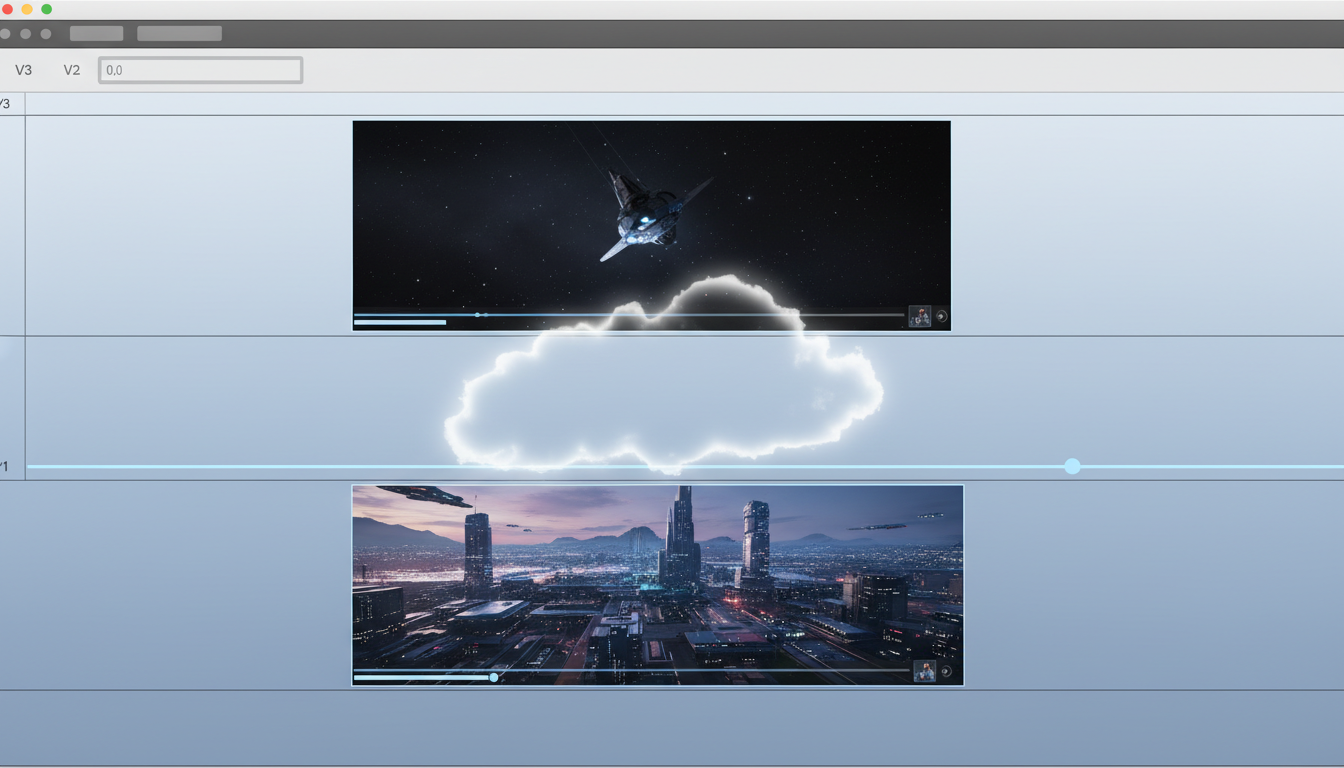
Within Montagea’s unified workspace, creators can leverage advanced timeline compositing and AI-assisted interpolation tools to smooth out the transition points. By matching the motion blur vectors between the end of one tier and the beginning of the next, Montagea helps eliminate the subtle frame-rate jumps and visual jolts that typically plague multi-generation sequences.
| Transition Method | How It Works | Pros | Cons |
|---|---|---|---|
| Latent Morphing | Using image-to-image interpolation to morph the final frame of Tier A into the first frame of Tier B. | Highly fluid, organic transitions. | Can cause unpredictable warping or "dream-like" melting artifacts. |
| Luma Masking (Cloud-Mask) | Blending clips using a high-contrast brightness mask (e.g., passing through a cloud or thick fog). | Photorealistic, physically plausible, and highly controllable. | Requires generating matching atmospheric elements in adjacent tiers. |
| Scale Interpolation | Manually scaling up the center of Tier A in post-production to match the framing of Tier B. | Perfect geometric alignment. | Can result in severe pixelation if the scale factor is too high. |
Overcoming the Resolution and Fidelity Bottleneck
The final hurdle in executing a flawless Earth zoom is managing resolution loss during periods of peak velocity. As the camera plunges from Tier 2 to Tier 3, the rapid influx of new spatial details (such as individual buildings, vehicles, and street textures) can cause pixelation and texture stretching.
To combat this, apply directional motion blur in post-production. A linear directional blur aligned with your vertical camera vector mimics the optical behavior of a real camera lens moving at high speed, effectively masking any temporary resolution drops. Additionally, passing your low-altitude generations (Tier 3) through a tile-based AI upscaler before editing will inject the micro-details necessary to keep the final landing sharp and crisp.
To ground the entire sequence in cinematic reality, add a layer of synthetic camera shake and atmospheric noise during the transition zones. The sudden friction of passing through the atmosphere should shake the camera frame, selling the physical weight of the descent. By combining these advanced prompting protocols with professional compositing workflows, you can transcend the limits of sterile satellite templates and deliver a truly breathtaking cosmic scale transition.
How do I keep the final location consistent from space to the ground in AI video?
To maintain geographical consistency, use an Image-to-Video (I2V) workflow. Start with a real satellite image or a highly detailed map of your target location as the initial frame for your descent generation. By anchoring the model's geometry with a real image, you ensure that the roads, coastlines, and major landmarks remain structurally consistent as the camera zooms in.
Should I prompt a zoom-in or a zoom-out and reverse it for an Earth zoom?
For the orbital and high-altitude segments (Tier 1), prompting a zoom-out (pull-back reveal) and reversing it in post-production yields much cleaner geometry. AI models are generally better at expanding a scene outward than they are at generating complex, microscopic details from a flat, compressed starting point. For the final ground-level landing (Tier 3), a direct downward prompt usually works best to capture realistic landing physics.
What are the best prompt keywords for high-speed vertical camera movement?
To enforce a strict downward camera vector, use precise cinematic and physics-based terminology. Highly effective terms include: "top-down vertical plunge," "crane down at terminal velocity," "atmospheric re-entry motion blur," "locked vertical axis," and "straight downward camera vector." Avoid generic words like "zoom," which can result in flat digital scaling rather than dynamic physical movement.
How do I hide the cuts between different generative video clips in a zoom transition?
The most effective way to hide cuts is by using the "Cloud-Mask" technique. Ensure that the end of your higher-altitude generation and the beginning of your lower-altitude generation both take place inside a dense, volumetric cloud layer or thick atmospheric haze. In your editing suite, you can then use a soft luma mask or a simple cross-dissolve within the white, low-detail space of the clouds to create a completely invisible transition.



