
The Seedance 2.0 Prompting Matrix: Structuring Multi-Event Prompts for Temporal and Spatial Coherence
Move past unpredictable generative video. Discover the Temporal Bracket Protocol for Seedance 2.0, designed to control multi-action sequences, maintain character continuity, and direct complex camera movements without visual degradation.
The transition from unpredictable, generative AI video clips to structured, timeline-based directing is officially underway. For filmmakers and visual storytellers, the era of "prompt-and-pray" generation is giving way to precise temporal control, driven by engines designed to parse motion over time rather than static descriptions. As generative video models mature, the primary challenge is no longer just generating a beautiful image, but maintaining physical, spatial, and temporal logic across a sequence of actions.
Seedance 2.0 introduces a fundamental shift in how text prompts are interpreted, moving away from unstructured style descriptions toward chronological, multi-event instructions. At Montagea, we view this transition as a critical evolution for professional AI filmmaking, transforming the text prompt from a simple description into a highly structured, executable director's script. By understanding the underlying architecture of Seedance 2.0, creators can write prompts that act as chronological blueprints, ensuring that characters, environments, and physics remain coherent from the first frame to the last.
Beyond Single-Action Prompts: The Architecture of Seedance 2.0
Traditional text-to-video engines process prompts as static descriptions. When you input a prompt into a legacy model, the engine attempts to resolve all nouns, adjectives, and verbs simultaneously in a single latent space representation. This works reasonably well for simple, single-action shots—such as "a man walking down a street"—but completely breaks down when you introduce a sequence of events. If you ask a legacy engine to render "a man walking down a street, then stopping to look at his watch, and then running away," the model suffers from attention dilution. It will typically attempt to blend all three actions into a chaotic, hybrid motion, resulting in a character who walks with their arm fused to their face or morphs into a different person entirely.
Seedance 2.0 solves this through a dedicated temporal parsing engine. Instead of treating the prompt string as a static "bag of words," the engine reads the prompt as a chronological sequence of events mapped to specific motion vectors over time. This process, known as Temporal Anchoring, allows the model to allocate its attention weights dynamically across the generation timeline. It recognizes that certain tokens should influence the early frames, while other tokens should guide the middle and late frames of the generation cycle.
However, this advanced temporal parsing requires a disciplined prompting approach. If you clutter your prompt with excessive style descriptors—such as "photorealistic, octane render, volumetric lighting, 8k resolution, cinematic masterpiece"—you dilute the engine's attention capacity. When the model has to spend its computational budget resolving redundant stylistic tokens, its ability to maintain physical and temporal coherence degrades. To unlock the full power of Seedance 2.0, you must separate style from kinetic action, prioritizing structured motion syntax over descriptive fluff.
The Temporal Bracket Protocol: Syntax and Structure
To consistently direct multi-event shots in Seedance 2.0 without relying on random generations, we use a structured framework called the Temporal Bracket Protocol. This protocol organizes your prompt into three distinct, functional phases that map directly to the engine's temporal parsing architecture: [Spatial Anchor] + [Kinetic Trigger] + [Vector Modifier].
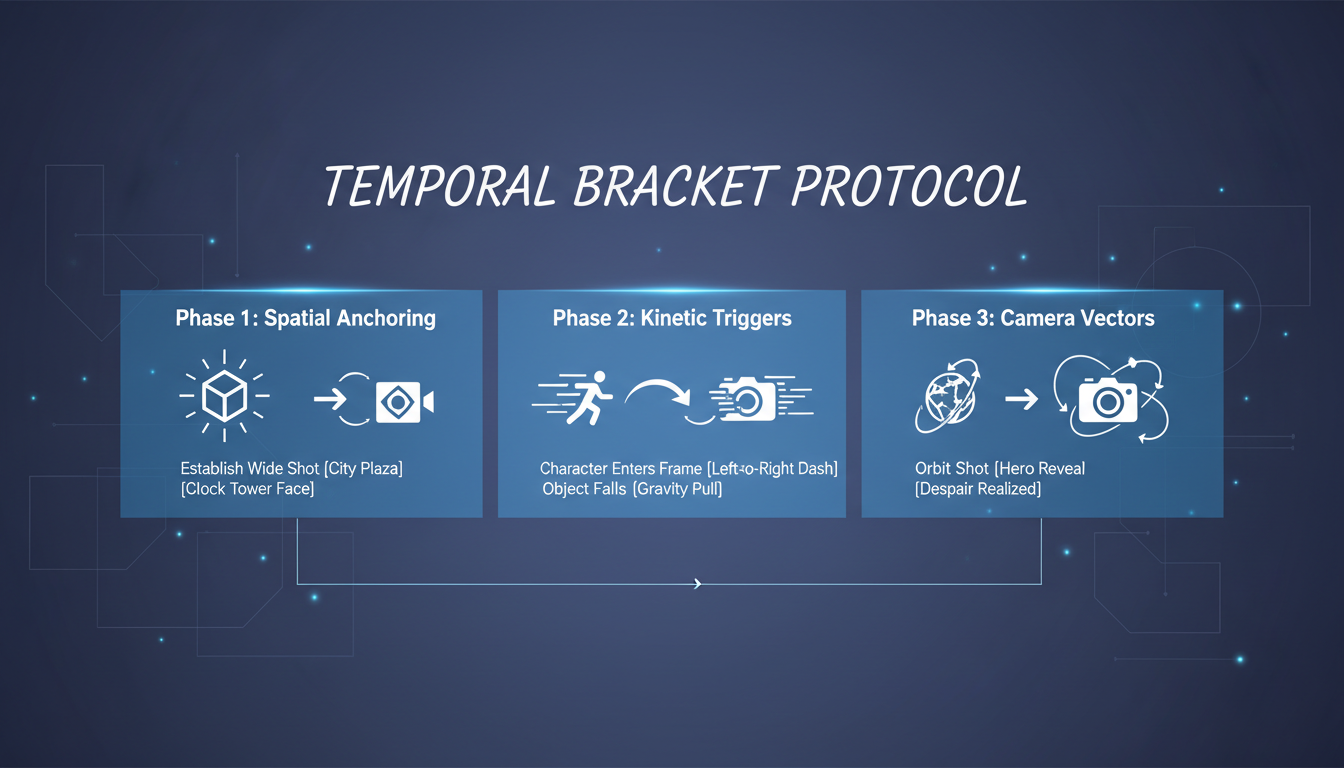
Phase 1: Spatial Anchoring
The Spatial Anchor establishes the baseline physical environment, the subject, and the initial lighting conditions. This phase must be written in declarative, static terms. Do not include any motion verbs here. The goal is to give the engine a rock-solid visual foundation before any movement occurs. By clearly defining the subject and the scene's boundaries, you prevent the environment from warping or changing style mid-shot.
Example:[Spatial Anchor: A rugged detective in a dark trench coat standing inside a rain-slicked neon alleyway, cinematic low-key lighting]
Phase 2: Kinetic Triggers
The Kinetic Trigger is where you define the chronological sequence of actions. This phase uses explicit temporal transition words (e.g., "first," "then," "followed by") to signal the engine's temporal parser to transition from one motion vector to the next. Keep these actions physically plausible and sequential. Avoid overlapping complex motions that would conflict in the real world.
Example:[Kinetic Trigger: The detective first looks down at a golden pocket watch, then snaps it shut, and then sprints forward toward the camera]
Phase 3: Camera Vector Integration
The final phase defines the camera's movement relative to the subject's actions. Rather than using vague cinematic terms, specify the direction, speed, and axis of the camera. This ensures that the background perspective shifts correctly, maintaining spatial coherence. Learn how to pair these text-based vectors with manual camera tools by exploring our guide on prompting precise, drift-free AI tracking shots.
Example:[Vector Modifier: Mid-shot, the camera starts static, then dollies backward dynamically to match the character's forward sprint, maintaining sharp focus]
Comparative Framework: Legacy Prompting vs. Seedance 2.0 Matrix
To understand why structured prompting is necessary, let's compare how a legacy, unstructured prompt performs against the Seedance 2.0 Prompting Matrix under a complex physical scenario.
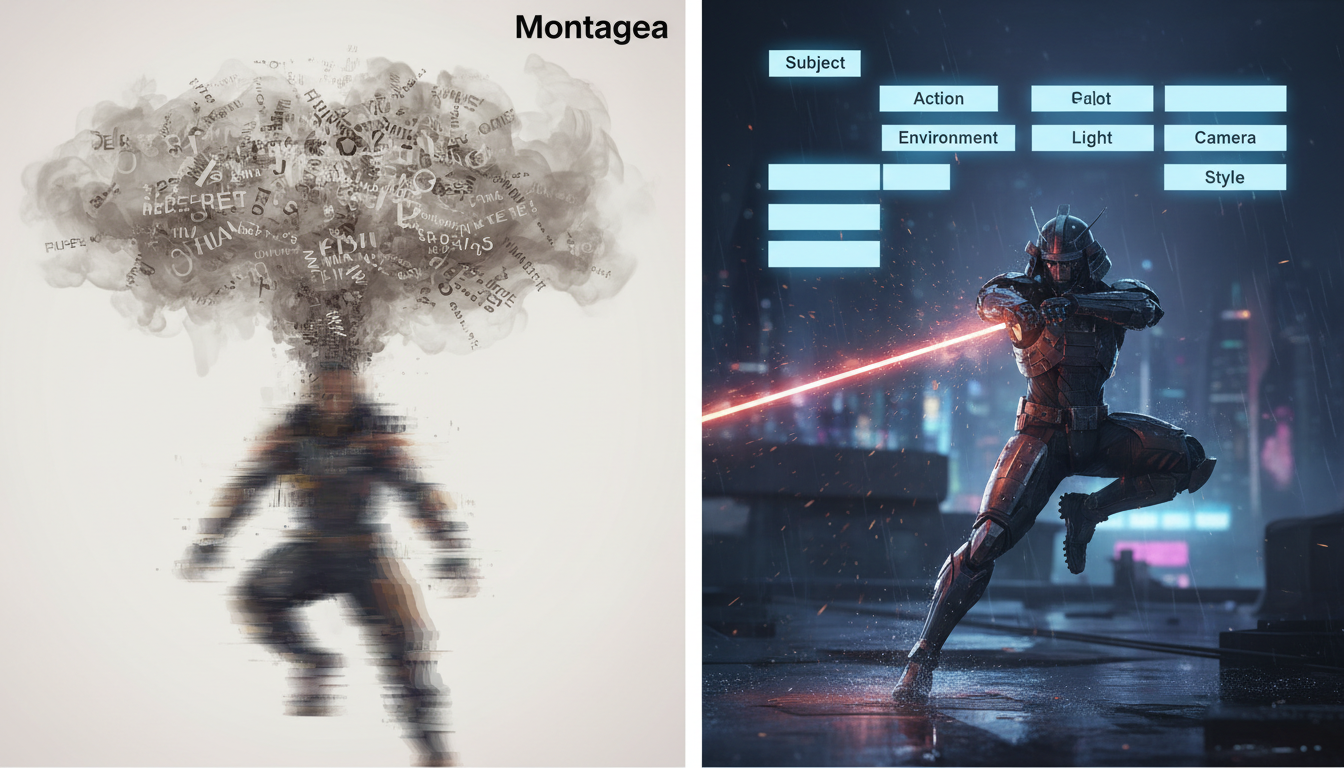
| Parameter | Legacy Unstructured Prompting | Seedance 2.0 Matrix Prompting |
|---|---|---|
| Unpredictable; multiple actions are blended together, causing chaotic, overlapping movements. | Sequential; actions occur in a clear chronological order with distinct start and end points. | |
| Fails after 2-3 seconds; physics break down, and objects frequently lose their physical properties. | Maintained throughout the generation; objects retain weight, mass, and proper interaction physics. | |
| High; character features, clothing, and facial structures morph during rapid rotations or transitions. | Minimal; the spatial anchor locks the character's identity, preventing distortion during movement. | |
| Camera moves erratically, often drifting off-target or failing to track the primary subject. | Camera coordinates smoothly with the subject's kinetic vectors, maintaining perfect framing. |
Scenario Analysis: The Turnaround, Drop, and Run Sequence
Consider a classic dramatic sequence: A character turns around, drops a cup, and runs away.
If you write this as a legacy prompt: "A man turns around, drops his ceramic cup, and runs away down the street, cinematic style."
The legacy engine tries to resolve all elements at once. In the resulting video, the man's face will likely distort as he turns, the cup will dissolve into his hand instead of falling, and the running motion will look like a strange glide. This occurs because the model cannot map the physical state change of the cup (from held to falling) while simultaneously processing the character's spatial rotation.
By contrast, using the Seedance 2.0 Prompting Matrix, the prompt is structured as follows:
[Spatial Anchor: A focused barista in a green apron standing behind a marble counter, warm cafe interior] [Kinetic Trigger: The barista first turns 180 degrees to face the background, then drops a ceramic cup to the floor, and then runs toward the exit door] [Vector Modifier: Medium-wide shot, camera pans right to track the barista's movement, maintaining sharp focus on the falling cup]
By isolating the spatial elements, the engine locks the barista's visual identity. The temporal parser then executes the rotation, triggers the physics calculation for the falling cup at the correct frame interval, and initiates the running vector. The result is a coherent, multi-event shot with realistic gravity and zero character morphing.
Mastering Multi-Shot Sequences and Camera Control
While mastering single-shot temporal coherence is a major step forward, narrative filmmaking requires connecting these shots into cohesive sequences. When transitioning from an extreme close-up to a wide shot, or from a tracking shot to a static reverse-angle, maintaining environmental and character consistency is paramount. Refer to Montagea's foundational guide on the Seedance multi-shot sequence protocol to understand how to structure multi-prompt workflows for macro-level narrative consistency.
To achieve seamless transitions, you must coordinate Seedance's manual camera control tools with your text-based Vector Modifiers. For instance, if you are prompting a rapid tracking shot, using the platform's camera UI to set a physical "Dolly Left" path while simultaneously specifying a matching [Vector Modifier: Camera dollies left to track the subject] prevents the background from warping. This dual-control method aligns the engine's physical geometry engine with its text-to-video diffusion process, yielding clean parallax and stable perspective shifts.
In the broader landscape of AI video physics, Seedance 2.0's sequential attention mechanism represents a major leap forward in temporal handling. Compare this with how other engines handle motion by reading our deep dive into the kinetic translation protocol for high-fidelity image-to-video physics. While some platforms excel at raw fluid dynamics or abstract motion, Seedance's structured temporal parsing makes it uniquely suited for narrative, character-driven sequence generation where actions must follow a strict logical order.
Troubleshooting Common Seedance 2.0 Prompt Failures
Even with a structured matrix, working with complex AI video physics can occasionally yield unexpected visual artifacts. Understanding why these failures occur allows you to debug your prompts efficiently.
The "Kinetic Freeze" Issue
Symptom: The video starts with dynamic motion but abruptly freezes into a static image after one or two seconds, while the remaining duration displays minor camera drift.
The Cause: This typically happens when the Kinetic Trigger uses passive verbs or lacks a clear concluding action. If the engine resolves the primary action too quickly, it runs out of motion vectors to process, causing the frame to lock up.
The Fix: Ensure your Kinetic Trigger contains active, continuous verbs and a clear sequence of events that spans the entire duration of the shot. Replace passive phrasing like "starts to run" with active, continuous phrasing like "sprints continuously toward the far end of the street."
Spatial Warping and Background Drift
Symptom: The background elements (such as buildings, trees, or furniture) bend, stretch, or morph as the character moves through the frame.
The Cause: The Spatial Anchor is too weak or lacks concrete, unmoving environmental details. Without clear physical boundaries, the engine struggles to calculate the correct parallax as the camera or character moves.
The Fix: Add specific, static anchoring objects to your Spatial Anchor. Mentioning heavy, unyielding architectural features—such as "a brick wall," "steel support beams," or "a concrete floor"—gives the engine permanent spatial references to anchor its 3D depth calculations.
Prompt Debugging Checklist
Before hitting generate, run your prompt through this quick-reference debugging checklist to ensure optimal temporal and spatial coherence:
- Is style separated from motion? Ensure all aesthetic descriptors are confined to the Spatial Anchor, leaving the Kinetic Trigger focused purely on physical actions.
- Are the transition words explicit? Verify that you have used clear chronological markers like "first," "then," and "followed by" to guide the temporal parser.
- Are the verbs active and continuous? Avoid passive language that can lead to kinetic freeze. Keep the motion dynamic and ongoing.
- Is there a concrete background anchor? Ensure the scene contains at least one static, heavy architectural element to prevent background warping during camera pans or tracking shots.
How does Seedance 2.0's prompting system differ from Seedance 1.0?
Seedance 1.0 processed prompts as static, holistic descriptions, which often led to blended actions and visual morphing in complex scenes. Seedance 2.0 features an updated temporal parsing engine that reads prompts chronologically, allowing filmmakers to sequence multiple actions over time (e.g., first doing action A, then action B) with far greater physical accuracy and minimal character distortion.
Can I use image-to-video (I2V) workflows with the Seedance 2.0 prompt matrix?
Yes. When using an image-to-video workflow, the uploaded image serves as your ultimate Spatial Anchor. In your text prompt, you can omit the descriptive details of the subject and environment, focusing your prompt matrix entirely on the Kinetic Triggers and Vector Modifiers to direct how the static image comes to life.
How do I prevent character faces from distorting during high-motion prompts in Seedance 2.0?
Face distortion usually occurs when the model tries to process a complex rotation and stylistic details at the same time. To prevent this, define the character's key features statically in the Spatial Anchor, use precise, step-by-step physical rotations in the Kinetic Trigger, and avoid adding conflicting style descriptors in the middle of your action sequence.
What are the best camera control keywords to use in Seedance 2.0 prompts?
For the most stable results, use precise physical camera terms in your Vector Modifiers, such as "slow pan right," "dynamic dolly back," "crane up," or "static camera with tight framing." Avoid vague terms like "dramatic camera" or "cool angles," which do not provide clear mathematical vectors for the engine to calculate.



