
Mastering the Eyeline Match: Spatial Continuity Workflows for AI Filmmaking
Traditional cinematic grammar cannot be ignored in the age of AI. Discover the precise prompting formulas, spatial frameworks, and post-production workflows needed to align character gaze and maintain perfect spatial continuity across AI-generated shots.
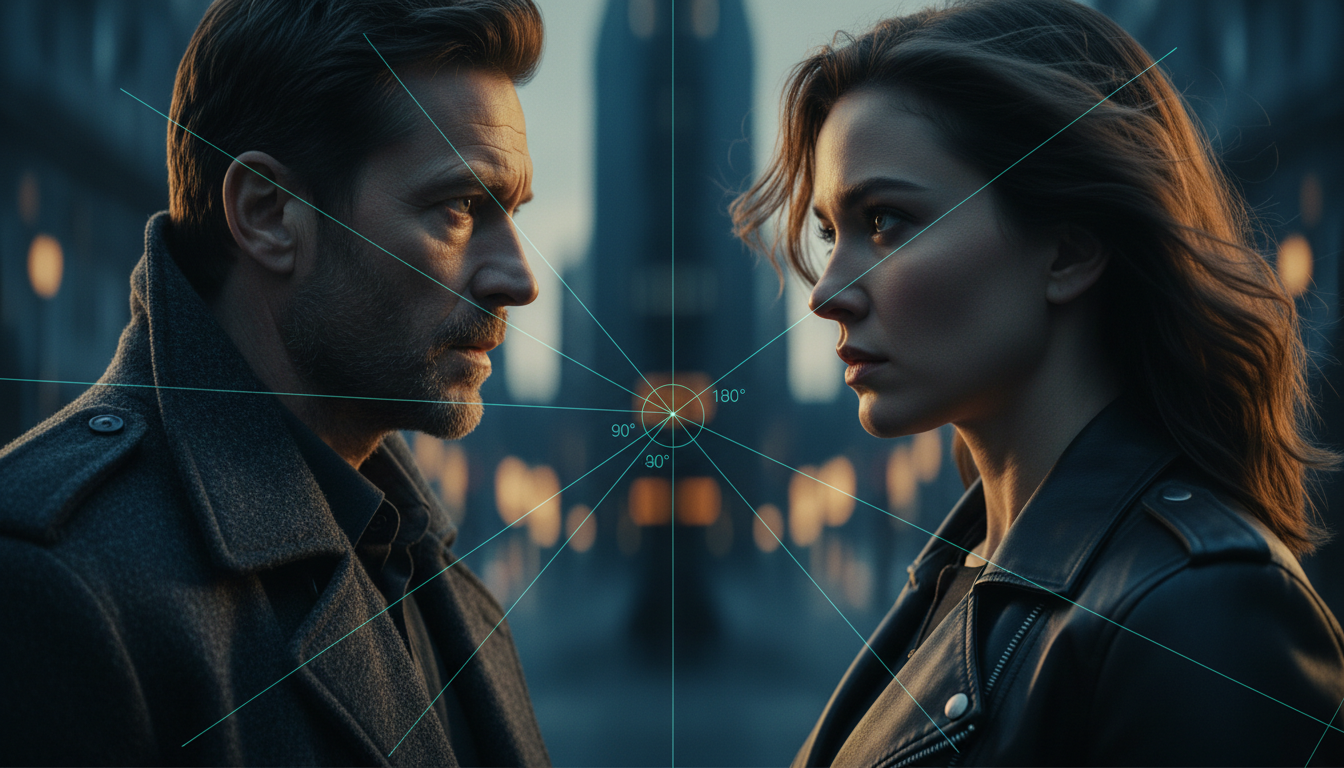
Cinema is built on an invisible contract of spatial continuity. When two characters speak, the audience instinctively maps their relative positions in a three-dimensional space, relying on the 180-degree rule and precise eyeline matching to make sense of the interaction. When a film cuts from a medium shot of Character A looking screen-right to a close-up of Character B, Character B must look screen-left to maintain the illusion of face-to-face contact.
In generative AI filmmaking, this contract frequently breaks down. Because models like Runway Gen-3, Luma Dream Machine, and OpenAI's Sora generate video frame-by-frame based on probabilistic pixel patterns rather than a true 3D understanding of physical space, they lack inherent spatial awareness. By treating AI video generation as a multi-camera shoot with strict vector-based rules, filmmakers can actively force these models to preserve the line of action and maintain seamless continuity.
The Spatial Disconnect: Why AI Video Struggles with Eyelines
Generative video models do not conceptualize a scene as a physical set populated by three-dimensional actors. Instead, they predict the next most likely sequence of pixels based on training data. Because of this, the model has no concept of "the line of action" or the 180-degree rule. When asked to generate a close-up of a character talking, the AI defaults to common portrait compositions found in its training set—which usually feature subjects looking directly at the camera or gazing off into an arbitrary, generalized space.
This structural limitation leads to two common errors: "wandering gaze" and "dead eyes." Wandering gaze occurs when a character's eyes drift unnaturally within a single shot, often because the model is trying to resolve conflicting motion prompts. "Dead eyes" occur when the character looks directly into the lens, breaking the fourth wall and shattering the cinematic illusion of a scene. When transitioning from a medium shot to a close-up, these micro-deviations accumulate, causing the character's line of sight to drift away from their on-screen partner.
The resulting cognitive friction for the audience is immediate. Even if a viewer cannot articulate why a scene feels wrong, their brain registers the spatial disconnect. Instead of feeling like the characters are engaged in a tense, intimate conversation, the audience perceives them as standing side-by-side, looking at some third, unseen object, or staring blankly past each other's shoulders. To build emotional stakes, directors must learn to manually hardcode spatial geometry into their prompts.
Prompting the Gaze: Vector-Based Language for Directional Looking
To overcome the spatial limitations of generative networks, filmmakers must replace vague descriptive language with precise, camera-relative vectors. Prompts like "looking away" or "glancing sideways" are too open to interpretation. The model needs explicit coordinates relative to the frame boundaries to calculate the correct pixel trajectory.
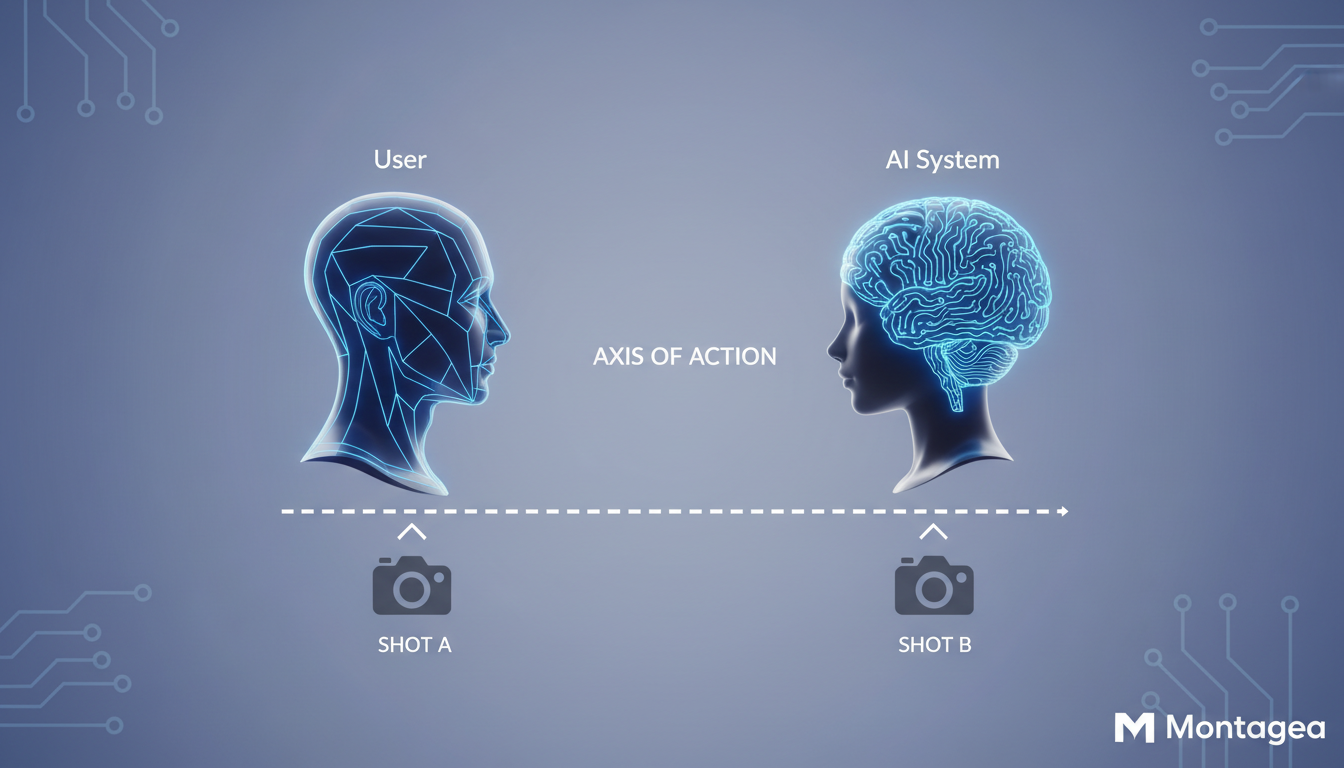
The Vector Geometry Prompting Framework
Rather than relying on casual language, use precise angular descriptors and frame-relative directions. The following prompting framework establishes a clear vector for the model to follow:
- Vague: "A man looking to the side during a conversation."
- Vector-Based: "A medium close-up of a man, head turned slightly, eyes fixed on a point 45-degrees off-camera right, looking past the right edge of the frame."
- Vague: "A woman looking back at him."
- Vector-Based: "A matching medium close-up of a woman, head turned slightly, eyes fixed on a point 45-degrees off-camera left, looking past the left edge of the frame."
Another critical technique is using environmental anchors within your prompt. Generative models respond well to contextual relationships. By introducing an object or a light source that exists just outside the frame, you give the AI a logical reason to direct the character's focus. For instance, prompting "gazing intently at a flickering monitor light just past the left edge of the frame" provides the model with a concrete spatial target, reducing the likelihood of a wandering or dead-eyed gaze.
The Multi-Shot Continuity Framework: Matching A and B Cameras
Crafting a believable dialogue sequence requires planning Shot A and Shot B as complementary, mirrored assets. If Shot A features a character looking screen-right, Shot B must feature the opposing character looking screen-left. This requires strict parameter matching across both generations to ensure the shots cut together seamlessly.
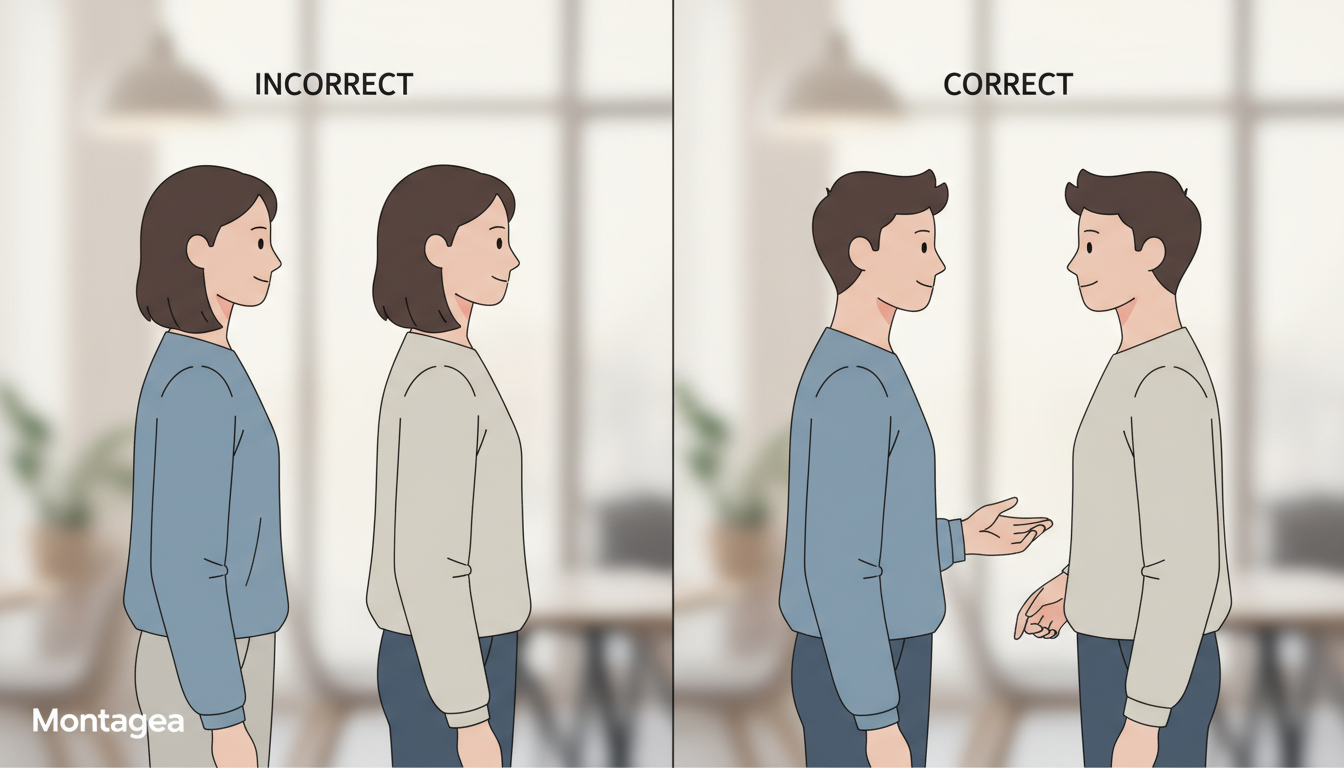
| Shot Element | Shot A (Character 1) | Shot B (Character 2) |
|---|---|---|
| Framing / Scale | Medium Close-Up (MCU) | Medium Close-Up (MCU) |
| Gaze Vector | Looking 30-degrees off-camera right | Looking 30-degrees off-camera left |
| Camera Angle | Over-the-shoulder (OTS) over left shoulder | Over-the-shoulder (OTS) over right shoulder |
| Lighting Direction | Key light from screen-right (reversing to fill) | Key light from screen-left (reversing to fill) |
To make these cuts feel organic, filmmakers must combine these eyeline vectors with consistent framing scales. Mastering how to match shot scales across close-ups and wide shots ensures that the physical dimensions of the characters remain stable alongside their gaze directions, preventing jarring jumps in scale that break spatial continuity.
Post-Production Corrections: Fixing Wandering Eyes with AI Inpainting
Even with highly detailed, vector-based prompting, AI video generators will occasionally deliver a shot where the character's performance, lighting, and composition are perfect, but the eyeline drifts slightly at the end of the clip. Rather than burning valuable generation credits trying to re-roll the perfect shot, you can correct these minor errors in post-production using mask-based inpainting.
To fix a wandering eye, import the clip into an editing or compositing suite (such as DaVinci Resolve or After Effects) and isolate the eye region. By applying a tight mask over the eyes and using a localized AI inpainting tool, you can prompt the model to regenerate only the eye-socket region. The prompt for this localized mask should be highly specific, such as: "steady, unmoving eyes looking fixedly 45-degrees to the right." This preserves the overall performance and facial expression while locking the gaze in place.
For more pronounced tracking issues, a tracking-point workflow can be used to pin a static, correctly aligned eye texture onto the moving character's face. This micro-inpainting technique is a key component of a broader consistency workflow. Just as you must maintain exact clothing and wardrobe consistency across scenes to preserve character identity, correcting wandering eyelines prevents the cognitive friction that shatters audience immersion.
The Montagea Approach: Building Cohesive Dialogue Scenes
At Montagea, we view AI filmmaking as a hybrid craft that marries classic cinematic grammar with emerging generative tools. Achieving professional-grade results requires moving away from the "one-click generate" mentality and adopting structured, multi-step workflows. For example, when executing advanced camera movements like simulating a dolly zoom, maintaining precise control over the character's focal point is critical to keeping the shot visually convincing.
To minimize wasted generation credits, we recommend using pre-visualization and storyboard tools to lock down your camera angles and eyelines before prompting a single frame of video. By drawing simple vector arrows representing the characters' lines of sight on a 2D grid, you establish a blueprint for your prompts. When you begin generating, you are no longer guessing; you are systematically building matching camera angles that are mathematically destined to fit together in the edit.
Ultimately, the goal of these spatial continuity workflows is to make the technology invisible. By mastering vector-based prompting, matching shot scales, and utilizing post-production touch-ups, you can ensure that your characters connect not just with the audience, but with each other.
How do you make AI characters look at each other in a dialogue scene?
To make AI characters look at each other, you must design your prompts as complementary mirrors. If Character A looks "45-degrees off-camera right," Character B must look "45-degrees off-camera left." Avoid vague terms and use precise angular and frame-relative vectors to guide the model.
What is the 180-degree rule in AI video generation?
The 180-degree rule is a cinematography guideline stating that the camera should stay on one side of an imaginary axis between two characters. In AI video, you maintain this by ensuring your generated shots match in camera angle, lighting direction, and opposing eyeline vectors (e.g., one character looking screen-right, the other looking screen-left).
How do I fix a character looking directly at the camera in Runway or Luma?
If a character looks directly at the camera (breaking the fourth wall), rewrite your prompt to include explicit off-camera focal anchors. Use phrases like "gaze fixed on an unseen conversational partner just past the left edge of the frame" and increase the prompt weight on the gaze direction.
Can I use inpainting to correct eye direction in post-production?
Yes. If a generated shot is perfect except for a drifting gaze, you can isolate the eye region using a localized mask in a compositing tool and apply AI inpainting. Prompting the masked area with "steady eyes looking fixedly to the right" allows you to correct the gaze without regenerating the entire shot.



