
The Luminance Vector Protocol: Prompting Volumetric Light, Decay, and Color Temperature in Google Veo
Stop relying on lazy 'cinematic lighting' prompts. Discover how to control Google Veo's physics engine using a precise, gaffer-inspired framework that guarantees volumetric depth, realistic light decay, and stable shadows.
Generative video platforms have historically struggled with spatial lighting, often treating illumination as a static, flat 2D color overlay applied after the fact. When the camera moves or a character turns their head, the light source drifts, shadows fail to update, and the illusion of physical reality breaks. Google Veo represents a significant paradigm shift, utilizing a highly sophisticated physics engine that simulates how light actually bounces off physical geometry, wraps around contours, and decays across three-dimensional space.
To unlock this capability, filmmakers must abandon generic aesthetic descriptors like 'cinematic lighting' or 'photorealistic glow.' Instead, we must communicate with Veo's engine using the precise, structural language of a traditional gaffer. By implementing the Luminance Vector Protocol, you can translate complex physical light properties—such as source types, direction vectors, decay rates, and atmospheric mediums—into structured prompts that maintain flawless visual coherence even through complex camera movements.
Beyond Flat Diffusion: Why Lighting is the True Physics Engine of Google Veo
In traditional CGI rendering, lighting is computed using ray-tracing algorithms that calculate the path of light rays as they interact with virtual materials. Google Veo operates on a remarkably similar latent level. Rather than simply applying a stylistic filter over pixels, Veo's diffusion model interprets prompts as physical instructions for constructing a 3D volume. It calculates specular highlights, diffuse reflections, and occluded shadows based on the spatial relationships of the objects you prompt.
When you use lazy prompting terms like 'beautiful lighting' or 'dramatic mood,' you give the model too much creative license. Without explicit coordinates or physical constraints, the engine defaults to a generic average of its training data, which often manifests as flat, high-key, or plastic-looking compositions. Furthermore, during a camera pan or a tracking shot, this lack of specificity causes the light sources to drift dynamically, resulting in distracting temporal flickering and shifting shadow directions.
By treating lighting as a physical vector, you anchor the scene's spatial geography. When Veo knows exactly where a light source is positioned, what its color temperature is, and how quickly its intensity decays, it can maintain absolute shadow and highlight consistency during complex camera moves. To master the foundational camera and physics controls of this model before diving into advanced lighting, refer to our comprehensive guide on the Veo I2V prompt engine.
The Luminance Vector Protocol: A Framework for Volumetric Prompts
The Luminance Vector Protocol is a systematic four-part framework designed to translate real-world lighting setups into structured text strings that Google Veo's physics engine can execute. By defining these four pillars in every prompt, you ensure that the AI constructs a physically accurate, volumetric space.
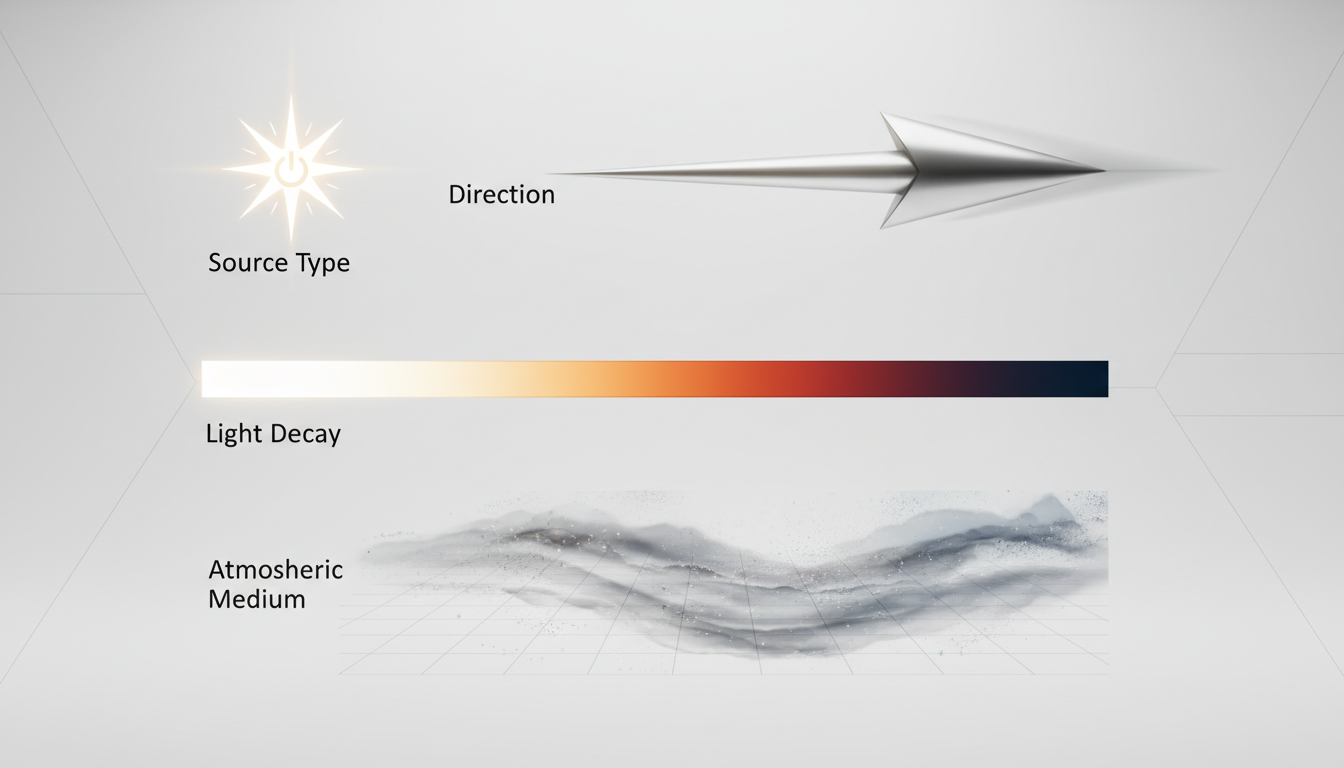
- 1. Source Type: Specify the emitter's physical nature. Instead of 'light,' use terms like 'hard 1.2k HMI fresnel spotlight,' 'diffused 4x4 softbox,' 'warm tungsten practical candle,' or 'unfiltered midday sun.' This tells the model how hard or soft the shadow edges should be.
- 2. Vector & Direction: Establish the geometric coordinate of the source relative to the subject. Use precise technical terms such as '45-degree camera-left key light,' 'high-angle overhead rim light,' or 'low-angle 180-degree backlight.'
- 3. Quality & Decay: Define how the light behaves as it travels. Specify the falloff rate and how it interacts with surfaces. Use phrases like 'rapid inverse-square law decay,' 'gentle wrap around cheekbones,' or 'sharp, high-contrast shadow falloff.'
- 4. Atmospheric Medium: Light is invisible unless it has something to bounce off of in the air. Always prompt an atmospheric medium to catch the light beams, such as 'volumetric dust motes,' 'subtle theatrical haze,' or 'dense morning fog.'
To integrate this protocol into your prompts, place the lighting instructions immediately after your subject description but before your camera movement cues. This ensures the model prioritizes the physical environment before calculating motion. This systematic approach to prompt structure mirrors our framework for translating complete cinematic intent into structured AI scene briefs.
Translating Traditional Film Setups to Veo Prompts
To help you implement this protocol immediately, let's examine how traditional cinematic lighting setups translate directly into precise, physics-based Veo prompts. The table below compares common setups with their exact prompt translations under the Luminance Vector Protocol.
| Traditional Setup | Cinematic Objective | Luminance Vector Protocol Prompt Translation |
|---|---|---|
| Rembrandt | Classic portraiture; dramatic depth with a characteristic cheek triangle. | "Lit by a single 45-degree camera-left key light from a warm tungsten fresnel, creating a distinct triangle of light on the opposite cheek, subtle camera-right fill light, gentle wrap, soft shadow falloff, fine dust motes floating in the air." |
| Chiaroscuro (Film Noir) | Extreme high contrast, deep shadow zones, and sharp edge definitions. | "High-contrast chiaroscuro lighting, single hard un-diffused spotlight from a sharp 90-degree side angle, deep pitch-black shadow zones, sharp edge falloff, zero ambient fill, heavy volumetric smoke catching the beam." |
| Motivated Practical | Light originating from a visible, in-scene source like a lamp or fireplace. | "Subject sits next to a glowing green banker's lamp, motivated practical light source, warm amber color temperature of 2700K, rapid inverse-square law decay, deep shadows wrapping around the far side of the face." |
| Golden Hour | Warm, soft, low-angle natural light with long shadows. | "Low-angle golden hour sun at 15 degrees above the horizon, warm 3200K color temperature, long soft-edged shadows stretching across the frame, volumetric atmospheric haze, warm specular highlights on reflective surfaces." |
Master the Rembrandt Setup: Prompting the Classic Triangle of Light
The Rembrandt setup is the cornerstone of narrative portraiture. In Google Veo, achieving this look requires careful balancing of the key light and the fill light to prevent the engine from over-illuminating the shadow side of the face. If the fill is too bright, the characteristic cheek triangle disappears, flattening the image.
To prompt this successfully, explicitly define the ratio between the key and fill. Use phrasing like: "A dramatic portrait lit by a 3:1 lighting ratio; a hard 45-degree camera-right key light casts a distinct Rembrandt triangle on the camera-left cheek, while a highly diffused, low-intensity fill light keeps the shadow side subtly visible without losing the deep contrast." This level of detail forces the model to calculate two distinct light paths, resulting in a stunningly realistic three-dimensional facial structure during subtle character movement.
High-Contrast Chiaroscuro: Controlling Deep Shadows and Specular Highlights
Chiaroscuro lighting relies on extreme contrast between light and dark. In many generative video models, prompting deep shadows results in blocky compression artifacts or muddy, greyish dark zones where the model tries to 'guess' details that should remain hidden.
To maintain clean, deep shadow zones in Veo while retaining razor-sharp specular highlights, you must prompt the engine to ignore fill light entirely. Use phrases like: "Hard, directional side-lighting from a single high-intensity source, casting deep, solid-black occluded shadows. High specular highlights on the skin's surface, sharp transition boundaries between light and shadow, absolute zero ambient bounce." This prevents the model from generating unwanted ambient light, preserving the clean, graphic quality of classic film noir.
Resolving the 'AI Glow': Eliminating Unnatural Highlights and Temporal Flickering
One of the most common issues in generative video is the 'AI glow'—an unnatural, plastic-looking sheen on characters' skin, accompanied by white halo-like highlights around their edges. This occurs because the model's default behavior is to over-stylize the subject, scattering light uniformly across surfaces rather than simulating true physical diffusion.
To eliminate this artificial look, you must explicitly prompt the physical texture of the surfaces interacting with your light. For skin, specify matte qualities and micro-textures. For example, replacing 'glowing skin' with 'matte skin texture with visible micro-pores catching subtle, realistic specular highlights' forces the engine to calculate realistic diffuse scattering rather than a cheap plastic reflection.
Additionally, keeping your light sources stable during camera movement requires a structured approach. Use this quick checklist when drafting your Veo prompts to ensure temporal lighting stability:
- Anchor the Source: Explicitly state that the light source is static in the physical space (e.g., "the spotlight remains fixed in the upper-left corner of the room, independent of the camera's movement").
- Define the Camera's Relationship: Specify how the camera moves relative to the light (e.g., "the camera pans left, causing the shadows to naturally shift in real-time accordance with the fixed light source").
- Avoid Vague Modifiers: Eliminate words like 'dreamy,' 'ethereal,' 'neon,' or 'magical' unless you want uncontrollable, flickering light artifacts. Stick to physical units and kelvin temperatures (e.g., '5600K daylight' or '3200K tungsten').
Integrating Lighting into the Broader Veo Cinematic Pipeline
Volumetric lighting does not exist in a vacuum. In a professional production pipeline, lighting must seamlessly interact with camera movement, character performance, and shot sequencing. When you extend a clip or cut between angles, maintaining lighting continuity is paramount to keeping the audience immersed in your narrative.
Maintaining this luminance continuity across longer sequences requires a structured approach to clip lengthening, which we detail in our guide on the progressive extension protocol for Veo. When extending a shot, your prompt must carry over the exact luminance vectors established in the initial generation to prevent the lighting from shifting mid-scene.
Furthermore, lighting must adapt dynamically when rendering close-up shots of characters expressing emotion. If the lighting is too harsh or poorly positioned, it can obscure micro-expressions or create unnatural facial distortions. For a deep dive on managing character performance alongside these lighting setups, explore our protocol on prompting believable speaking shots in Veo.
At Montagea, we believe that generative AI tools should not be treated as random generators of unpredictable clips, but as highly controllable virtual camera packages. Just as a professional cinematographer selects specific lenses, fixtures, and diffusion packages on a physical set, an AI filmmaker must systematically align lighting, camera movement, and character performance. By mastering the Luminance Vector Protocol, you gain precise, predictable control over Google Veo's physics engine, allowing you to execute your exact directorial vision with absolute visual fidelity.
How do I prevent lighting from flickering or shifting in Google Veo?
To prevent lighting from flickering or drifting, you must anchor your light source physically within the prompt. Use explicit spatial coordinates (e.g., 'a static 45-degree camera-right key light fixed in space') and avoid vague, non-physical descriptors like 'dreamy' or 'cinematic' which cause the model's lighting calculations to drift between frames.
What are the best keywords for cinematic lighting in Google Veo prompts?
Avoid generic buzzwords. Instead, use precise gaffing and cinematography terms. Specify the light source ('1.2k HMI fresnel'), color temperature ('3200K warm tungsten' or '5600K daylight'), direction ('90-degree side light'), and shadow quality ('sharp shadow falloff' or 'gentle wrapping fill').
How do I prompt realistic volumetric light rays (god rays) in AI video?
Volumetric light requires two components in your prompt: a strong directional light source and an atmospheric medium. Use phrasing like: 'A sharp beam of sunlight cutting through a dark room, illuminated by volumetric dust motes and subtle theatrical haze, creating distinct, visible light shafts.'
How does Google Veo handle lighting continuity during camera movement?
Because Google Veo possesses a sophisticated physical understanding of 3D space, it can compute shifting shadows and highlights accurately during camera movement—provided you have anchored the light source in your prompt. If you specify that the light source remains stationary while the camera pans, Veo will dynamically calculate the correct perspective-shifted shadows.



