
The Latent Morph Protocol: Engineering Seamless Image-to-Image Transitions in AI Video
Learn a professional, repeatable workflow for planning, prompting, and polishing high-end AI morph transitions. Transform chaotic generative glitches into deliberate, cinematic match cuts.
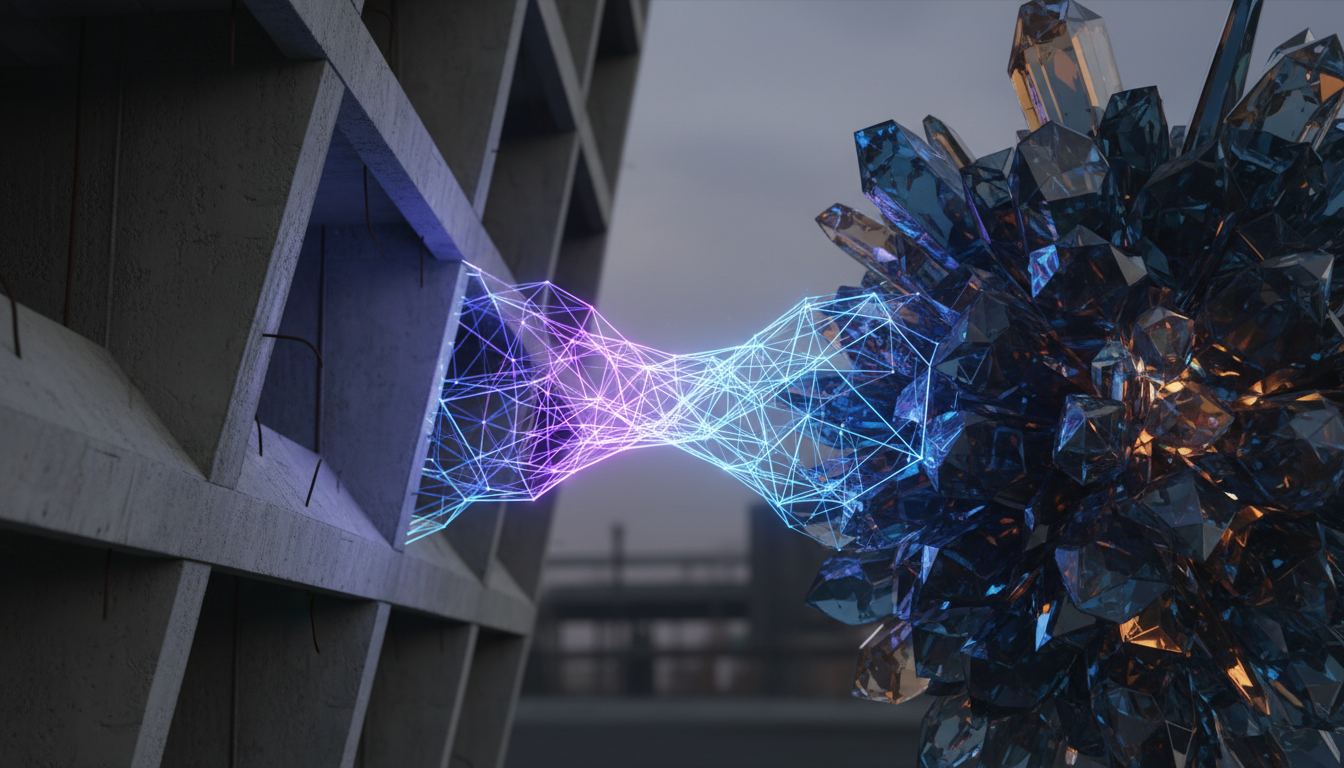
In high-end commercial and narrative filmmaking, the edit is where visual magic becomes narrative structure. Traditionally, the match cut has been the ultimate test of a director's planning—requiring meticulous physical staging, matching lenses, and precise actor blocking to align two distinct worlds. Today, generative AI video engines offer a new creative frontier, allowing us to morph any two visual concepts through the manipulation of latent space. But without a structured framework, this technique quickly devolves into a chaotic, liquid-plastic mess that screams "cheap AI gimmick."
At Montagea, we view the AI morph not as a lazy dream-sequence transition, but as a sophisticated evolution of the classic cinematic match cut. To execute this at a professional studio level, editors must move away from "blind generation" and instead treat the transition as a highly controlled interpolation bridge built on structural geometry, color planning, and post-production speed ramping. By implementing the Latent Morph Protocol, you can engineer seamless, high-substance transitions that look like deliberate cinematic decisions rather than accidental generative glitches.
Beyond the Dissolve: Why AI Morphing is the New Cinematic Match Cut
Traditional match cuts, like the legendary bone-to-spaceship cut in Stanley Kubrick's 2001: A Space Odyssey, are brilliant because they force the viewer's brain to find immediate conceptual and structural relationships between two wildly different objects. However, physical match cuts are inherently limited by real-world geometry and camera setups. AI morphing breaks these physical boundaries, allowing filmmakers to match-cut completely disparate objects and environments by mathematically interpolating the space between them.
The primary danger in this new medium is "uncontrolled morphing." Left to its own devices, an AI video engine will take the path of least resistance between Image A and Image B. This usually results in a chaotic, grotesque soup of intermediate frames where faces melt, textures flicker violently, and the laws of physics are repeatedly broken in a non-artistic way. The transition loses its cinematic power because the viewer is pulled out of the story by the sheer weirdness of the generative artifacts.
To prevent visual jarring, filmmakers must master standardizing visual styles across different engines before attempting complex transitions. This requires establishing a unified aesthetic framework—matching grain structure, contrast ratios, and lens characteristics—before you ever hit generate. To achieve this level of consistency, you can explore To prevent visual jarring, filmmakers must master standardizing visual styles across different engines before attempting complex transitions. This foundational step ensures that the start and end points of your morph exist in the same cinematic universe, making the transition feel like a deliberate stylistic choice rather than a technical error.
The Structural Alignment Framework: Prepping Image A and Image B
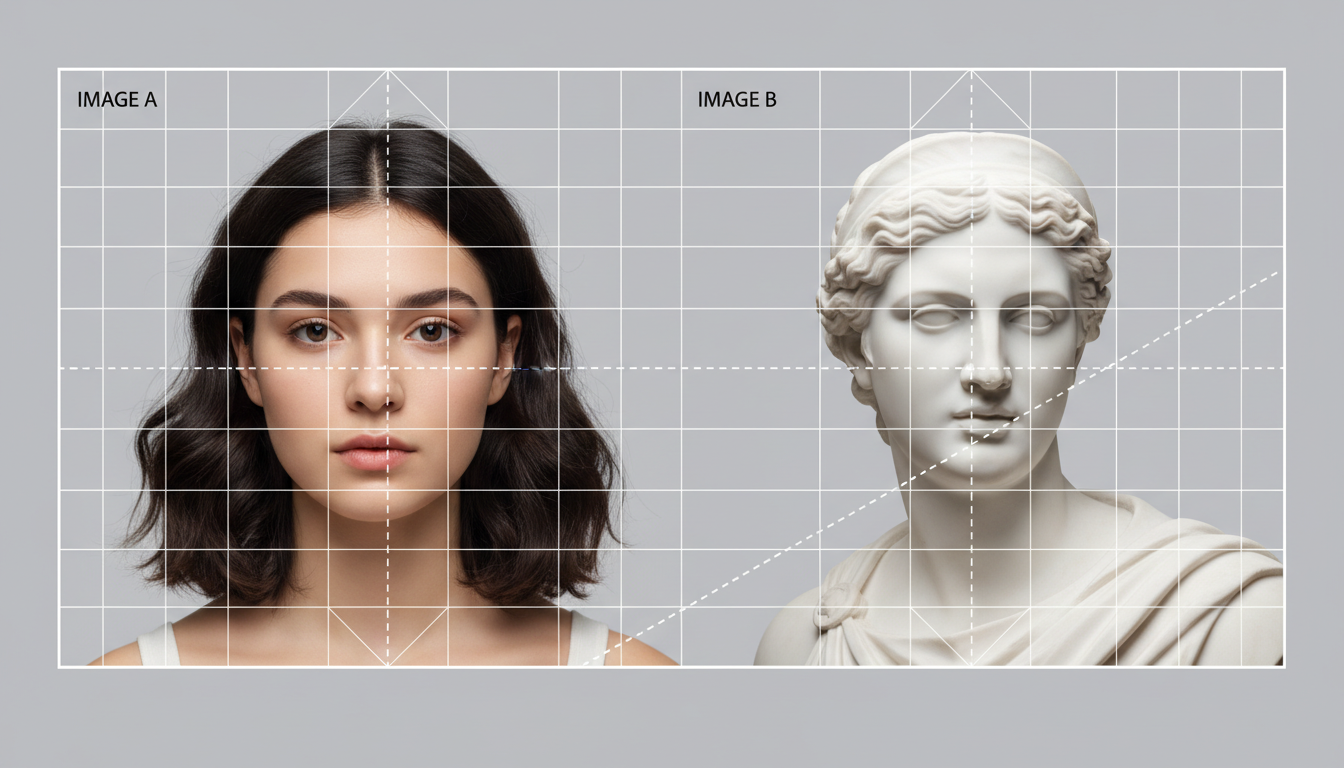
A successful morph does not start in the AI generation prompt; it starts in your image editing suite. If Image A and Image B have completely different compositional structures, the AI will struggle to find a logical path of interpolation, resulting in a messy, disorganized warp. You must prepare your source assets to give the AI a clear mathematical runway.
Compositional Vectors and Geometry
To guide the AI's interpolation path, you must align the dominant geometric shapes, horizon lines, and focal points of both source images. If Image A features a close-up of a circular pocket watch and Image B is an aerial shot of a circular roundabout, you must scale and position both images in your editing software so that the circles align perfectly in the frame. By matching these compositional vectors, you provide the AI engine with structural anchors, forcing it to transform the watch face directly into the road system rather than letting the frame dissolve chaotically from the corners inward.
Color and Luminance Matching
Extreme shifts in lighting, exposure, or color palettes between your two source images are a primary cause of muddy, flickering intermediate frames. If Image A is a high-key, warm daylight scene and Image B is a moody, cool-toned night scene, the AI will generate bizarre, strobing color artifacts as it tries to reconcile the two. Pre-grade your source assets in Photoshop or Lightroom to bring their color temperatures, contrast ranges, and black points closer together. You can always re-introduce dramatic color shifts in your final color grade after the morph has been rendered.
Properly prepping your source assets is key; properly prepping your source assets is key; learn how to engineer reference images for temporal consistency to ensure the engine understands your visual intent. By controlling variables like depth of field and lighting direction in your source images, you drastically reduce the processing load on the AI, resulting in cleaner, more predictable frames.
Prompting the Interpolation Bridge: Guiding the Generative Path
Once your source images are structurally aligned, you must prompt the Image-to-Video (I2V) engine to execute the transition with physical and temporal logic. Writing a simple prompt like "morph from watch to roundabout" is a recipe for a generic dissolve. Instead, you must prompt the *process* of the transformation.
One of the most effective ways to mask the inherent weirdness of a morph is to nestle it inside a dynamic camera move. If the camera is actively panning, zooming, or dollying during the transition, the viewer's eye naturally attributes some of the visual shifts to perspective changes rather than generative warping. For advanced control over camera physics and motion during the transition, reference our guide on mastering cinematic camera control in modern video models.
The Motion Command Syntax
To prompt an interpolation bridge, structure your text prompts using a three-part syntax: **[Initial State] + [Dynamic Action/Kinetic Force] + [Target State]**. This structure forces the model to respect the physical properties of the materials during the transition.
- Weak Prompt: "A pocket watch turning into a street view."
- Professional Protocol Prompt: "A macro shot of a brass pocket watch. The metallic gears and glass face smoothly expand, unfurling outward in a clockwise, mechanical sweep. The gold brass textures seamlessly transition into concrete roads, and the glass face becomes a central grassy roundabout. Captured with a smooth, continuous crane-up camera movement, maintaining consistent overhead lighting."
By specifying the direction of movement ("clockwise, mechanical sweep") and the material transformation ("gold brass textures seamlessly transition into concrete roads"), you guide the model's latent path, preventing it from taking chaotic shortcut paths that destroy visual continuity.
Troubleshooting the 'Uncanny Valley' of Mid-Morph Frames
Even with perfect preparation, AI video engines will occasionally generate mid-morph frames that suffer from visual glitches. The most common issues are the "melting plastic" look, temporal flickering, and warped geometry.
The "melting" problem usually occurs when the engine's motion threshold or guidance scale is set too high, causing it to prioritize rapid change over structural integrity. To fix this, lower your motion parameters to force a slower, more deliberate transition. If your morph involves human subjects, organic elements, or complex architecture, it is highly prone to distortion. If your morph involves human subjects and suffers from distorted limbs or features, apply the principles of anchoring anatomy to keep details physically coherent. Keeping facial features or hands structurally anchored prevents them from turning into terrifying, multi-limbed monstrosities mid-transition.
To help you diagnose and fix these issues quickly in your workflow, use this troubleshooting matrix:
| Visual Symptom | Root Cause | Technical Solution |
|---|---|---|
| Liquid Melting: Structures lose rigidity and look like melting plastic. | Motion scale is too high; the model is over-interpolating between frames. | Reduce the motion weight/strength parameter (e.g., from 80 down to 40) to enforce structural stiffness. |
| High-Frequency Flicker: Rapid brightness or color shifts in the background. | Luminance discrepancy between Image A and Image B. | Pre-grade both source images to match their histogram curves, or use a static alpha mask to lock the background. |
| Anatomical Warping: Extra limbs, melting faces, or distorted hands. | The AI is struggling to map organic geometry across frames. | Apply anatomical anchors or use control nets (like Depth or Pose) to enforce skeletal boundaries. |
Post-Production Polish: Speed Ramping, Optical Flow, and Sound Design
The raw output from an AI video generator is rarely ready for prime time. To truly sell the illusion of a seamless cinematic match cut, you must bring the generated clip into your non-linear editor (NLE)—such as DaVinci Resolve or Premiere Pro—for final post-production polishing.
The secret to hiding the "messy middle" of an AI morph is speed ramping. A linear, constant frame rate exposes every minor generative flaw because the viewer has time to analyze the unnatural physics of the mid-morph frames. By applying a classic "fast-slow-fast" speed curve, you can whip the viewer through the initial and final stages of the transition, slowing down only for a split second at the peak of the geometric alignment. This creates a highly dynamic, stylized motion that feels punchy and deliberate.
Furthermore, standard AI video outputs are often rendered at lower frame rates (like 16 or 24 frames per second), which can highlight jittery interpolation. Applying advanced optical flow or frame-blending algorithms in post-production can smooth out these micro-jitters, synthesizing intermediate frames that make the entire transition feel buttery smooth.
Finally, never underestimate the power of sound design. A visual transition is only half of the equation; sound is what sells the psychological reality of the change to the audience. Pair your speed-ramped visual morph with a carefully constructed audio bridge. Layering a subtle riser that peaks exactly at the morph's inflection point, followed by a textured whoosh and a sudden shift in environmental ambient sound, tricks the brain into accepting the visual transformation as a physical reality. When sound and vision align, the latent morph ceases to be a digital artifact and becomes a powerful, high-substance piece of cinematic storytelling.
How do I prevent my AI morph transition from looking like melting liquid?
To prevent the "melting liquid" effect, you must reduce the motion intensity or guidance scale in your AI video generator. Additionally, ensure that your source images are structurally and compositionally aligned beforehand. When the AI doesn't have to travel a massive mathematical distance to connect the two images, it relies less on fluid, chaotic interpolation to bridge the gap.
Can I morph between two images that have completely different art styles?
While you can, doing so directly often results in a messy, jarring transition. The best practice is to standardize the visual style of both images before attempting the morph. Use a consistent color palette, grain structure, and lighting scheme. If you must transition between styles (e.g., 2D sketch to 3D render), prompt the style change as a physical material transformation (e.g., "the pencil lines solidify into metallic chrome") to make it look intentional.
Which AI video generators are best suited for clean image-to-image transitions?
Engines that support strong Image-to-Video (I2V) control, reference image inputs, and precise motion brush controls are ideal. Tools like Runway Gen-3, Luma Dream Machine, and Google Veo provide the structural fidelity required to execute the Latent Morph Protocol successfully, especially when paired with detailed camera movement prompts.
How do I control the exact timing and speed of a morph in AI video tools?
While you can guide timing in your text prompt (using terms like "sudden burst," "gradual shift," or "rapid sweep"), the most precise way to control timing is in post-production. Render the morph at a high frame rate, import it into your NLE (like DaVinci Resolve or Premiere Pro), and apply a speed ramp curve. This allows you to speed up the messy middle of the morph and slow down at the anchor frames.



