
The Anatomical Anchor Protocol: How to Fix and Prevent Warped Hands in AI Video Production
Stop settling for melting fingers in your AI generations. Discover the systematic workflow for anchoring anatomical structures across temporal frames.
For all the photorealistic capabilities of modern AI video generators, human hands remain the ultimate stress test. Nothing breaks the suspension of disbelief faster than a cinematic, perfectly lit shot where a character's thumb slowly merges into their index finger. While most tutorials advise creators to simply "write better prompts" or add "perfect anatomy" to their negative prompts, this fundamental misunderstanding of diffusion models leads to endless, costly re-renders.
Hand warping is not a vocabulary problem; it is a systemic spatial-temporal tracking issue. To solve it, filmmakers must treat hand structure as a core architectural element of the shot. By applying physical constraints during both the pre-production generation phase and the post-production finishing phase, you can force the AI engine to respect anatomical geometry. This systematic approach is what we call the Anatomical Anchor Protocol.
Why AI Video Engines Struggle with Human Hands (The Geometry Problem)
To understand how to fix melting hands, you must first understand why diffusion models fail to render them accurately over time. The human hand possesses 27 degrees of freedom, driven by a complex network of bones, joints, and tendons. In the physical world, this allows for incredible dexterity. In the latent space of an AI video generator, it creates an incredibly complex spatial structure that the engine must continuously track across dozens of frames per second.
The primary culprit behind anatomical failure is self-occlusion. As a subject moves their hand, fingers cross over, hide, or cast shadows on one another. When a finger disappears behind another object and reappears two frames later, the temporal attention mechanisms of video generators often lose the "memory" of that digit's original structure. The model attempts to guess the geometry based on the new frame's pixel data, resulting in extra limbs or fused joints.
Unlike traditional 3D engines (like Unreal Engine or Maya) which rely on rigid skeletal armatures and rigged meshes, AI video generators lack inherent skeletal constraints. They do not "know" that a finger bone cannot bend backward; they only know the probability of certain pixels appearing next to other pixels based on their training data. When motion introduces blur or occlusion, those probabilities break down, and the joints simply melt together.
The Pre-Production Fix: Engineering Reference Images for Anatomical Stability
The most effective way to prevent hand distortion is to stop it before temporal processing even begins. This is why starting with Image-to-Video (I2V) workflows is vastly superior to Text-to-Video (T2V) when character consistency is a priority. An I2V workflow allows you to establish a rigid anatomical baseline in a static frame, forcing the video model to use that exact geometry as its starting point.
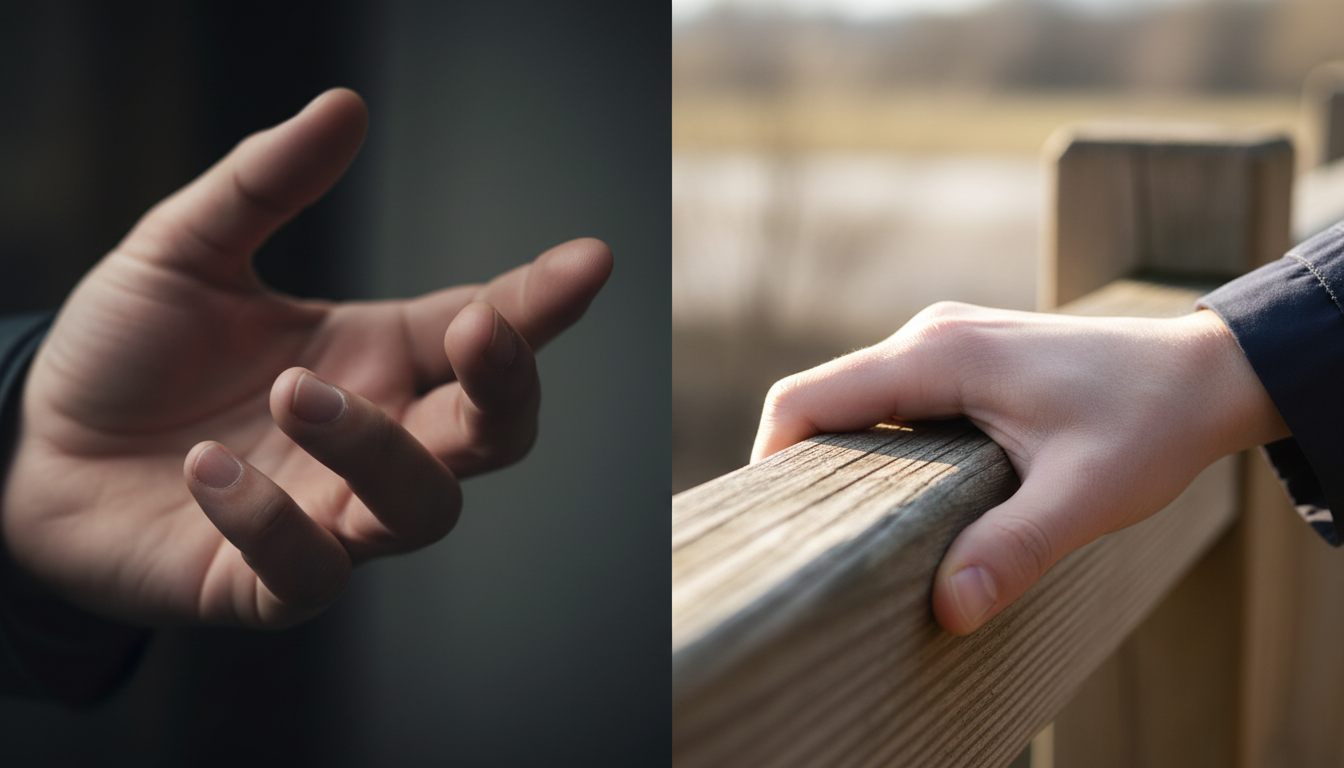
However, not just any starting frame will work. You must engineer your reference images for maximum anatomical stability. This means utilizing clean, high-contrast hand poses. Soft lighting and ambiguous shadows around the fingers give the AI too much interpretive freedom. By using harsh, directional lighting that clearly defines the edges of each digit, you provide the AI engine with clear, unambiguous boundaries to track. Our guide on the Input Blueprint for engineering reference images provides a step-by-step breakdown of preparing your source frames.
Hand-Sparsity and Occlusion Strategies
Even with a perfect starting frame, complex motion will eventually break the illusion. To maintain stability, you must employ a framework of hand-sparsity—choosing poses and actions that minimize the AI's calculation load.
The most reliable method is the Object-Grip Rule. Whenever possible, have your subject hold a physical object: a coffee cup, a steering wheel, a tool, or a railing. When a hand is closed around an object, the AI no longer has to calculate the independent movement of five separate digits suspended in space. The object acts as a physical anchor, stabilizing the rendering of the fingers and significantly reducing temporal distortion.
Conversely, you should actively avoid "open-air" hand gestures. Waving, pointing, or expressive talking with open palms lack physical anchors and almost always trigger high temporal distortion. If a script calls for emotion, rely on facial expressions and shoulder movement rather than hand gestures. Additionally, leverage camera angles to your advantage. Over-the-shoulder (OTS) shots, medium close-ups (MCU), or strategic foreground elements can naturally occlude complex hand movements, hiding the most vulnerable parts of the generation from the AI's view entirely.
In-Engine Motion Control: Prompting for Temporal Stability
When you must prompt for motion, the language you use directly impacts the AI's ability to track anatomy. Aggressive, fast-paced verbs force the model to hallucinate large gaps in spatial data between frames, which is the primary trigger for generating extra limbs.
Instead, prompt for slow-motion and micro-movements. Use phrases like "slow, deliberate movement," "subtle weight shift," or "cinematic slow motion." This gives the diffusion model more overlapping data between frames, allowing its temporal attention layers to accurately map the hand's geometry from one frame to the next. By implementing the Isolated Motion Protocol, you can freeze complex foreground elements like hands while maintaining fluid background motion.
Furthermore, physics-based prompting helps the engine understand the context of the hand's position. Instead of prompting "man holding a heavy box," prompt "man's forearms straining under the immense weight of a steel crate, knuckles white from a tight grip." Providing context about weight, resistance, and tension helps the model draw on training data associated with realistic physical interactions, leading to more structurally sound outputs.
The Post-Production Workflow: Rotoscoping, Tracking, and Plate Replacement
Despite your best pre-production efforts, AI video models will occasionally fail. When a 10-second shot is perfect except for a two-second window where a pinky finger melts into a table, you do not need to discard the render. Professional video production requires a robust post-production pipeline to salvage high-value generations.
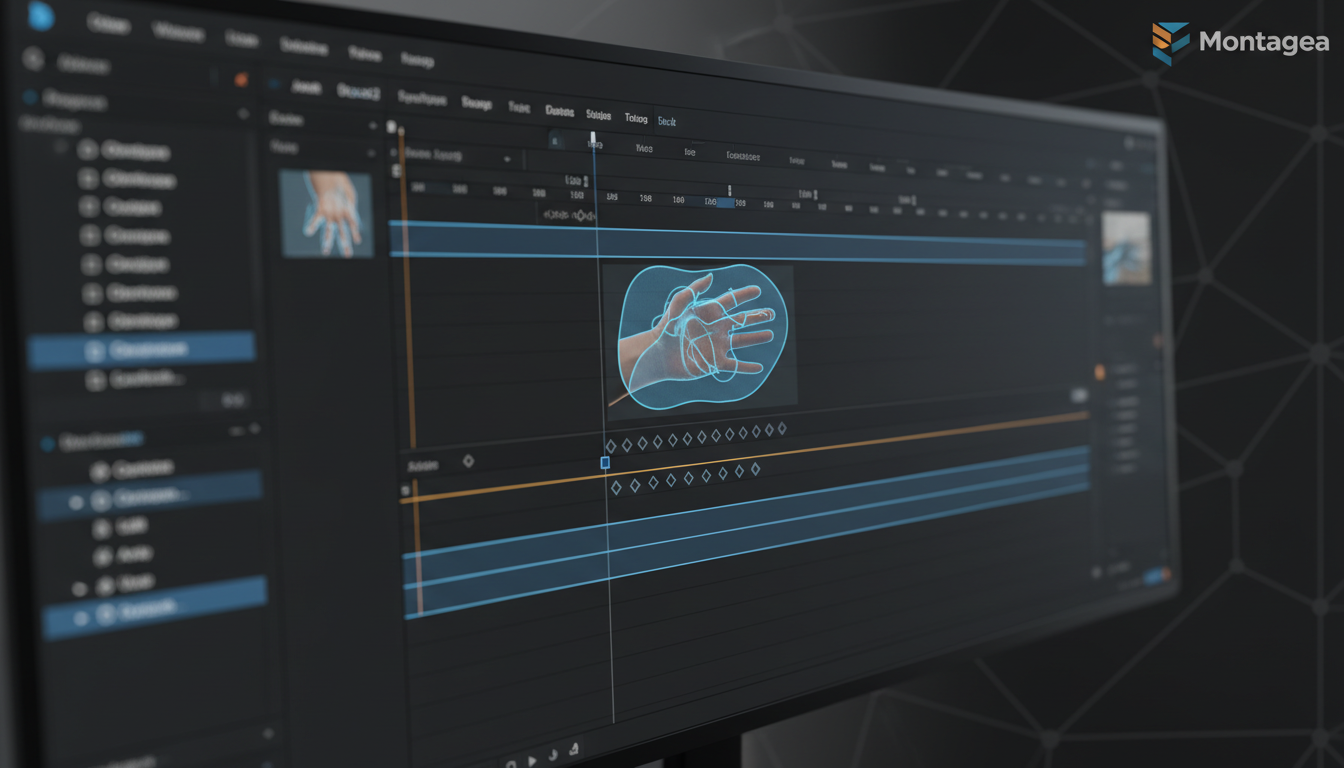
The most effective salvage technique is the Patch-and-Track Method. This involves finding a clean, uncorrupted frame of the hand from earlier in the clip (or generating a matching static hand in Midjourney), correcting any minor flaws in Photoshop, and tracking that static plate back onto the moving video.
Using DaVinci Resolve's Planar Tracker or After Effects' Mocha integration, you can isolate the warped finger regions and overlay the corrected plate. Just as you would use the Vector Anchor protocol to prevent logo and typography distortion, tracking static hand plates onto moving joints ensures structural integrity.
Hand Correction Technique Matrix
Choosing the right post-production fix depends on the severity of the warp and the complexity of the camera movement. Use this decision framework to determine your approach:
| Correction Technique | Complexity | Render Time | Visual Fidelity | Best Use Case |
|---|---|---|---|---|
| 2D Plate Tracking (Patch-and-Track) | Medium | Fast | High | Minor finger melting on stationary subjects or slow pans. |
| Generative Inpainting (Runway/Luma) | Low | Medium | Variable | Background characters or out-of-focus hand distortions. |
| Rotoscoping & Magic Mask | High | Slow | Very High | Foreground subjects with complex, intersecting movements. |
| 3D Object Replacement | Very High | Very Slow | Perfect | Product commercials requiring absolute anatomical perfection. |
The Montagea Workflow: Scaling Character Consistency
At Montagea, we view AI video generators not as magic boxes that output finished films, but as raw rendering engines that require strict directorial constraints. Professional video production demands predictability. Relying on prompt roulette to fix anatomical errors is a waste of both time and compute credits.
Scaling character consistency requires a hybrid workflow. By combining the generative power of AI with the precision of traditional VFX tracking, filmmakers can achieve studio-grade results. The Anatomical Anchor Protocol is a testament to this philosophy: control the geometry in pre-production, constrain the motion in-engine, and enforce the structure in post-production. When you stop hoping the AI will get it right and start engineering the process so it cannot get it wrong, you unlock the true potential of AI-assisted filmmaking.
Why does AI video always warp hands and fingers?
AI video generators struggle with hands because they possess 27 degrees of freedom and constantly occlude (hide) each other during movement. Unlike 3D software that uses rigid skeletal rigs, AI diffusion models guess pixel placement based on probability. When complex motion occurs, the AI loses track of the underlying geometry, causing fingers to merge or multiply.
Can I use ControlNet to fix hand structures in AI video?
Yes, ControlNet (specifically the Depth and OpenPose models) is highly effective for fixing hands in the initial Image-to-Video starting frame. By feeding a precise skeletal map of a hand into the generation process, you force the AI to adhere to correct anatomical boundaries before temporal animation begins.
What are the best hand poses to prompt for stable AI video generation?
The most stable poses follow the "Object-Grip Rule." Prompting subjects to hold a physical object (like a cup, tool, or steering wheel) gives the AI a physical boundary to anchor the fingers against. You should avoid "open-air" gestures like waving or pointing, as they lack physical anchors and frequently cause temporal distortion.
How do I fix a melting hand in post-production without re-rendering the entire video?
You can use the Patch-and-Track method. Export a clean frame of the hand from earlier in the video, correct any flaws in software like Photoshop, and then use the tracking tools in DaVinci Resolve or After Effects (like Planar Tracking or Magic Mask) to track the corrected static hand plate over the warped section of the video.



