
Hard Subtitles vs. Soft Subtitles: Which Format Fits Your Video Workflow?
Choosing between hard and soft subtitles dictates how your video renders, plays, and ranks. This guide breaks down the technical differences, compatibility, and workflow choices for creators.

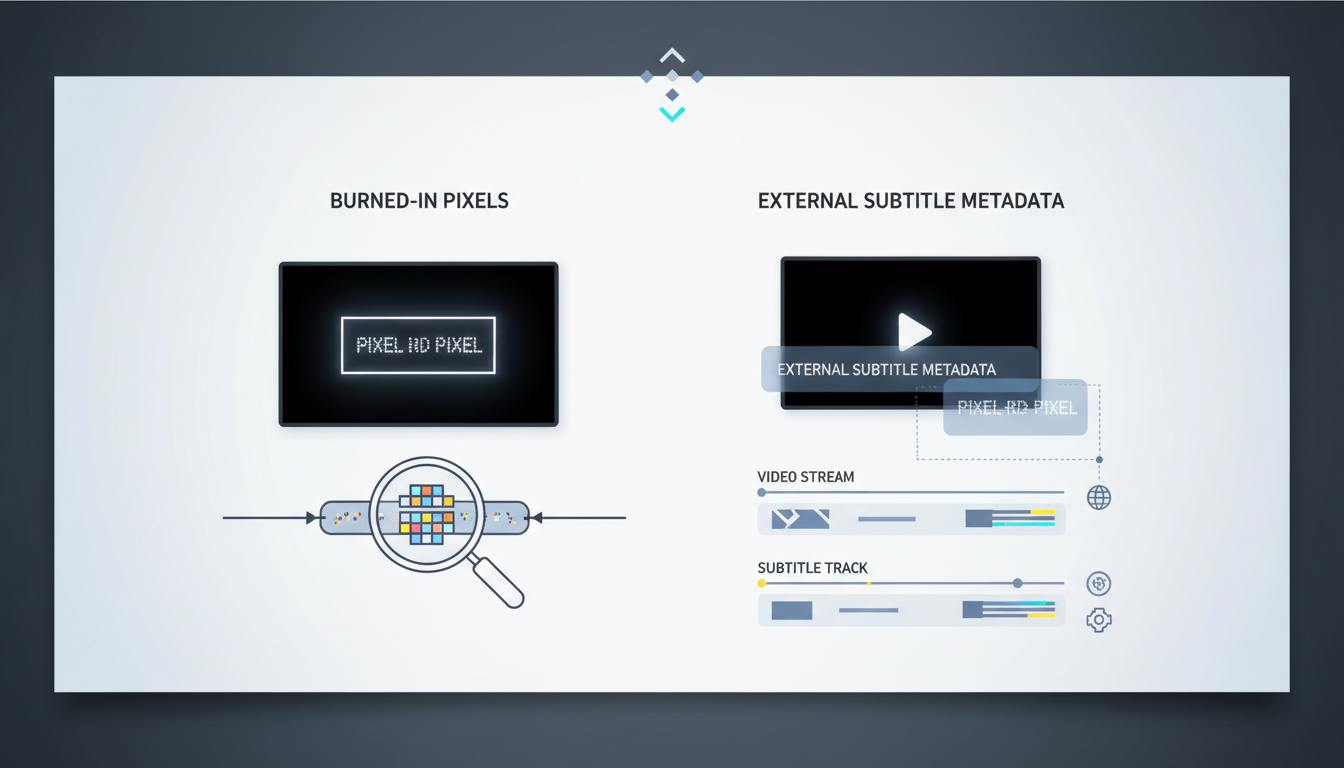
Hard subtitles (burned-in) are permanently written into the video's pixels and cannot be turned off, while soft subtitles (selectable) exist as an independent metadata stream—like an SRT file—rendered dynamically by the media player. For social media campaigns and silent-scrolling feeds, hard subtitles are the standard to ensure immediate viewer engagement regardless of user sound settings. For streaming platforms, search engine optimization (SEO), and multi-language localization, soft subtitles are the superior choice because they allow viewers to toggle tracks and let search engines index the text.
The Core Difference: Hard Subtitles vs. Soft Subtitles
Understanding the underlying technology of each subtitle format prevents rendering issues, alignment shifts, and distribution headaches later in production. The choice between hard and soft subtitles comes down to how the text is delivered to the viewer's screen.
- Hard Subtitles: Also known as burned-in, open, or baked-in captions, these are rasterized directly onto the video frames during the final export. They become part of the actual image data. If you pause the video, the text is indistinguishable from the background pixels. Because they are part of the video file itself, they cannot be disabled, customized, or edited without re-rendering the entire video project.
- Soft Subtitles: Also known as closed captions or selectable subtitles, these exist as a separate text-based file (such as SRT, VTT, or ASS) or as an independent data track embedded within containers like MP4 or MKV. The media player reads this text file and overlays the characters in real time as the video plays. Viewers can toggle these subtitles on or off, change the text size, or switch between different language tracks.
Comparison Matrix: Hard Subs vs. Soft Subs
To choose the right format for your next export, evaluate how each type performs across essential production, design, and distribution criteria.
| Evaluation Criterion | Hard Subtitles (Burned-In) | Soft Subtitles (Selectable) |
|---|---|---|
| Device Compatibility | Broadly compatible. Works on virtually any screen, media player, or legacy device that can decode the video. | Dependent on player support. Some platforms or older players fail to render external SRTs or experience timing drift. |
| Styling & Design Control | Absolute control. Font choices, colors, shadows, positioning, and kinetic animations are locked in exactly as designed. | Limited. The viewer's media player, browser, or device settings often override custom styling, reverting text to default fonts. |
| Localization Flexibility | Low. Requires rendering and exporting a separate, unique video file for every single target language. | High. A single video file can support dozens of toggleable language tracks by linking multiple lightweight subtitle files. |
| SEO & Indexing | Invisible to search engines. Crawler bots cannot read text that has been converted into video pixels. | Fully indexable. Search engines and platform algorithms can crawl the text track, improving search visibility. |
| Accessibility | Poor. Screen readers for visually impaired users cannot read burned-in text. | Excellent. Screen readers can easily access and read the text track aloud. |
Choosing Your Format Based on Distribution Channel
Where your audience encounters your video should dictate your subtitling approach. A single, rigid strategy rarely works across all platforms.
Social Media (TikTok, Instagram, YouTube Shorts)
For short-form, mobile-first feeds, hard subtitles are highly recommended. Most users browse these platforms on mute. Burned-in, highly stylized, kinetic text captures attention within the first three seconds of a scroll. Relying on soft subtitles on these platforms is risky, as auto-generated player captions can suffer from poor formatting or layout overlapping. For example, when executing an AI restaurant promo video workflow, baking in stylized, high-contrast hard subtitles ensures that key menu items and promotional hooks are immediately legible without relying on the user to turn on their audio or toggle a caption button.
Websites and Landing Pages
For self-hosted website videos, soft subtitles (using HTML5 <track> tags with WebVTT files) provide the best balance of user experience and technical utility. Soft subtitles allow search engine crawlers to read your video content, which improves your page's organic search rankings. They also ensure your site remains compliant with digital accessibility standards (such as WCAG), allowing screen readers to interpret the spoken content.
Professional Film, Streaming, and Long-Form YouTube
For longer content distributed on platforms like Netflix, Vimeo, or YouTube's main player, soft subtitles are the industry standard. Viewers expect the ability to customize their viewing experience, whether that means turning captions off entirely, adjusting the font size for legibility, or switching between languages. Using hard subtitles on long-form content limits your audience to a single language group and can frustrate viewers who find permanent text distracting.
Integrating Subtitles into Modern AI Video Workflows
As AI tools accelerate the video creation process, subtitling should be planned during the asset generation phase rather than treated as a last-minute chore. When using Montagea to coordinate AI video, voiceover, and music generation, deciding on your subtitle format early dictates your visual composition and safe zones.
If your ultimate goal is a social media campaign requiring hard subtitles, you must instruct your generation tools to leave adequate ‘safe zones’ at the bottom of the frame. Placing critical visual elements in the lower third of your video will result in those elements being obscured by your burned-in text. If you are exploring professional AI video production tools to generate your raw footage, keeping your compositions clean and uncluttered allows you to overlay subtitles without ruining the visual balance of the shot.
Furthermore, format selection changes based on the asset type. For short, looping motion graphics like high-quality AI GIFs, soft subtitles are technically impossible because the GIF format does not support metadata text tracks. In these instances, hard-burning your text directly into the animation sequence during export is a reliable way to help ensure your copy displays across various messaging apps and web browsers. Conversely, if you are producing localized variations of a larger video campaign, generate a clean master video first, then apply soft SRT files to scale your localization efforts efficiently without multiplying your rendering times.
Can you convert hard subtitles back into a soft SRT file?
Yes, but not directly. Because hard subtitles are merged into the video's pixels, you cannot simply extract them as text. You must use Optical Character Recognition (OCR) software or AI transcription tools to scan the video, visually recognize the letters on screen, and recreate them in a timed SRT format. This process often requires manual correction of spelling and timing errors.
Do hard subtitles affect video rendering times or file sizes?
Hard subtitles do not noticeably increase the final video file size because they are simply encoded as part of the video frames. However, burning them in can slightly increase rendering times during export, as your editing software must rasterize the text graphics onto every frame of the video. Soft subtitles have virtually zero impact on rendering times, and the external SRT file adds only a few kilobytes to your overall package.
Which subtitle format is best for overall video SEO?
Soft subtitles are the superior choice for video SEO. Because they exist as plain text metadata, search engine crawlers can read and index the entire script of your video. This allows your content to rank for relevant search queries. Hard subtitles are invisible to search engines unless you manually upload a separate transcript to the hosting platform.



