
How to Create an AI Restaurant Promo Video: A Practical Shot List and Workflow
Generating appetizing food with pure text prompts is notoriously difficult. Learn how to use image-to-video workflows to turn real menu photos into cinematic, high-converting restaurant promotions.
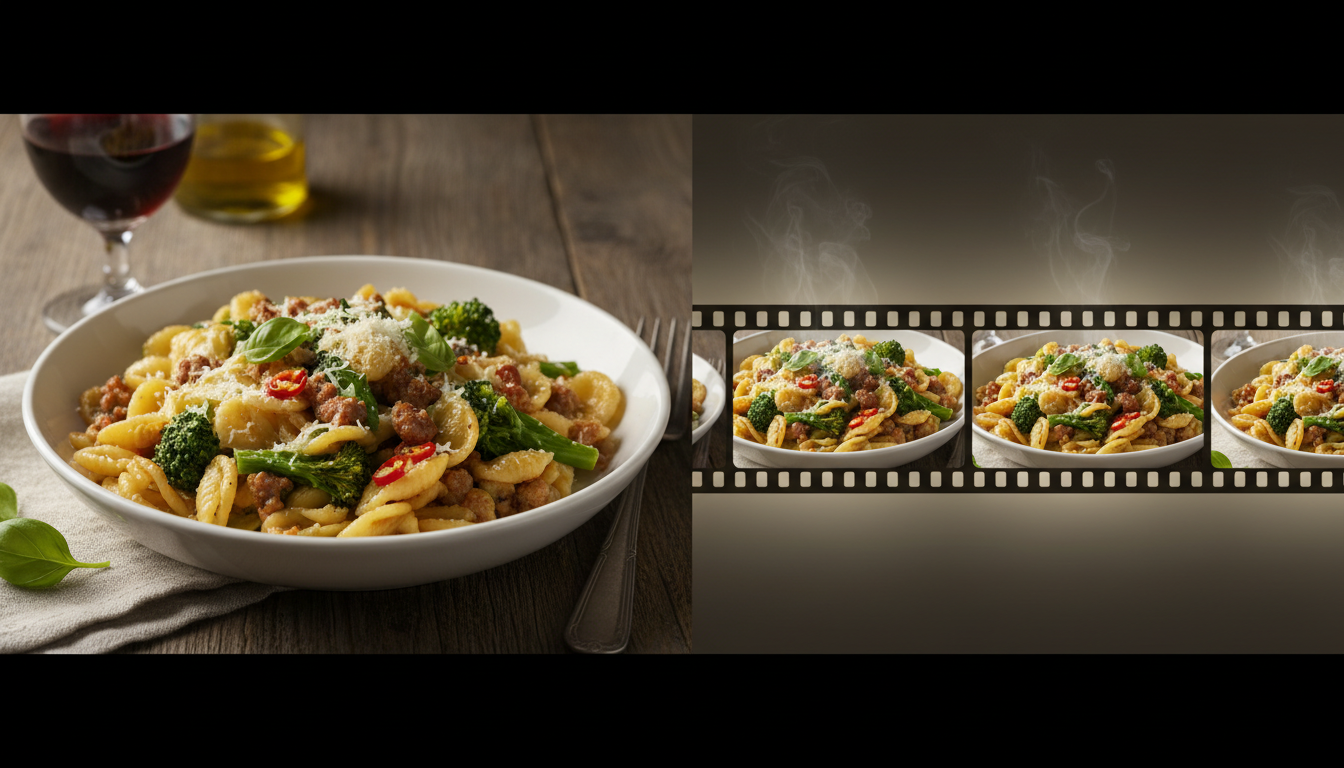
Creating an appetizing AI restaurant promo video requires using an image-to-video workflow rather than pure text-to-video generation. Using high-quality, professional photos of your actual menu items as the visual anchor prevents the unnatural warping, morphing textures, and incorrect ingredients common in pure text generation. By applying subtle motion—such as slow camera drifts, natural steam, or pouring liquids—to real photography, you preserve culinary realism and maintain visual consistency with your actual menu.
Why Text-to-Video Fails for Food (and How Image-to-Video Fixes It)
Pure text-to-video generation frequently introduces unnatural morphing, incorrect ingredients, and unappealing steam or liquid physics. A text prompt asking for a "sizzling steak" might render a piece of meat that changes shape mid-shot, or generate a sauce that behaves like plastic. In culinary marketing, these visual anomalies—often called the "uncanny valley of food"—instantly destroy appetite appeal and undermine the appeal of the dish.
Using real, owned photography of the restaurant's actual dishes helps maintain menu accuracy. When customers visit a restaurant based on an ad, they expect the food to match the screen. By utilizing image-to-video workflows, creators can use static food photos as the first frame, ensuring the dish remains recognizable while adding motion like gentle steam, pouring sauce, or a slow camera drift. To learn how to execute these transitions with precision, read our guide on image-to-video workflows with Grok.
The 15-Second Restaurant Promo Shot List and Editable Brief
To produce a cohesive, professional ad, you need a solid plan. Below is an editable creative brief template designed to align your visual style with the restaurant's brand identity, followed by a modular 15-second shot list.
Editable Creative Brief Template
| Brief Element | Project Specification (Editable) |
|---|---|
| Target Audience | Local food enthusiasts, weekend diners, and couples. |
| Core Message | Fresh, artisanal ingredients served in a warm, inviting atmosphere. |
| Featured Dishes | Signature wood-fired pizza or hand-made pasta. |
| Visual Style | Warm lighting, cinematic shallow depth of field, natural motion. |
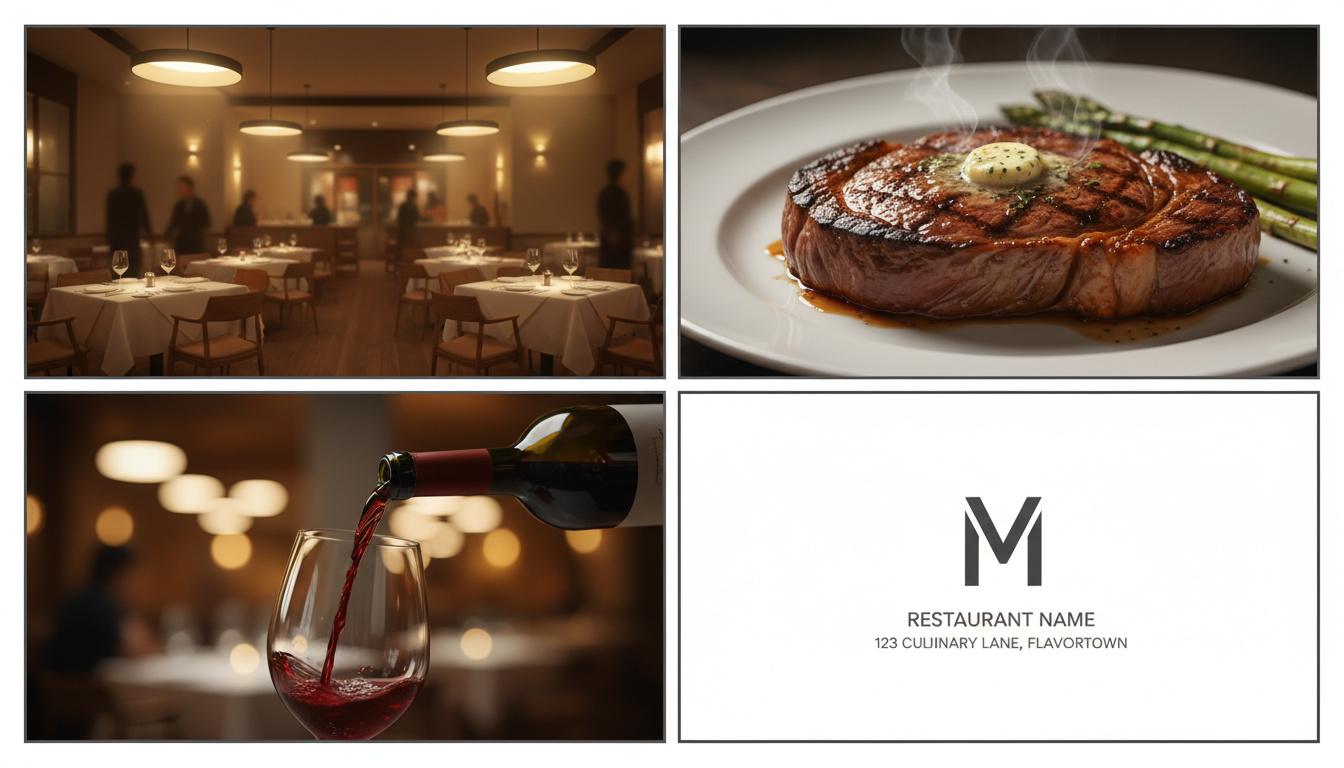
The 15-Second Modular Shot List
This shot list is optimized for AI video generators, focusing on simple, physical movements that models can render without breaking consistency:
- Shot 1 (0 to 3s) - The Invitation: A slow camera drift through the warm, ambient dining room. Warm light glows on empty wooden tables, establishing the atmosphere.
- Shot 2 (3 to 7s) - The Hero Item: A macro close-up of the signature dish. The camera slowly pushes in, capturing a light wisp of natural steam rising from the plate.
- Shot 3 (7 to 11s) - The Action: A dynamic movement, such as a slow-motion pour of olive oil over the dish, or red wine filling a glass. This adds sensory energy.
- Shot 4 (11 to 15s) - The Call to Action: A clean end card displaying the restaurant's logo, physical address, and a promotional offer (e.g., "Book Your Table Today").
Orchestrating the Motion: From Static Plates to Cinematic Clips
Once your static images are ready, you must orchestrate the motion. Managing multiple AI video generators manually can be time-consuming. Using Montagea's Gigi simplifies this by acting as an AI creative agent that picks the best AI models, plans every step, and delivers the finished piece.
When animating food, your motion prompts must be highly controlled. Focus on camera movement rather than complex object transformation to prevent the food from warping. For example, instead of prompting "make the cheese melt," which often causes the entire pizza to distort, prompt "slow cinematic push-in, shallow depth of field, warm candlelight background bokeh." This keeps the food structurally intact while creating a professional commercial feel. For a detailed breakdown of managing these multi-step AI projects, consider using an AI creative assistant for video production to streamline your workflow.
Post-Production Quality Checks: Text, Prices, and Inpainting
Before publishing your promotional video, run a strict quality check. You should never let AI video models generate on-screen text, menu names, or prices directly. AI models inevitably hallucinate or distort characters, resulting in unreadable, unprofessional text. Instead, generate clean, high-contrast text overlays, lower thirds, and price callouts using standard post-production editing software like DaVinci Resolve, Premiere Pro, or CapCut.
Additionally, review the video frames for any minor visual anomalies. If a background glass looks slightly warped, or an unwanted reflection appears on a plate, you can use specialized tools to correct it. Follow our step-by-step AI video inpainting guide to clean up background clutter and fix minor temporal artifacts, helping your final render look consistent and appetizing.
Can I use AI to generate the voiceover for a restaurant ad?
Yes. When generating a voiceover with AI, choose a warm, conversational, and medium-paced tone. Avoid overly excited or robotic synthetic voices, as they can detract from the local, authentic feel of a restaurant brand.
How do I ensure the colors of the food look appetizing in AI video?
AI video generators can sometimes desaturate colors. To make food look fresh and delicious, apply a light color-grading pass in post-production. Boost the warm tones (reds, oranges, yellows) and slightly increase contrast and saturation to make ingredients pop.
Should I use AI-generated music for a local restaurant commercial?
AI-generated music is a viable option for background tracks. Focus on acoustic, jazz, or upbeat indie-folk genres that match the dining room's energy. Always ensure the generated track is cleared for commercial use before launching your ad campaign.



