
How to Plan an AI Video Credit Budget for Multi-Model Filmmaking
Professional AI filmmaking requires moving away from flat-rate credit assumptions. By dividing your credit budget into distinct testing, retry, and final rendering phases, you can prevent mid-project budget depletion.

To plan an AI video credit budget for a multi-model film project, it is highly practical to divide your credit allocation into three distinct pools: style and asset validation, a dedicated retry buffer, and final high-fidelity rendering. Relying on a simple 1:1 shot-to-generation ratio often leads to mid-project budget depletion due to physical anomalies, motion artifacts, and prompt misinterpretations. This systematic division ensures you have the creative runway to refine complex scenes and deliver polished final renders without running out of credits.
The Three-Phase Credit Budget Framework
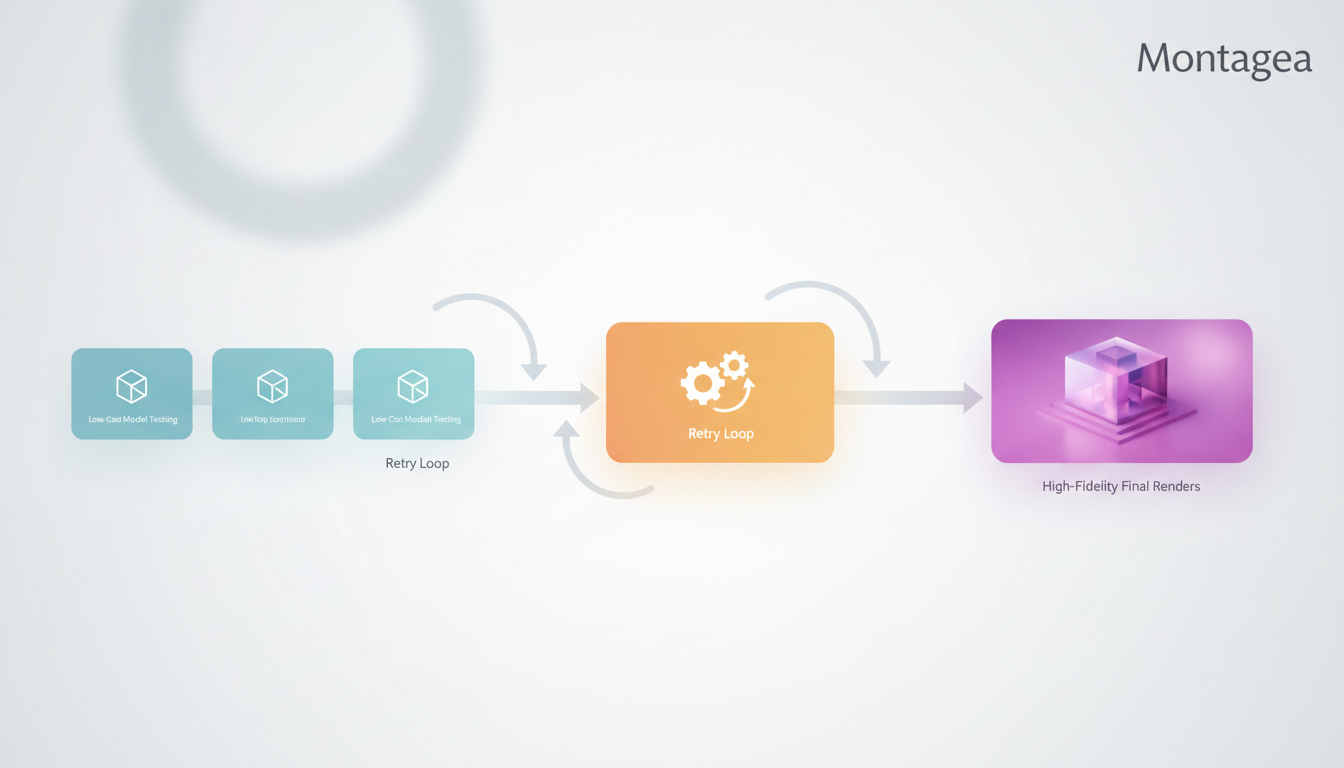
Traditional film production relies on scheduled shoot days, but AI filmmaking is defined by statistical probability. When you generate video clips using generative models, each generation consumes credits regardless of whether the visual output perfectly matches your creative intent. A flat-rate assumption—where you assume every shot will be perfect on the first try—fails immediately in real-world production. To build a reliable budget, you can divide your credits into three distinct operational phases.
Phase 1: Style & Asset Validation
The first phase focuses on locking in character consistency, art direction, and environmental layouts before generating full-length cinematic shots. During this phase, you should use lower-resolution, faster models to draft your scenes. This prevents you from wasting premium high-fidelity credits on concepts that do not align with your creative vision. Testing character faces, color palettes, and basic prompt structures at a lower cost ensures your foundation is secure before committing major resources.
Phase 2: The Retry Buffer
The retry buffer is a critical portion of your budget because it absorbs the statistical realities of AI video generation. Physical anomalies, unnatural character motion, and prompt misinterpretations require multiple iterations. Without a dedicated retry buffer, a project can easily run out of credits before a complete sequence of usable takes is secured. This buffer gives you the creative freedom to reject bad takes and run variations until the motion matches your directorial intent.
Phase 3: High-Fidelity Master Renders
Once your motion and composition are validated in the retry phase, the remaining portion of your budget can be allocated to premium upscaling, temporal smoothing, and high-definition outputs. This helps ensure that your final visual assets meet professional distribution standards without compromising on quality. By reserving this budget for the end, you avoid spending premium credits on shots that might ultimately get cut from the edit.
Managing this multi-step process manually can become complex. Montagea's Gigi agent helps streamline this multi-model workflow by picking the best AI models, planning the production steps, and delivering the finished piece based on your description. This structured planning helps creators manage their production pipeline efficiently, reducing manual trial-and-error during the early, highly iterative phases of production.
Calculating Your Generation-to-Retry Ratio
Not all scenes require the same amount of iteration. Simple shots with static cameras and minimal character movement are highly predictable, whereas complex shots involving dynamic camera tracking or complex physics require a much larger buffer. To build a precise mathematical buffer for complex prompts, you can link to our detailed guide on calculating an AI video render retry budget to build a precise mathematical buffer for complex prompts.
Use the following ratio guidelines to calculate your overall credit requirements based on shot complexity:
- Simple Shots (1:1.5 Ratio): Static camera angles, simple panning, or slow-moving subjects. For every 10 planned simple shots, budget for 15 generations.
- Moderate Shots (1:3 Ratio): Dynamic camera movements (e.g., tracking shots, cranes) and moderate character gestures. For every 10 planned moderate shots, budget for 30 generations.
- Complex Shots (1:5 Ratio): Complex physical interactions, multi-character scenes, fast-paced action, or precise environmental physics. For every 10 planned complex shots, budget for 50 generations.
The table below demonstrates how to calculate the total estimated credit cost for a standard 60-second sequence containing 15 total shots:
| Shot Complexity | Planned Shots | Target Ratio | Budgeted Generations |
|---|---|---|---|
| Simple (e.g., establishing shot) | 5 | 1:1.5 | 8 |
| Moderate (e.g., dialogue medium shot) | 7 | 1:3.0 | 21 |
| Complex (e.g., action sequence) | 3 | 1:5.0 | 15 |
| Total Sequence Budget | 15 | - | 44 Generations |
Credit-Saving Sequencing and Asset Reuse
Establishing a structured production sequence is the most effective way to protect your credit budget from unnecessary waste. Instead of generating shots chronologically, you should map your scene dependencies first. Generating key master shots before cutaways allows you to anchor the visual style, lighting, and character appearance early in the process.
For a step-by-step breakdown of how to sequence your shots logically, link to our guide on AI video scene dependency planning to learn how to sequence your shots logically. By establishing your hero assets first, you can reuse elements—such as consistent characters, locations, and props—across subsequent generations. This reuse minimizes prompt variance, which directly reduces your retry rate and saves credits.
When working in a team environment, collaborative workflows can quickly lead to redundant generations if multiple creators attempt to solve the same visual problem simultaneously. To align your team and prevent asset redundancy, link to the co-generation protocol to align your team and prevent asset redundancy. Defining clear boundaries for who generates which assets ensures that your collective credit pool is used efficiently and strategically.
How do different AI video models compare in credit cost?
Credit costs vary significantly based on model complexity and resolution. Standard-definition draft models typically cost a fraction of a credit per second of video, making them ideal for style validation. High-fidelity cinematic models, which handle complex physics and precise camera movements, require substantially more credits per generation. Always review the specific model costs in your project dashboard before initiating bulk renders.
Should I use automated agents or manual model selection to optimize my credit budget?
For complex multi-model workflows, AI creative agents like Montagea's Gigi can help by picking the best AI models and planning the production steps for your project. Manual selection is useful when you require highly specific parameters or customized fine-tuning, but it increases the risk of manual trial-and-error and accidental credit waste on premium models during early-stage testing.



