
How to Calculate an AI Video Render Retry Budget
Stop running out of credits mid-project. Learn how to apply traditional shooting ratios to AI video production, calculate engine-specific acceptance rates, and protect your render budget.
To calculate an AI video render retry budget, you must apply an "AI shooting ratio" by dividing your target shot count by your estimated acceptance rate (the percentage of generated clips that actually make it into the final edit), then multiplying by the cost per render. Budgeting on a simplistic 1:1 shot-to-render ratio leads to mid-project budget depletion because complex motion, character consistency, and physical simulations often require multiple attempts. By estimating engine-specific acceptance rates based on shot complexity, producers can more accurately forecast credit or monetary requirements before starting production.
The AI Shooting Ratio: Why One Shot Does Not Equal One Render
In traditional filmmaking, the shooting ratio represents the relationship between the total amount of footage shot and the finished run time of the film. A 10:1 ratio means ten minutes of footage are captured for every one minute that makes it into the final cut. In AI-powered filmmaking, we must adopt an analogous metric: the AI shooting ratio. This ratio defines the number of generation attempts (renders) required to yield a single usable, on-brief shot.
The core metric of this ratio is the Acceptance Rate: the percentage of generated renders that successfully match the scene brief, maintain visual continuity, and are approved for the final edit. For example, in a hypothetical scenario where a model requires five attempts to produce one usable shot, that shot would have an illustrative acceptance rate of 20% (or an AI shooting ratio of 5:1).
When working on multi-engine platforms like Montagea, creators can select different models—such as Kling, WAN, or Veo—for different scenes based on their creative needs. Because each of these engines has a distinct credit cost and performance profile, assuming a flat 1:1 ratio across the board is a recipe for running out of credits mid-production. To maintain a healthy pipeline, producers must calculate individual render budgets based on the technical demands of each shot.
The AI Render Budget Formula
To establish a reliable credit or monetary forecast, you must calculate your budget dynamically based on the complexity of your scenes and the cost of your selected engines. The basic formula for calculating your total render budget is:
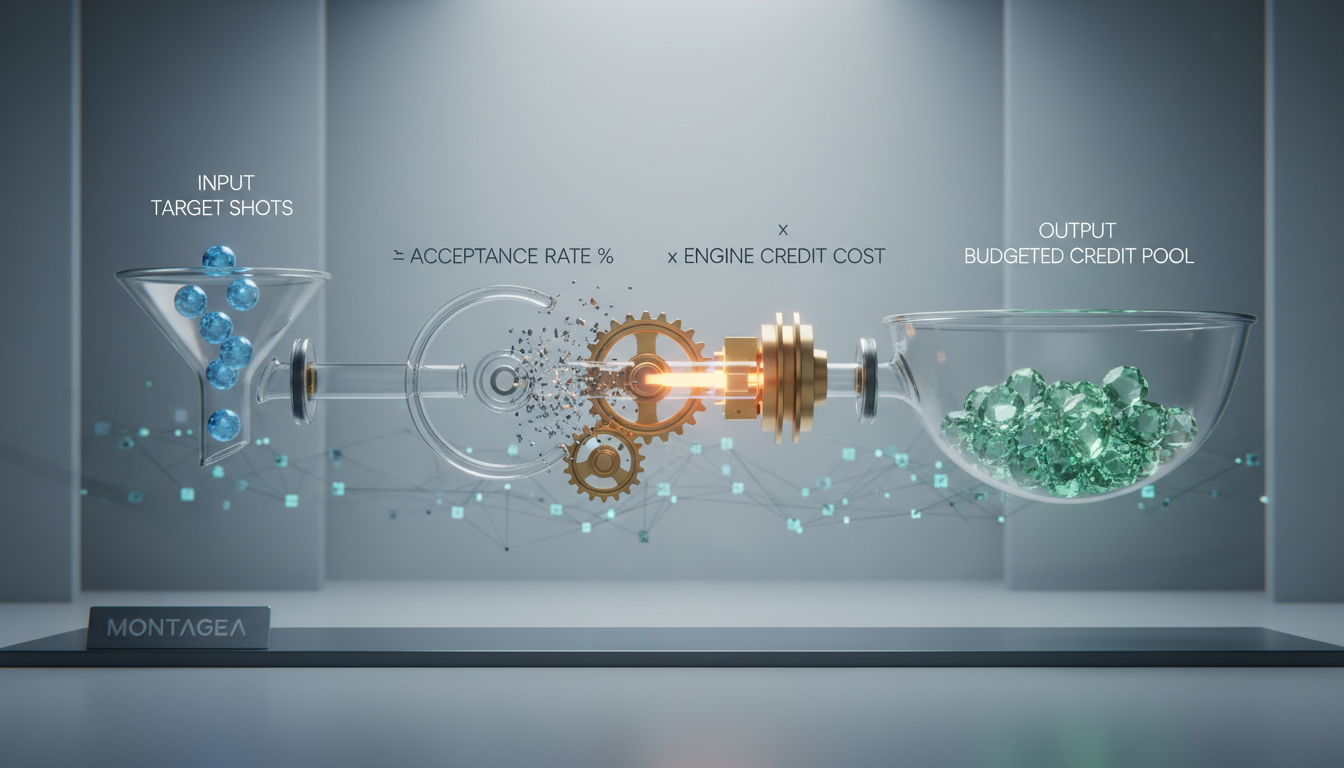
Total Credit Budget = Sum of [ (Target Shots for Engine X / Acceptance Rate for Engine X) * Cost per Render on Engine X ] * (1 + Buffer Margin)
Let us walk through a hypothetical, illustrative scenario for a 30-shot sequence using a mix of video engines on Montagea, using assumed values for demonstration purposes:
- Simple Shots (e.g., WAN): 10 shots. A hypothetical acceptance rate of 70% (used strictly as an illustrative assumption for this calculation). Cost: 10 credits per render.
- Medium Shots (e.g., Kling): 15 shots. A hypothetical acceptance rate of 50% (used strictly as an illustrative assumption for this calculation). Cost: 15 credits per render.
- Complex Shots (e.g., Veo): 5 shots. A hypothetical acceptance rate of 25% (used strictly as an illustrative assumption for this calculation). Cost: 25 credits per render.
Applying the formula to each tier:
- Simple Tier: (10 / 0.70) = 14.3 renders. Rounding up to 15 renders. 15 * 10 credits = 150 credits.
- Medium Tier: (15 / 0.50) = 30 renders. 30 * 15 credits = 450 credits.
- Complex Tier: (5 / 0.25) = 20 renders. 20 * 25 credits = 500 credits.
The base subtotal is 1,100 credits. If a producer adds an illustrative 15% buffer margin to account for unexpected creative shifts or minor prompt modifications, the hypothetical projected budget would be 1,265 credits (1,100 * 1.15).
Estimating Acceptance Rates by Shot Complexity
The accuracy of your budget depends entirely on inputting realistic acceptance rates. While these rates vary based on your prompting expertise, the following hypothetical benchmarks provide an illustrative baseline for planning:
| Shot Complexity | Typical Characteristics | Hypothetical Acceptance Rate Range | Hypothetical Retry Multiplier |
|---|---|---|---|
| Simple | Static camera, minimal movement | Hypothetical 60% - 80% | 1.25x - 1.6x |



