
How to Build an AI Film Continuity Bible (With Template)
AI filmmaking demands more than a script—it requires a technical Rosetta Stone. Use this template to maintain character and environmental consistency across distributed creative teams.
A successful AI film continuity bible functions as a technical bridge, translating your creative vision into engine-agnostic prompt parameters. Because modern platforms like Montagea allow distributed crews to render scenes across varied engines—from Kling to WAN—you must define visual anchors that remain stable regardless of the generation model. Without a shared, structured reference, you risk character drift, inconsistent lighting, and mismatched color spaces that break audience immersion.
Why AI Video Pipelines Require a New Kind of Continuity Bible
In traditional film, physical sets and human actors provide inherent stability. In AI video, every prompt iteration can introduce subtle shifts in facial features, clothing, or atmospheric density. A traditional script or concept art deck is insufficient because it lacks the machine-readable data required for prompt engineering. By creating a technical bible, you ensure that a close-up rendered in one engine matches the wide shot rendered in another. For teams collaborating on Montagea, this document acts as the primary source of truth, helping contributors maintain a cohesive visual language. For more on managing these transitions between disparate render engines, see our guide on planning AI video transitions.
The AI Film Continuity Bible Template
Copy the following structure into your project documentation. This template is designed to be modular and extensible.
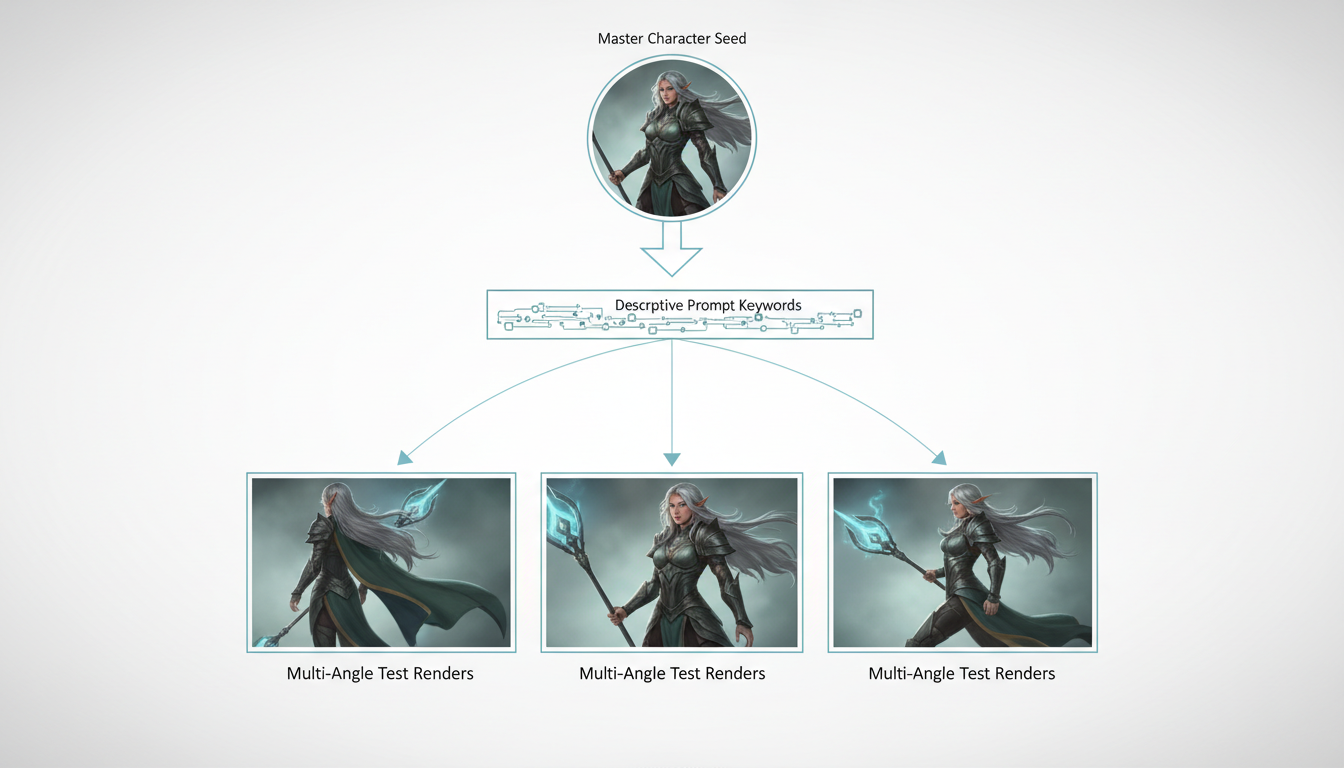
1. Character Anchor
- Primary Reference: [Insert seed image URL]
- Facial Keywords: [e.g., sharp jawline, almond-shaped eyes, slight scar on left cheek]
- Core Wardrobe: [e.g., worn leather duster, charcoal wool turtleneck, silver pendant]
- Consistency Method: [Link to Character Anchor Protocol for specific locking techniques]
2. Environment & World
- Color Palette: [e.g., cyberpunk teal and orange, muted desaturated greys]
- Lighting Convention: [e.g., high-contrast chiaroscuro, golden hour, diffuse overcast]
- Architectural Style: [e.g., brutalist, neo-noir, 1970s industrial]
3. Camera & Motion
- Lens Convention: [e.g., 35mm for wide, 85mm for portrait]
- Movement Rules: [e.g., handheld shake, smooth dolly, static tripod]
- Frame Rate: [e.g., 24fps cinematic]
Worked Example: Sci-Fi Noir Scenario
Imagine a scene involving a protagonist in a rain-slicked alleyway. Your bible entry might look like this:
- Character: 'Elias' - defined by deep-set eyes, heavy stubble, and a specific high-collar trench coat. Negative prompts: 'clean-shaven, futuristic visor, bright neon clothing'.
- Environment: 'District 9 Alley' - always specify 'wet asphalt reflections, flickering neon signage, low-key lighting' in every prompt to ensure the environment holds up across different shot scales.
- Camera: 'Low angle, 35mm anamorphic, depth of field set to focus on Elias's eyes'.
How to Distribute and Enforce the Bible Across Your Crew
Treat your continuity bible as an essential onboarding asset. When you invite contributors to claim scenes on Montagea, link them directly to this document. It sets clear expectations before the first credit is spent. As renders come in, you must evaluate them against these established parameters. Using a technical shot acceptance rubric allows you to provide objective feedback, ensuring that if a character's jacket color shifts from charcoal to black, the shot is flagged for refinement rather than approved. Update the bible as you discover successful prompt variations, treating it as a living document that grows with your project.
How do I handle continuity when switching between image-to-video and text-to-video workflows?
Use your seed images as the primary source of truth. Always use the same base character reference image across different engines to anchor the generation, rather than relying solely on text prompts.
Should my continuity bible include negative prompts, or should those be engine-specific?
Include core negative prompts in your bible to enforce mandatory exclusions (like 'cartoonish' or 'low-resolution'), but leave space for engine-specific negatives that address model-specific artifacts.
How often should the continuity bible be updated once active rendering begins?
Update it whenever you identify a successful prompt pattern that fixes a common error. Treat it as a version-controlled document that evolves as your production matures.



