AI image extender
More picture than you shot. Expand a photo beyond its edges. Pick a new shape such as 16:9 or 9:16 and AI paints the rest of the scene to match. New accounts get free credits.
- AI on Montagea's servers
- Free credits to start
Sign in to extend your images
Use your Montagea account to extend images. Each run uses credits; new accounts get free credits to start.
Sign in to startHow it works
- 1
Choose a photo or illustration.
- 2
Pick the new shape and where the original sits.
- 3
Let AI fill the new area, then download the image.
Turn a vertical photo into a widescreen shot, or the other way round
Pick the shape you need: 16:9 for YouTube thumbnails and slides, 9:16 for Reels, TikTok and Stories, 1:1 or 4:3 for posts. Your photo is placed on a larger canvas and an AI image model paints the empty area to continue the scene, matching its perspective and light. This is what designers call outpainting or uncropping: you expand the image instead of cutting it, so nothing in the original is lost. Choose where the original sits to grow only one side, and describe the new area if you want something specific there. The model redraws the whole frame, so check faces and text from the original before you publish.
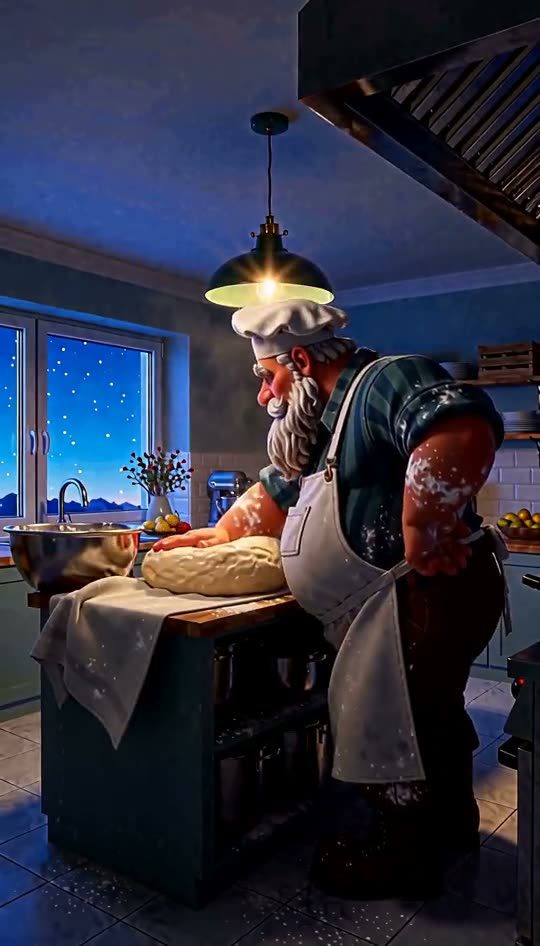 Original
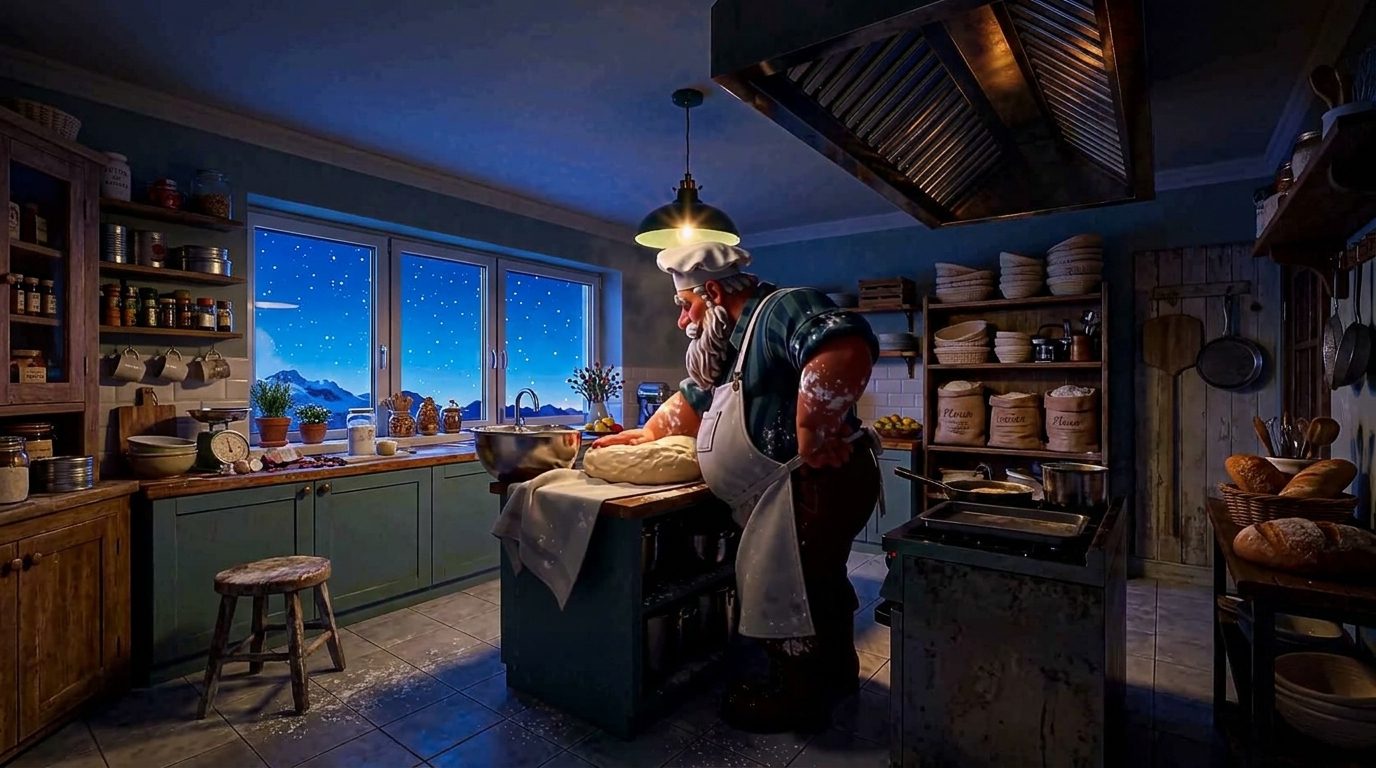 Extended image
A 540 × 946 portrait at 16:9, centred → 1376 × 768: the kitchen continues on both sides.
Give your idea its next scene.
AI generation has separate account and credit requirements.
Good to know
How is this different from cropping or upscaling?
Cropping cuts the picture down and upscaling adds pixels to the same frame. Extending adds new picture around the edges, so a portrait can become a landscape without losing anything.
Is this the same as outpainting or an uncrop tool?
Yes. Outpainting, uncrop, AI image expander and “zoom out” all mean the same thing: generating new picture beyond the original edges. Here you choose the new aspect ratio and which side grows, and the AI continues the scene to fill it.
Can I extend only one side?
Yes. Under “Keep the original at”, choose Left, Right, Top or Bottom and the new area goes on the other side. If you keep the photo’s own shape, it grows on every side instead.
Which images work?
JPG, PNG and WebP up to 20 MB. Transparent areas become white before the AI fills them.
Is my photo uploaded?
Yes. Unlike the other free tools, this one is not local: your browser places the photo on a larger canvas, uploads it to Montagea, and an AI image model fills in the new area. The upload and the result are saved to your account, like any image you make on Montagea.
Does it cost credits?
Yes, like any AI image on Montagea; the button shows the cost before you start. New accounts get free credits to try it. Downloads on the free plan may carry a small Montagea watermark.