
How to Generate Professional AI Headshots That Look Authentic
Generating professional AI headshots requires more than a generic filter. Learn how to prepare reference photos, write precise styling prompts, and refine your final portraits for a studio-quality finish.
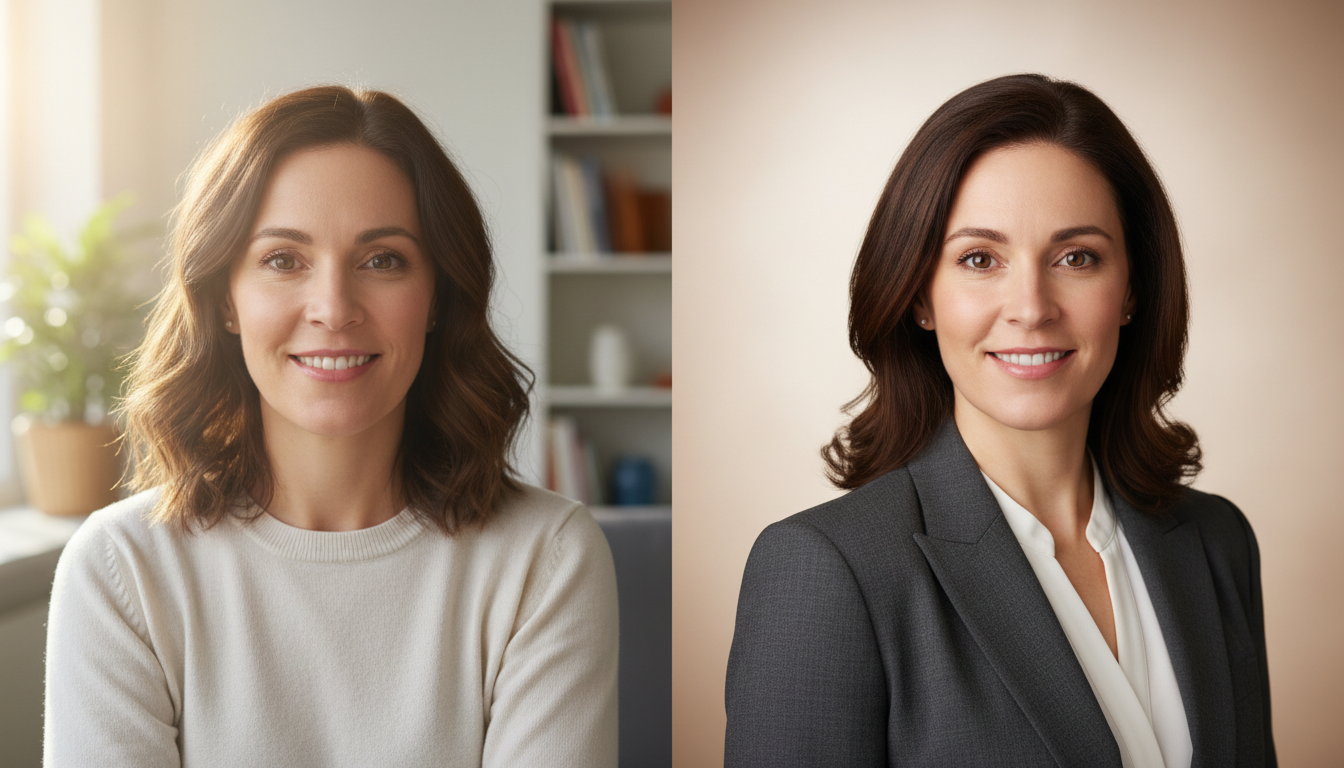
Generating a professional, authentic AI headshot requires using high-resolution, front-facing reference photos with neutral lighting and applying precise, non-stylized prompts. While modern AI generators can successfully deliver studio-quality portraits for LinkedIn, resumes, and corporate directories in under 30 seconds, they require careful quality checks to avoid unnatural skin textures, distorted facial geometry, or artificial smiles.
The Difference Between Professional Headshots and Stylized Avatars
A professional headshot serves as your digital handshake. It requires true-to-life accuracy, studio-grade lighting, and natural skin textures rather than the airbrushed, plastic-looking finishes common in casual avatar apps. While stylized avatars intentionally alter your identity—transforming you into a fantasy character or an illustrated figure—professional headshot engines are designed to preserve your actual facial features, expressions, and skin tones with high fidelity.
At Montagea, we view high-substance asset creation as a precise, practical workflow. Every image you generate should look grounded and ready for real-world professional use. Whether you are building a pitch deck, updating a team directory, or refreshing your LinkedIn profile, the final portrait must look like it was captured by a professional photographer in a physical studio, not spit out by a generic social media filter.
The Source Photo Framework: What to Upload for Accurate Results
The success of an AI-generated headshot rests entirely on the quality of your input. If you upload a low-resolution, poorly lit selfie, the AI will struggle to reconstruct your facial geometry accurately, resulting in uncanny or distorted outputs. To ensure the AI preserves your true identity, follow this strict source photo checklist before uploading your reference images.
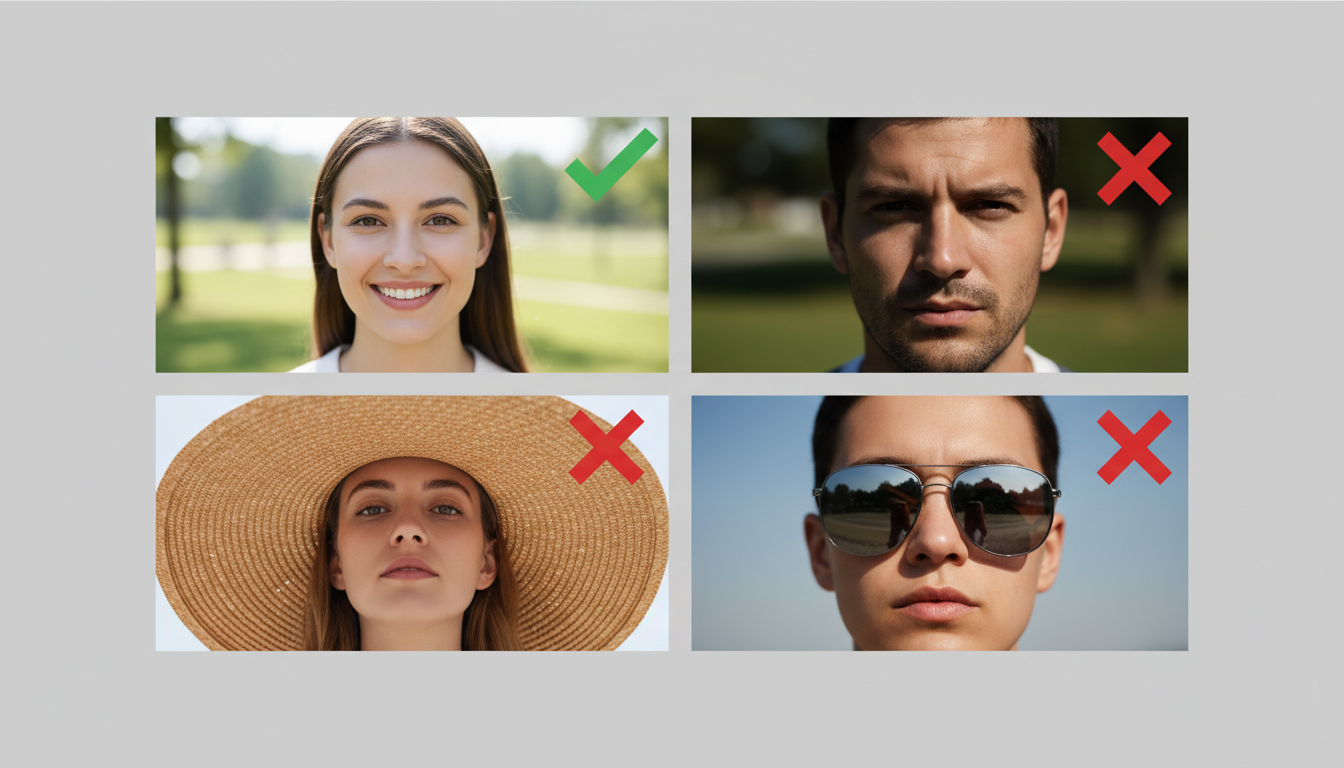
| Criteria | What to Do (Approved) | What to Avoid (Rejected) |
|---|---|---|
| Camera Angle | Eye-level, direct front-facing shot. | High or low angles that distort jawline and forehead proportions. |
| Lighting | Flat, natural, or evenly distributed soft light. | Harsh side shadows, intense backlighting, or direct flash. |
| Accessories | Keep face completely clear. | Sunglasses, hats, beanies, or bulky headphones. |
| Expression | Neutral expression or a natural, slight smile. | Extreme expressions, open-mouth laughing, or exaggerated winking. |
| Resolution | Clear, sharp, high-resolution smartphone portrait. | Blurry, pixelated, or heavily cropped group photos. |
By preparing a clean, direct reference photo, you give the underlying AI model a solid anatomical foundation. This prevents the generator from guessing your facial structures and ensures your final headshot looks unmistakably like you.
Prompting for Wardrobe, Lighting, and Backgrounds
Once you have uploaded a high-quality reference photo, your prompt controls the environment, attire, and overall mood of the portrait. Rather than letting the generator default to generic styles, you can use specific, descriptive prompts to match your industry's standards. Below are copyable illustrative prompt templates designed to guide the AI toward realistic, professional aesthetics.
Illustrative Prompt for Corporate and Corporate-Adjacent Roles
"A professional corporate headshot, dark navy blazer, white button-down shirt, soft studio lighting, neutral gray background, shallow depth of field."
Illustrative Prompt for Creative and Tech Roles
"A professional portrait, casual charcoal sweater, warm natural window light, modern office loft background, soft focus."
To keep your headshot looking authentic, avoid using subjective buzzwords like "photorealistic," "hyperrealistic," or "highly detailed" in your prompts. These terms often trigger the AI to over-stylize the image, leading to plastic skin textures and artificial-looking hair. Instead, focus on concrete nouns and physical descriptions of lighting and fabrics. For complex wardrobe and scene setups, you can streamline your workflow by using an AI image prompt generator for production-ready assets to build robust prompt structures that keep the focus strictly on your subject.
Refining, Reframing, and Compositing the Final Output
Even the best AI generators can occasionally leave minor artifacts or require adjustments to fit your specific branding needs. Before publishing your new headshot, perform a rigorous quality check. Examine the eyes for symmetrical pupils, check the teeth for natural alignment, and look closely at the edges of the hair and ears to ensure they blend seamlessly into the background.
If you need to swap out a messy background or place the headshot into a custom team layout, you must ensure the edges look natural. Learning how to remove image backgrounds without losing hair details is crucial for a clean, professional composite that avoids the dreaded "halo" effect. Additionally, if the generated headshot is a tight square but you need a landscape banner for a website header or social profile, you can use AI image extenders to reframe assets without losing the original image quality. This workflow allows you to adapt a single high-quality generation across multiple digital platforms while maintaining absolute visual consistency.
What kind of photo should I upload for the best results?
A clear, well-lit selfie or portrait works best. Make sure your face is fully visible and not blocked by sunglasses, hats, or heavy shadows. Front-facing photos with a neutral or natural expression give the best results.
Will the generated headshot actually look like me?
Yes. The AI is designed to preserve your facial features, skin tone, and natural expression. The result is a polished version of you rather than a completely different person.



