How to Choose Screenplay Writing Software for Modern Video and AI Production
Selecting the right screenplay editor is critical for modern visual pre-production. Learn how to evaluate top script creators based on formatting precision, clean data exports, and seamless pipeline integration.
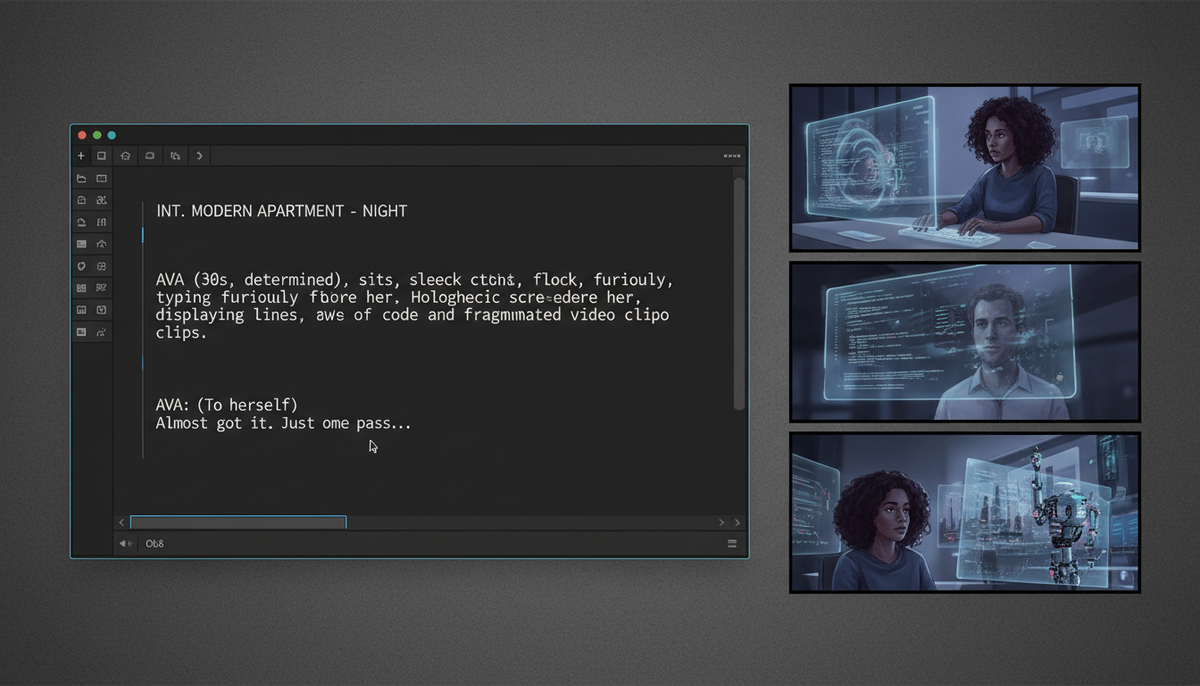
Choosing the right screenplay writing software for modern production depends on how easily the program exports structured data (like Fountain or FDX) rather than just static PDFs. For modern visual pipelines and AI-assisted storyboarding, you need an editor that maintains strict industry-standard formatting while offering clean, machine-readable exports to feed downstream creative agents. The right choice bridges the gap between traditional formatting rules and advanced pre-production workflows.
The Modern Script Handoff: Why Screenplay Software Selection Matters
Historically, screenplay writing programs had one primary job: formatting text so that one page equaled roughly one minute of screen time. Today, a screenplay is no longer just a static document for actors and directors to read. It serves as a structured database for downstream pre-production tools, scheduling software, and generative AI engines.
Standard PDF exports are insufficient for modern visual pipelines. When you export a script as a flat PDF, downstream tools must use optical character recognition or complex parsing rules to separate scene headings, action lines, character names, and dialogue. This process is prone to errors, often misinterpreting parentheticals as action lines or splitting scenes incorrectly. By using a script creator software that exports clean, structured formats like FDX (XML-based) or Fountain (markdown-based plain text), you preserve the structural integrity of your story. For a deeper dive into preparing scripts for generative tools, see our comprehensive guide on AI script writing for production.
When your screenplay software maintains clean, semantic formatting, automated tools can parse your script more reliably. This structured handoff helps minimize formatting translation issues during storyboarding, making it easier to transition your narrative beats into modern creative platforms.
Evaluating the Top Screenplay Writing Programs for Clean Export
To choose the best screenplay writing program, you must balance writing comfort with technical export capabilities. Below is an evaluation of the leading industry tools based on their compatibility with modern pre-production pipelines.
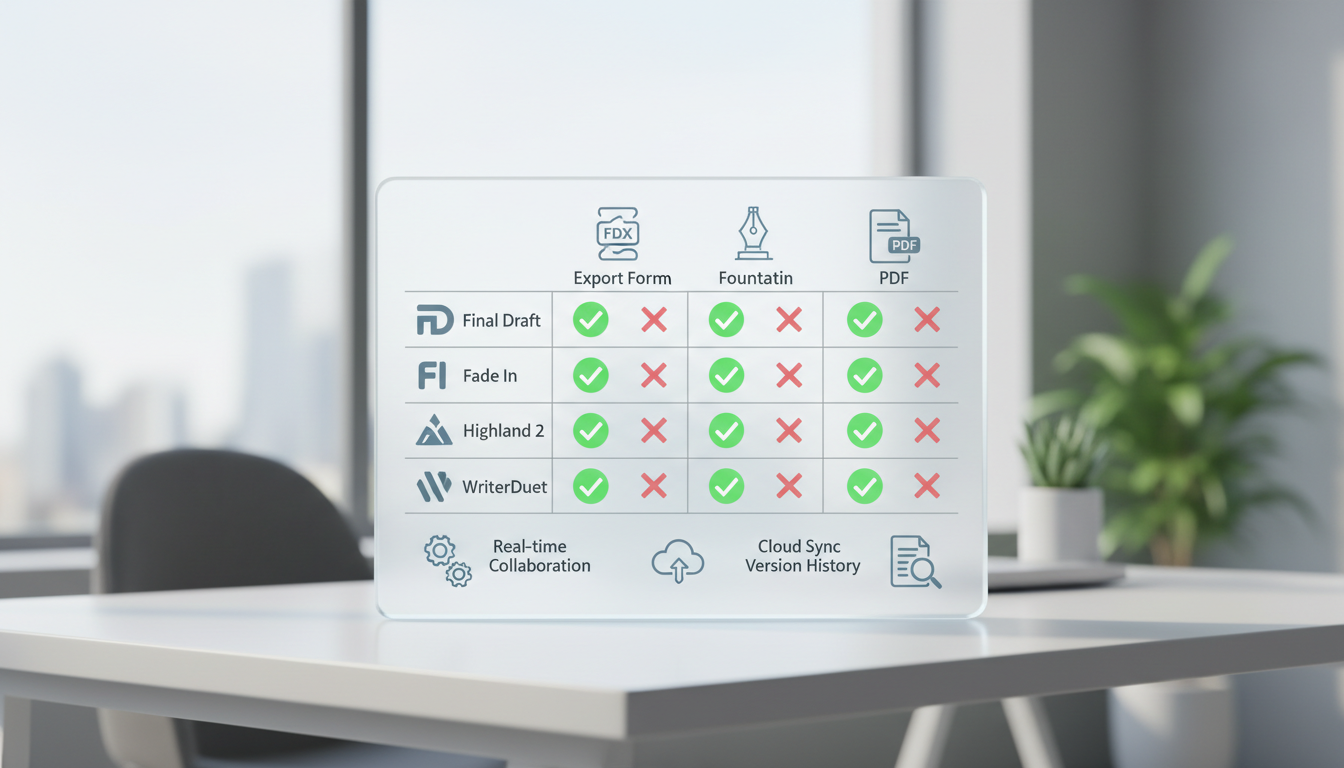
Final Draft
Final Draft remains the undisputed industry standard for traditional Hollywood productions. It uses the proprietary .fdx format, which is an XML-based file structure widely supported by scheduling and budgeting software. While it offers robust production tools and revision tracking, it comes with a higher price barrier and can feel bloated for creators who prioritize lightweight, fast writing environments.
Fade In
Fade In is a highly competitive, professional alternative to Final Draft. It is lightweight, cross-platform, and fully supports .fdx, .fountain, and HTML exports. Its clean XML-based file structure makes it incredibly easy to import into modern digital pipelines, and its one-time purchase model makes it highly accessible for independent short-film creators.
Highland 2
Designed by screenwriter John August, Highland 2 is built around the open-source Fountain format. It allows you to write in plain text while automatically formatting the output into an industry-standard screenplay layout. Because Fountain is plain text, Highland 2 files are infinitely portable, easy to track using version control systems like Git, and perfectly suited for developer-friendly AI pipelines.
WriterDuet
WriterDuet is built from the ground up for real-time collaboration. If you are co-writing a script with a distributed team, WriterDuet offers seamless cloud-based editing with instant syncing. It supports exports to FDX, Fountain, and PDF, making it highly compatible with modern visual generation workflows.
| Software | Primary Format | Export Options | Collaboration | Best Use Case |
|---|---|---|---|---|
| Final Draft | .fdx (XML) | FDX, PDF, RTF | Basic (Collab Control) | Traditional studio and television pipelines |
| Fade In | .fadein (XML) | FDX, Fountain, PDF, EPUB | Real-time (via cloud folders) | Independent filmmakers seeking clean, multi-format exports |
| Highland 2 | .fountain (Plain Text) | Fountain, PDF, FDX, DOCX | None (Solo focus) | Plain-text enthusiasts and developer-friendly workflows |
| WriterDuet | Cloud-based | FDX, Fountain, PDF, JSON | Advanced Real-Time | Distributed co-writers and remote production teams |
Formatting Rules for Downstream Storyboarding and AI Generation
Regardless of the screenplay writing software you select, your formatting choices directly impact how downstream storyboarding and visual generation tools interpret your script. To ensure seamless parsing, adopt these conditional formatting practices:
- Structure Scene Headings Precisely: Always use the standard
INT. LOCATION - TIMEorEXT. LOCATION - TIMEformat. Automated parsers rely on these prefixes to determine whether to generate indoor or outdoor lighting, as well as the time of day for visual assets. - Write Visual Action Lines: Traditional screenwriting sometimes includes internal monologues or unfilmable metaphors. For modern visual pipelines, keep action lines focused on concrete, observable details. Describe the camera's perspective, specific lighting sources, and physical actions.
- Manage Character Cues and Parentheticals: Keep character names consistent. Do not refer to a character as "JOHN" in dialogue cues and "the old man" in action lines, as this confuses asset-tracking systems. Use parentheticals strictly for delivery cues rather than physical actions that belong in action lines.
- Utilize Script Splitting: For complex, action-heavy sequences, break your script into smaller, manageable beats. Using a structured script-splitting protocol helps isolate individual shots, allowing you to run iterative visual tests on specific scenes without parsing the entire screenplay.
Building Your Production Pipeline from Page to Panel
Once your script is finalized and formatted in your chosen screenplay writing program, you can begin the transition from text to visual pre-production. This pipeline bridges creative writing and visual asset generation into a unified workflow.
First, export your completed script as a clean Fountain or TXT file. This strips away proprietary formatting bloat, leaving a highly structured plain-text file that clearly demarcates scenes, actions, and dialogue. Next, you can use these structured descriptions to guide modern creative platforms. For example, with Montagea's AI creative agent, Gigi, you can describe your short film, voiceover, or music video concept. Gigi then picks the best AI models, plans the necessary steps, and delivers the finished piece based on your description.
Finally, utilize a collaborative script-to-panel storyboarding pipeline to iterate on the generated panels. This allows you to refine character consistency, adjust camera angles, and test visual pacing before physical production begins. By selecting screenplay software that prioritizes clean, structured exports, you turn your script into a powerful, automated launchpad for your entire visual production.
Can I use free screenplay writing software for professional workflows?
Yes. Free tools like the basic tier of WriterDuet, or open-source plain-text editors using the Fountain markup language, are fully capable of producing professional-grade scripts. The key is ensuring the software can export to standard formats like FDX or Fountain so your work remains compatible with industry-standard scheduling, budgeting, and storyboarding pipelines.
What is the Fountain format, and why is it popular for modern pipelines?
Fountain is a simple, open-source markup language that allows you to write a screenplay in plain text. Because it does not rely on proprietary file formats, Fountain files can be read by any text editor, are easily tracked with version control tools, and parse cleanly into automated storyboarding and visual generation pipelines without translation errors.
How does clean script formatting affect automated storyboarding?
Automated storyboarding tools rely on standard screenplay syntax (like INT/EXT scene headers and character cues) to segment your script into individual scenes and shots. Inconsistent formatting, such as missing scene headers or placing physical actions inside parentheticals, can cause the parser to skip scenes, misattribute dialogue, or generate incorrect visual environments.