
Higgsfield vs Kling: Comparing Multi-Node and Foundational Video Workflows
Understand the structural differences between multi-node generation platforms like Higgsfield and foundational video models like Kling. Learn how to select the optimal workflow for your next creative project.
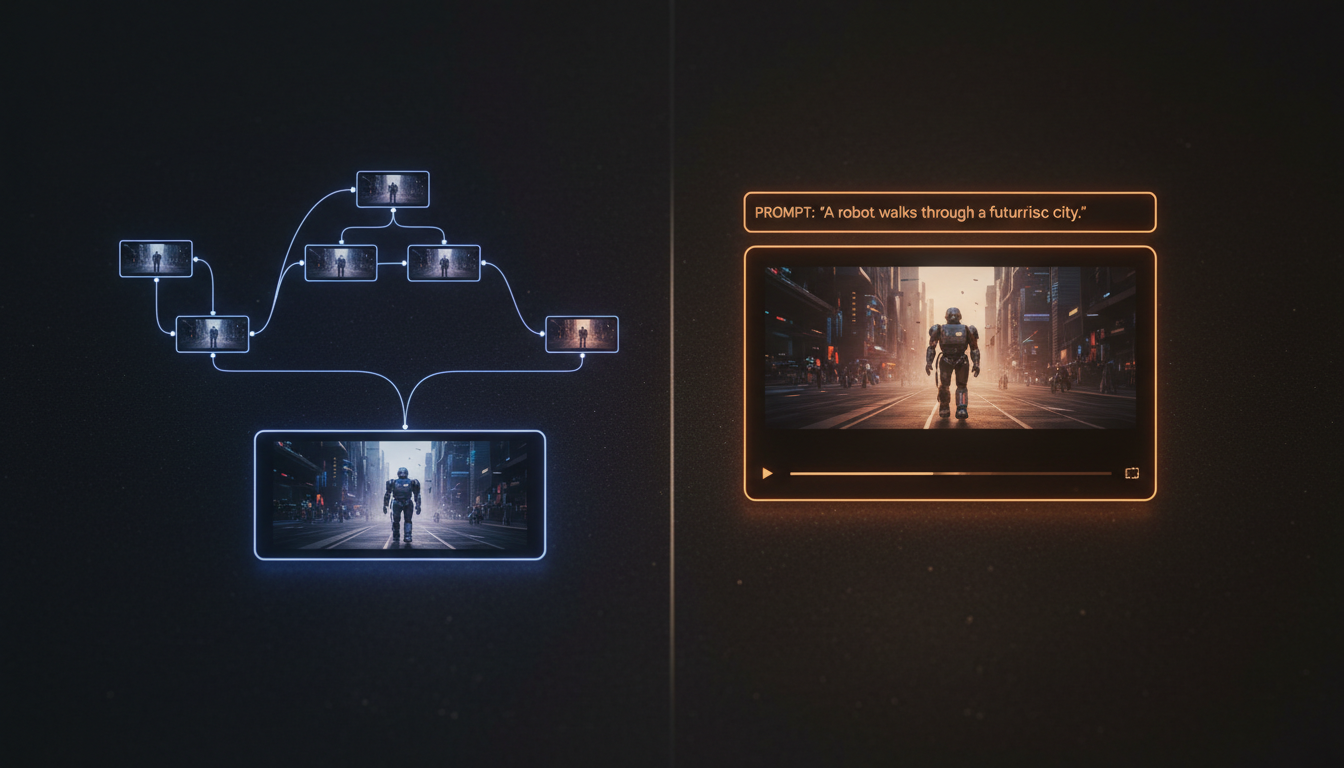
When planning an AI video production, choosing between Higgsfield and Kling depends on whether your workflow benefits from multi-node generation tools or direct foundational model outputs. Higgsfield offers specialized tools like Canvas for multi-node generation, allowing creators to structure sequences across multiple steps. Kling, developed by Kuaishou, is a foundational video model that generates motion directly from prompts and inputs. Understanding how to leverage these different approaches is key to building a consistent and efficient creative pipeline.
Multi-Node Generation vs. Foundational Video Models
The structural difference between these options lies in how they organize the creative workflow. Higgsfield provides a suite of dedicated tools, including Canvas for multi-node generation and Cinema Studio, designed to help creators manage complex production steps. Multi-node workflows are typically used to plan and sequence generations, helping creators maintain a structured approach to scene progression and narrative flow.
In contrast, foundational models like Kling focus on direct generation from prompts and input assets. Instead of managing the workflow through a multi-node interface, creators working with foundational models rely on prompt engineering and model-specific settings to guide motion, perspective, and character actions. This direct approach offers high flexibility for rendering dynamic motion and physical interactions within a single generation step.
For creators navigating these distinct approaches, Montagea acts as an AI creative agent that simplifies the production pipeline. Rather than forcing creators to manually manage multiple interfaces, Montagea's creative agent, Gigi, can orchestrate advanced models—including Kling—based on your creative intent, matching the right model and workflow to the exact needs of your scene.
Motion Control and Keyframing in Video Workflows
When working with foundational video models, managing motion and camera perspective is a common challenge. Creators often look for tools that allow them to guide camera paths and prevent distortion during complex movements. For those interested in exploring these techniques, specialized workflows can help stabilize generations. Learn more about managing localized dynamics in our guide to motion brush and character animation workflows.
Another common method for controlling camera paths is using visual anchors, such as starting and ending frames, to guide the generation. This approach helps the model calculate transitions between two distinct compositions, reducing erratic motion. For detailed guidance on setting up these visual anchors, read our deep dive on first and last frame workflows.
Multi-Node Workflows and Storyboarding
For projects that require sequencing multiple shots, multi-node environments offer a structured way to plan generations. Higgsfield's Canvas is designed for multi-node generation, allowing creators to organize their production steps. This type of workflow is highly useful for storyboarding and maintaining narrative continuity across a sequence of generated clips. Compare these pre-visualization methods in our analysis of layout-centric workflows vs Higgsfield for storyboarding.
When choosing a workflow, creators should consider the trade-offs between structured multi-node planning and direct generation. While multi-node systems help organize sequential steps, direct generation models may offer different dynamics for individual shots. Selecting the right tool depends on whether your priority is sequence organization or direct motion rendering.
Workflow Comparison: Choosing Your Production Pipeline
To help you select the optimal pipeline for your next project, the table below compares the general characteristics of multi-node platforms and foundational video models:
| Evaluation Metric | Multi-Node Platforms (e.g., Higgsfield) | Foundational Models (e.g., Kling) |
|---|---|---|
| Workflow Structure | Organized around sequential steps and multi-node generation. | Direct generation from prompts and input assets. |
| Sequence Planning | Designed for storyboarding and multi-step planning. | Typically focused on single-shot generation. |
| Integration Options | Platform-specific tools like Canvas and Cinema Studio. | Broadly accessible directly or via creative agents like Montagea. |
When designing your production pipeline, consider these general recommendations:
- Choose foundational models like Kling when your project benefits from direct, prompt-driven generation and you want to leverage advanced motion rendering within a single step.
- Choose multi-node platforms like Higgsfield when your project requires structured sequencing, multi-step planning, or storyboarding across multiple nodes. If your project requires strict asset consistency, explore our comparison of Higgsfield alternatives for product videos.
Can different video generation tools be used together in a workflow?
Yes, creators often combine different tools by exporting assets from one platform and importing them into another during post-production. This manual workflow allows you to leverage the unique strengths of different models at different stages of your project.
How do multi-node platforms and foundational models handle complex motion?
Foundational models typically generate motion directly from prompts and input assets, focusing on the dynamics within a single clip. Multi-node platforms generally focus on organizing the generation steps, helping creators structure the overall sequence across multiple scenes.
How does Montagea help with these different workflows?
Montagea acts as an AI creative agent that can orchestrate multiple models, including Kling. Instead of manually managing different platforms, you can describe your creative goals, and Montagea's agent, Gigi, will select the best models and plan the steps to deliver your finished video.



