
Finding a Free Crayo AI Alternative: Budget-Friendly Workflows for Automated Shorts
Building automated short-form videos does not require an expensive subscription. Learn how to combine powerful, free-tier tools to build a custom workflow without watermarks or strict limits.
Finding a completely free, unlimited alternative to automated video generators is a challenge because high-quality rendering, voice synthesis, and auto-captioning incur significant server costs. While there is no single "unlimited free" tool that matches a fully automated pipeline without watermarks or strict credit limits, creators can easily replicate and even exceed this quality for free. By combining specialized free tools—such as video editors with auto-captioning features, free-tier large language models for scripting, and curated stock assets—you can build a highly effective, custom short-form video workflow without a monthly subscription.
The Reality of Free Crayo AI Alternatives
Many creators search for a "free Crayo AI" expecting a single button that generates millions of views for zero dollars. The reality of all-in-one automated video platforms is that their free tiers are highly restricted. Common limitations include:
- Watermarks and Low Resolution: Free exports are often capped at 480p or 720p and stamped with prominent branding, making them look unprofessional.
- Repetitive Visuals: Free-tier templates rely on a small pool of overused background videos (such as Minecraft parkour or GTA driving clips) that platforms like TikTok and YouTube frequently flag as repetitive or low-effort.
- Strict Credit Caps: Most platforms offer a one-time trial of 3 to 5 videos rather than a recurring free tier.
To bypass these limitations, the most effective strategy is a modular workflow. Instead of relying on a single closed platform to handle everything, you can use specialized, best-in-class free tools for each step of your production pipeline. This approach keeps your budget at zero while giving you full creative control over your content.
Comparing the Best Free and Freemium Competitors
When looking for alternatives to automated video generators, creators generally choose between dedicated mobile or desktop editors, entry-level automation platforms, or professional AI orchestrators.
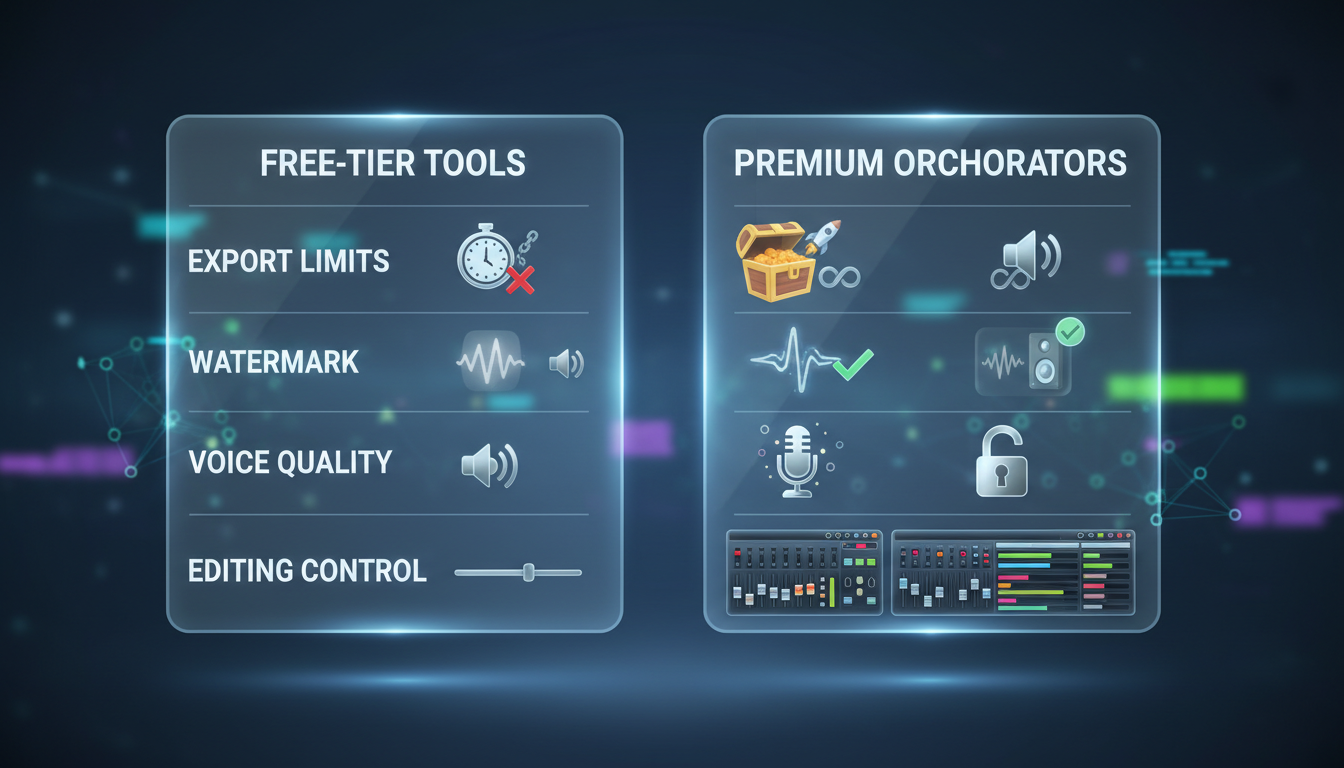
- Video Editors (such as CapCut): Popular choices for manual and semi-automated editing. Many of these tools offer auto-captions, text-to-speech, and basic transitions, though features and watermark policies vary by platform and version.
- Viblo AI: An automated video creation platform. If you want to see how these options compare directly, you can compare how different platforms handle automated video editing and free access options to see which fits your output goals.
- Gigi by Montagea: A professional, model-agnostic AI creative agent. Unlike rigid template engines, Gigi coordinates top-tier models like Kling, WAN, and Veo to build custom, high-definition visual assets, giving you complete creative control over the final look and feel.
| Feature | All-In-One Generators (Paid) | Standard Video Editors (Free Tiers) | Gigi by Montagea (Orchestrator) |
|---|---|---|---|
| Price | Subscription often required | Free tiers available | Refer to platform terms |
| Auto-Captions | Automated, styled | Available on select platforms | Model-dependent |
| Visual Variety | Template-based stock | User-uploaded / stock | Custom generated (Kling, WAN, etc.) |
| Watermarks | Varies by plan | Varies by platform | Depends on model used |
| Workflow | All-in-one automated | Manual assembly | AI-assisted modular pipeline |
How to Build a High-Quality Faceless Video Pipeline for Free
Replicating the automated short-form pipeline manually takes only a few minutes per video once you establish a system. Here is the step-by-step workflow:
Step 1: Scripting with Free LLMs
Use a free LLM like ChatGPT or Claude to draft your script. Focus on a strong hook in the first three seconds and write in a conversational tone. Keep your target runtime under 60 seconds to maximize completion rates on YouTube Shorts and TikTok.
Step 2: Natural Voiceovers
Generate realistic voiceovers using free tiers of specialized speech synthesis platforms. Keep in mind that platforms are increasingly sensitive to robotic voices. Before you finalize your audio, check how platforms view AI-generated narrators and monetization policies before publishing to avoid future demonetization.
Step 3: Sourcing Dynamic Visual Assets
To keep viewers engaged, change the visual element on screen every 2 to 4 seconds. You can source free, high-quality stock footage from Pexels or Pixabay, or generate custom background art using free-tier AI image generators. For a deeper look at the best creation suites, you can explore our production-first guide to selecting the best tools for faceless channels.
Step 4: Assembly and Auto-Captions in a Video Editor
Import your voiceover and visual assets into your chosen video editor. Use the available auto-captioning features to generate kinetic text. Apply a clean, high-contrast style (such as yellow text with a black stroke) and add subtle sound effects to transitions to maximize viewer retention.
Elevating Your Production Quality Beyond Basic Templates
While basic automated templates are convenient, they carry a major long-term risk: platform saturation. When thousands of creators use the exact same background footage, fonts, and robotic voices, audiences quickly swipe away, and platform algorithms may classify the content as unoriginal.
To build a sustainable channel, your content needs a distinct visual identity. This is where an AI creative agent like Gigi by Montagea excels. Instead of locking you into a rigid template, Gigi acts as an intelligent assistant that helps you select the best models, plan your visual steps, and deliver custom-tailored video, images, and music. This modular flexibility allows you to maintain the speed of automated production while producing high-substance, cinematic shorts that stand out on any feed.
Can I monetize short-form videos made entirely with free AI tools?
Yes, but with conditions. Platforms like YouTube and TikTok prioritize original, high-value content. If you use generic, repetitive templates with robotic voices, your channel may be flagged for "repetitive content." To secure monetization, customize your scripts, use natural-sounding voices, and add unique visual editing.
How do I remove watermarks from free AI video editors legally?
The safest way is to use editors that allow you to customize or remove the branded outro clip at the end of your timeline. Avoid using third-party watermark removal websites, as they often degrade video quality and violate platform terms of service.
Which free AI voice generator sounds the most natural for TikTok?
Many modern video editors and dedicated text-to-speech platforms offer built-in voices optimized for social media. When selecting a tool, look for platforms that offer natural-sounding voice models on their free tiers, and test them with your specific script to ensure the pacing sounds authentic.



