
Navigating AI Storyboard Workflows: Layout Tools and Production Alternatives
Looking into AI storyboarding? Explore the role of layout tools in pre-production and discover how to transition static layouts into dynamic cinematic sequences.
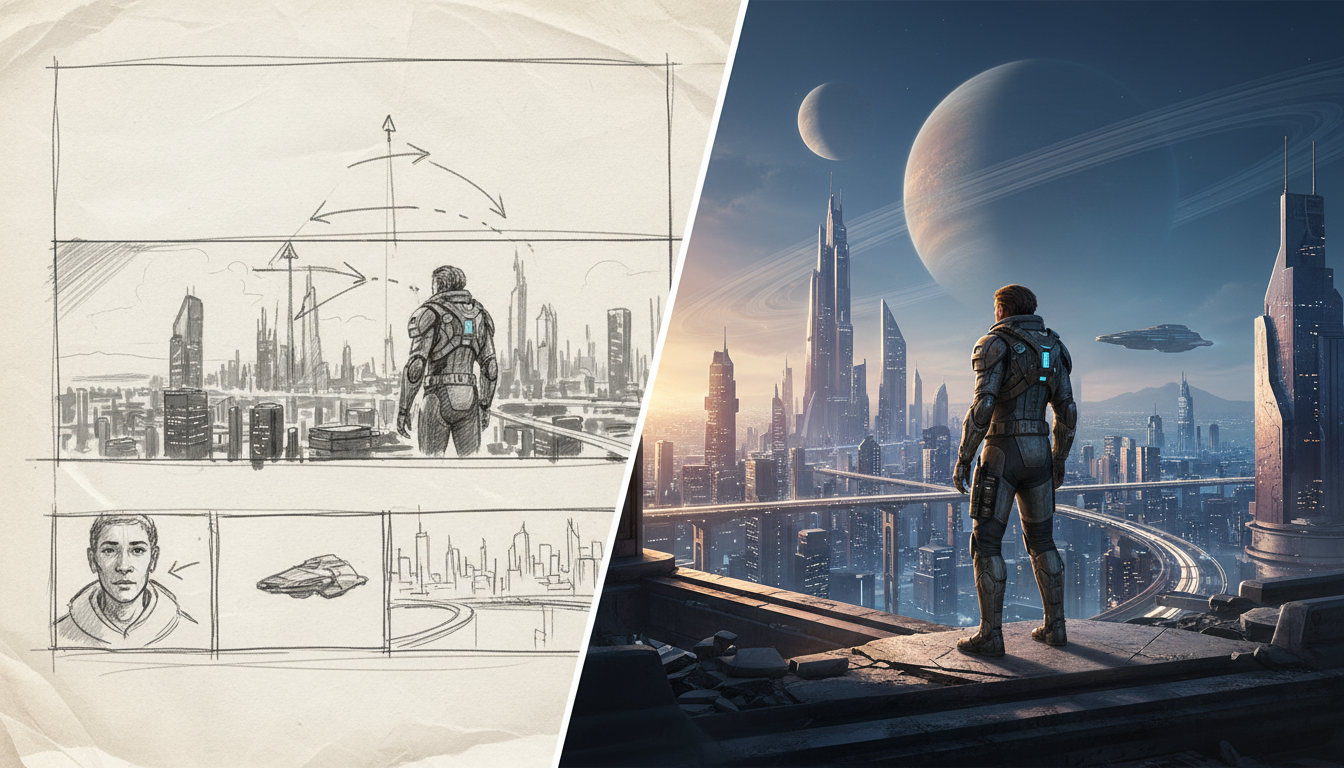
If you are searching for terms like "tapnoon" in the context of creative software, you may be looking for ways to streamline AI-powered storyboarding and pre-production. Because search terms can sometimes be ambiguous, finding the right tools and documentation can be challenging. Generally, storyboarding workflows focus on helping filmmakers organize and sequence visual layouts before rendering final video frames. To build a complete commercial-grade video pipeline, creators must know how to move from static boards into dynamic, high-consistency video generation.
Navigating Pre-Production and Layout Search Terms
When creators search for terms like "tapnoon" in relation to digital design, they are typically looking for ways to streamline pre-production and layout design. In a standard pre-production workflow, directors, animators, and AI filmmakers draft visual sequences, set up scene compositions, and establish keyframes before committing computing resources to rendering full-motion video.
While storyboarding is a crucial step in traditional and AI filmmaking, static layouts are only the starting point. To produce a polished final film, creators must transition these structural layouts into high-fidelity, dynamic video clips using advanced motion models.
The Role of Storyboarding in AI Video Production
Pure text-to-video prompting often falls short when producing narrative content. Without a spatial layout, models frequently struggle with "prompt drift"—spontaneously changing character details, camera angles, or background elements from one shot to the next. This lack of spatial and sequential consistency makes direct text-to-video workflows highly inefficient for complex scenes.
Layout-centric pre-production solves this problem by separating composition from motion. By using a storyboarding tool to lock in camera framing, character placement, and spatial depth first, you create a visual anchor. Once the composition is established, you can feed these layout frames into video generation models as image prompts. This ensures that the movement generated by the AI respects your original directorial intent.
At Montagea, we view storyboarding as the foundational blueprint of a multi-stage creative process. A successful AI-assisted film requires orchestrating different specialized tools for each stage of production—from initial spatial layouts to high-fidelity video rendering, vocal tracks, and sound design.
Comparing Pre-Production Workflows and Tool Alternatives
Depending on your project's specific needs, a strict layout tool may not always be the optimal choice. For example, some filmmakers prefer platforms that offer more advanced motion control directly during the generation phase, while others require flexible API integrations to connect multiple models.
| Workflow Approach | Core Focus | Best For | Pipeline Flexibility |
|---|---|---|---|
| Layout-Centric Tools | Spatial composition and sequential storyboarding | Locking in camera angles and framing before rendering | High (via image-to-video export) |
| Motion-Focused Workflows | Camera control and character movement | Sequences requiring complex movement | Variable depending on platform |
| Foundational Video Models (e.g., Kling, WAN) | Video generation and motion rendering | Final rendering from image or text prompts | High (accepts diverse inputs) |
How to Build a Consistent Storyboard-to-Video Pipeline
To turn your storyboard layouts into a polished, high-consistency video sequence, you can implement a structured three-step pipeline:
Step 1: Establish Character and Environment Seeds
Begin by generating your reference assets in your layout tool. Define your main characters, key environments, and color palettes. Save these initial frames as reference templates to ensure that the visual identity of your project remains stable across different scenes.
Step 2: Export Keyframes and Prompt with Image-to-Video (I2V)
Export your sequenced storyboard panels as high-resolution images. Next, import these images into a foundational video generation model (such as Kling, Hailuo, or WAN). By using the storyboard panel as an image input (I2V) and pairing it with a descriptive text prompt, you instruct the AI to animate the scene while strictly preserving your original spatial composition.
Step 3: Extend and Stitch Clips
AI video generators typically produce short clips. To build longer, cohesive scenes, you must extend your clips or stitch them together using transitions that maintain visual continuity. For advanced techniques on maintaining narrative continuity, read our guide on AI video workflows for short films.
While executing these steps manually across multiple interfaces can be time-consuming, Montagea simplifies the entire process. Rather than requiring you to manually copy seeds, export files, and jump between isolated AI models, Montagea's creative agent, Gigi, manages the pipeline for you. You can describe your creative goal—whether it is a short film, a podcast intro, or a coffee shop commercial—and Gigi automatically selects, sequences, and coordinates the best AI models (including Veo, Kling, Hailuo H3, and WAN) to deliver a finished, cohesive piece of media.
What is the main difference between layout-centric tools and standard text-to-video generators?
Layout-centric tools focus on spatial composition, layout, and sequential storyboarding (pre-production), whereas standard text-to-video generators (like Kling, WAN, or Hailuo) specialize in rendering motion and video from prompts or single images.
Can I export storyboards from layout tools directly into video generation models?
Yes. The standard professional workflow is to export keyframes from your storyboard tool as static images, and then use those images as image-to-video (I2V) inputs in models like Kling or WAN to ensure your composition is preserved during motion rendering.
How does Montagea's Gigi agent differ from single-purpose storyboarding tools?
Single-purpose tools only handle one stage of the pipeline (like layout or sketching). Montagea's Gigi is an AI creative agent that orchestrates the entire production process—automatically selecting and chaining the optimal models for storyboards, video rendering, voiceovers, and music within a single workflow.



