
How to Structure a Collaborative AI Filmmaking Workflow
Transition from a chaotic single-creator process to a structured, studio-style pipeline. Learn how to assign roles, package scene briefs, and implement strict QC standards for collaborative AI video production.
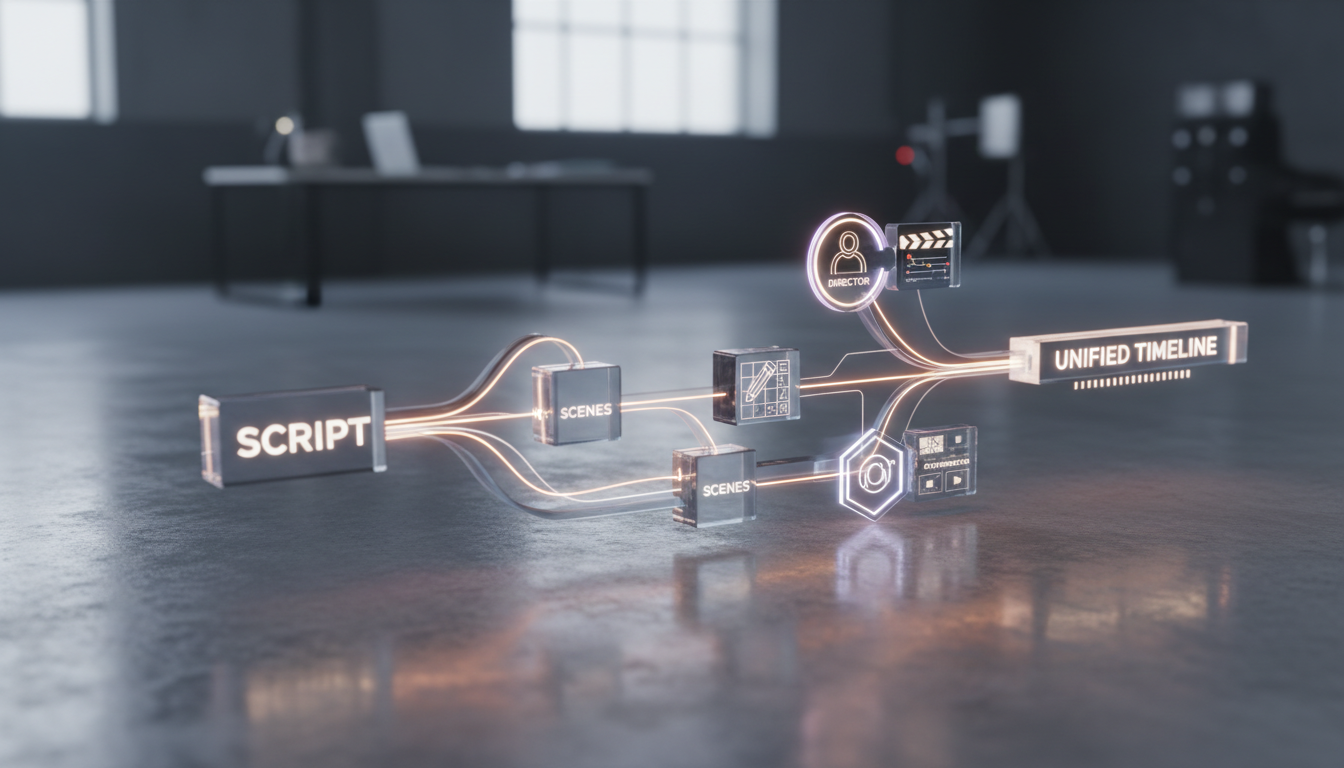
Structuring a collaborative AI filmmaking workflow requires shifting from the chaotic, single-creator model to a disciplined, studio-style pipeline with clearly defined roles, standardized handoff packages, and strict quality control (QC) rubrics. While single-creator AI video generation often suffers from stylistic drift and wasted compute, a structured team framework ensures visual consistency and resource efficiency. This guide outlines how to organize your crew, divide your screenplay into prompt-ready scenes, and establish technical acceptance standards to produce a cohesive, high-fidelity film using AI creative agents like Montagea's Gigi, which plans steps and picks the best AI models to deliver finished video, images, music, and voice from a single description.
Defining the Collaborative AI Film Crew: Who Does What?
In a professional AI-assisted film production, the traditional boundaries of pre-production, production, and post-production blur. To maintain creative control and velocity, a team must divide responsibilities based on creative intent, asset consistency, and execution. Rather than having every member generate random clips, successful teams assign three specialized human roles to direct the AI engines effectively. If you are setting up your team's structure, you can map out your infrastructure by defining clear boundaries for each role.
| Role | Core Responsibility | Primary Deliverables |
|---|---|---|
| The Director | Narrative continuity, overall aesthetic tone, and final edit approval. | Style guide, color palette, director's notes, final cut. |
| The Storyboarder & Asset Designer | Visual consistency across characters, environments, and key props. | Character reference sheets, environment style frames, seed assets. |
| The Shot Contributor | Scene execution, engine selection, prompting, and shot generation. | Raw renders, alternative takes, upscaled video clips. |
The Director
The Director owns the creative vision. Instead of managing physical cameras and actors, the Director defines the parameters that guide the AI. This includes establishing the project's visual rules—such as lighting presets, color grading templates, and camera movesets. In many collaborative setups, the Director may focus on acting as a creative filter, reviewing submitted clips to ensure they align with the overarching narrative.
The Storyboarder & Asset Designer
This role bridges the gap between script and generation. The Storyboarder & Asset Designer creates the "creative bible" for the film. Using image-generation engines, they produce high-fidelity character reference sheets (front, side, and three-quarter views) and environment style frames. These assets act as the visual anchors. When a Shot Contributor begins generating, they use these exact reference images to maintain character and environmental consistency across different shots.
The Shot Contributor
Shot Contributors are the engine specialists. They claim specific scenes from the master script and execute them. A skilled contributor understands how to evaluate the strengths of different AI video models based on the specific requirements of a shot, such as character interactions, rapid movement, or environmental physics. They write the final motion prompts, manage seed parameters, and run the actual generations within the team's shared workspace.
The Script-to-Scene Handoff Protocol
To keep a distributed team aligned, you must establish a formal handoff protocol. A common failure point in collaborative AI filmmaking is handing a raw screenplay to contributors and expecting them to guess the visual style. Instead, the production must break down the master script into discrete, prompt-ready scene packages. To implement this step systematically, you can establish a standardized template for breaking down the narrative into individual shots.
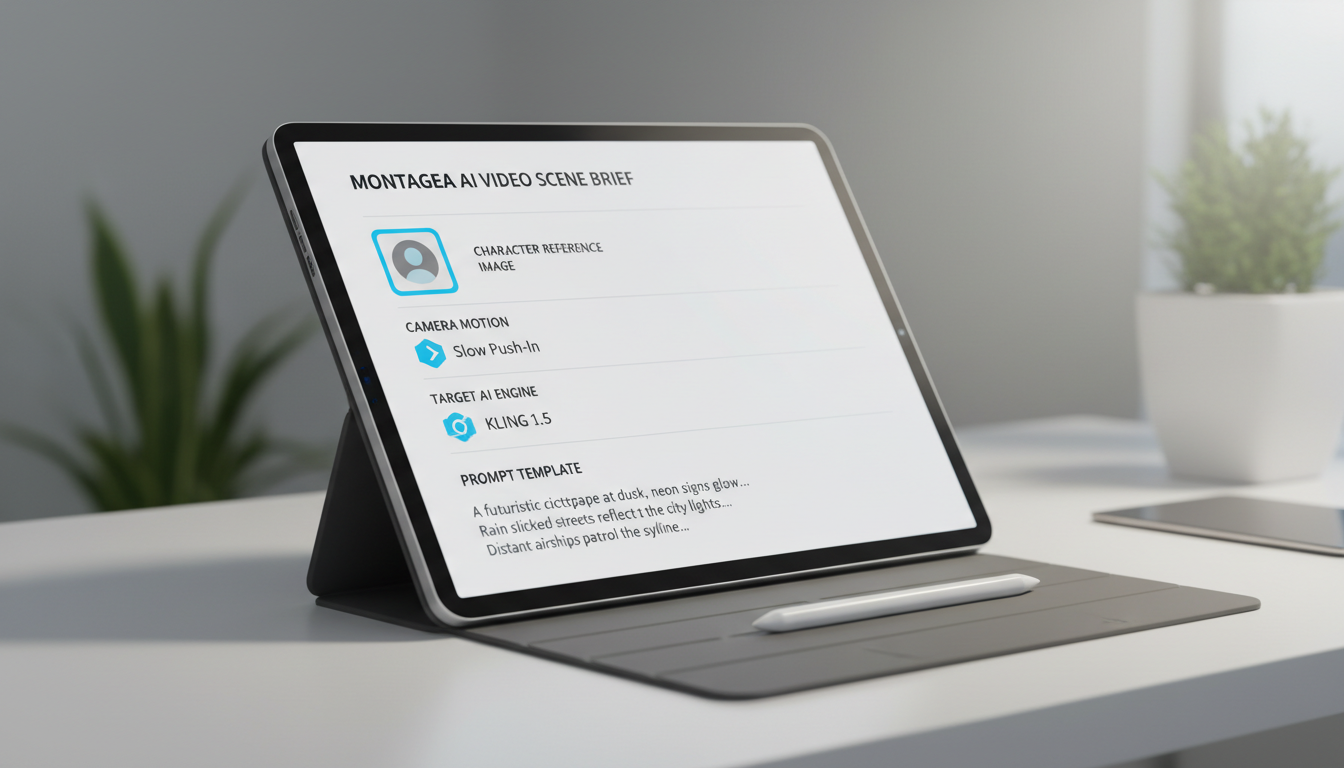
In a collaborative AI production, this process can be structured systematically: a master story is split into individual scenes, allowing contributors to be assigned specific shots. Each scene package must contain a comprehensive Scene Brief. This brief provides the shot contributor with everything they need to execute the shot without creative misalignment.
Example: Anatomy of a Scene Brief
- Scene ID: SC_04_SHOT_02
- Action Line: The protagonist, Marcus, walks down a dimly lit neon alleyway, turning back in sudden panic.
- Character Reference:
[Link to Marcus_Ref_03.png](Standardized face and wardrobe seed) - Camera Motion: Low-angle tracking shot, slow push-in, subtle handheld organic breathing.
- Lighting & Style: Cyberpunk noir, high-contrast chiaroscuro, wet asphalt reflections, magenta/cyan color palette.
- Target AI Engine: Kling (Selected for tracking and motion requirements).
- Prompt Template: "A low-angle tracking shot of a man matching [Marcus_Ref_03.png] walking down a wet, neon-lit alleyway at night. He suddenly stops and turns back with a panicked expression. Chiaroscuro lighting, magenta and cyan reflections, cinematic, highly detailed, 8k resolution."
By establishing these clear boundaries, the Director maintains control over the aesthetic parameters while the Shot Contributor is empowered to focus entirely on technical execution, prompt engineering, and motion control.
Establishing a Technical QC and Shot Acceptance Rubric
Once a Shot Contributor submits a render, it must pass through a strict Quality Control (QC) process. Without a clear rubric, teams waste valuable time and credits on shots that look impressive individually but break continuity when edited together. To build a robust evaluation pipeline, you can establish a standardized checklist for your team.
We recommend implementing a "Three-Pass" QC Check for every submitted clip:
- Pass 1: Temporal Consistency. Watch the clip at full speed. Look for sudden morphing, "melting" backgrounds, limbs disappearing, or clothing patterns changing mid-shot. If the geometry of the scene shifts unnaturally, the shot fails.
- Pass 2: Character Geometry Preservation. Compare the character in the rendered clip against the original character reference sheet. Evaluate whether key facial features, hair color, and clothing details remain sufficiently consistent for the scene's requirements. Minor variations can often be tolerated, but major facial drift may require a redraw.
- Pass 3: Camera Motion Physics. Evaluate the camera movement. Does the camera drift off-axis? Is there a digital glitch or warping at the edges of the frame? The motion should feel like it was captured by a physical camera rig, not an algorithm.
Managing this feedback loop efficiently prevents creative friction between directors and contributors. To optimize this stage, you can establish a clear scene approval workflow designed for small teams. This framework helps you decide whether to request a complete re-generation or to fix minor artifacts—such as slight color mismatches or small background glitches—in post-production using traditional masking and color-grading tools.
Preventing Asset Redundancy and Credit Waste
Collaborative AI filmmaking can quickly become expensive if team members generate overlapping or redundant shots. In a shared workspace, managing your token budget is just as critical as managing your timeline. To prevent multiple creators from working on the same scene simultaneously, teams should implement a strict "Scene Claiming" system. To protect your production resources, you can implement a shared tracking system to prevent asset redundancy.
An effective way to manage shared resources is by building a centralized asset library. Characters, environments, and key props should be saved as reusable elements. When a contributor claims a scene, they pull the exact reference seeds and style parameters from this library. This eliminates the need to regenerate base assets, ensuring that everyone starts with the identical creative DNA.
Finally, clear attribution is essential for team morale. Because AI workflows involve multiple layers of creation—from the initial character design to the final prompt engineering—contributors must be able to document their exact contributions. To ensure fair credit, team members can document their specific contributions in a shared portfolio that highlights individual scene contributions without muddying overall team attribution.
How do we maintain character consistency when multiple contributors are generating different shots of the same character?
To maintain character consistency, the Storyboarder & Asset Designer can create a centralized reference pack. This pack should include high-resolution, multi-angle character sheets (front, profile, and three-quarters) generated with consistent seeds. When contributors work on a scene, they can use these reference images as image-to-image inputs or reference elements, helping the AI model retain key facial geometry and wardrobe details across different shots.
What should be included in a shared 'Aesthetic Bible' before AI generation begins?
A shared Aesthetic Bible must include the film's color palette (defined by hex codes or color-grading LUTs), lighting guidelines (e.g., high-contrast chiaroscuro, natural diffused light), camera moveset rules, aspect ratio, and a list of approved AI engines for specific shot types. It should also include approved character reference sheets and environment style frames to guide the visual tone of every generation.
How do we handle credit and token allocation fairly among a collaborative AI film crew?
Teams should establish a token budget per scene based on complexity. Establish a clear protocol to ensure no two contributors generate the same shot. By utilizing a collaborative workspace, the team leader can allocate credits to specific scenes or contributors, helping ensure that high-priority, complex shots (such as those requiring heavy physics simulation) receive a larger share of the compute budget.



