写真からAIスカイダイビング動画
ドローンでも撮れないショットです。写真の人物が夕焼けの雲の中を自由落下し、カメラがその周りを回ってから、一緒に雲を抜けて海へ向かいます。
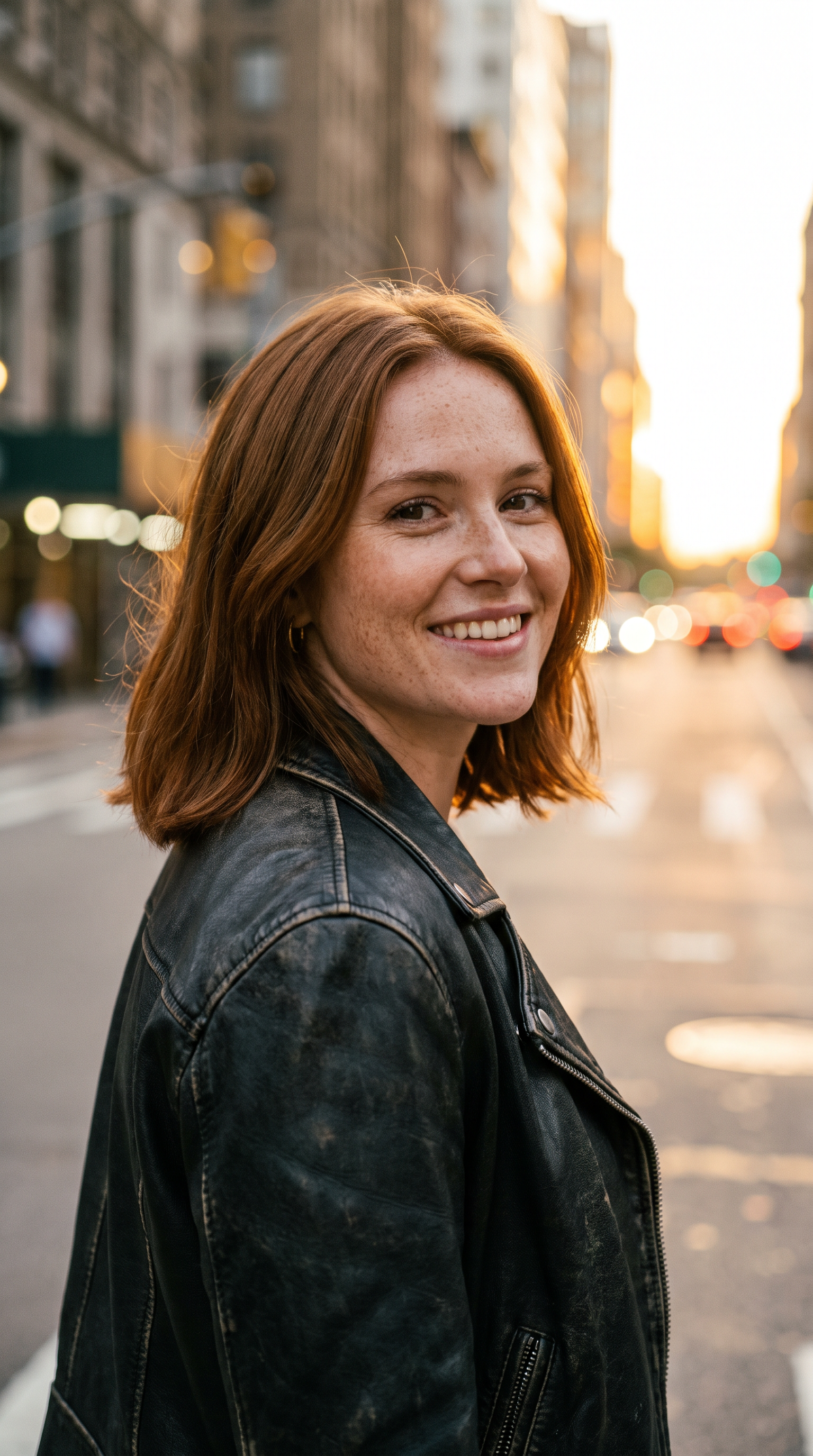
作り方
- プロンプト入力済みで Veo 3.1 を開きます。
- 写真を参考画像として追加します。
- 「生成」を押します。
プロンプト
The person from the reference image skydives through towering sunset clouds in a red jumpsuit and goggles, arms spread, laughing. The camera orbits around them as they fall, then dives with them through a cloud layer into golden light above a turquoise sea. Hair whips in the wind, the jumpsuit ripples, god rays cut through the vapor. Sound: roaring wind, a rising orchestral swell.
2026-10-15 に生成。このページの動画はすべて下のプロンプトから作られています。
同じプロンプトを Wan 3.0 で
1080p · 8 s · 9:16
同じプロンプトを MiniMax H3 で
720p · 8 s · 9:16
よくある質問
映像素材は必要ですか?
必要ありません。鮮明な写真が1枚あれば十分です。写真は人物の参考に使われ、雲・海・カメラワークはプロンプトから作られます。
場所を変えられますか?
はい。「a turquoise sea」を雪山、砂漠の峡谷、夜の都市のスカイラインなど好きな景色に書き換えてください。
落下中に顔が違って見えるのはなぜですか?
風、ゴーグル、速いカメラの動きのせいで顔を保つのが難しくなります。似ていることを優先したいなら「goggles pushed up, face clearly visible」をプロンプトに加えてください。